INTEGRA/-S/-G/-GS User Manual WEB GUI
SAF Tehnika JSC
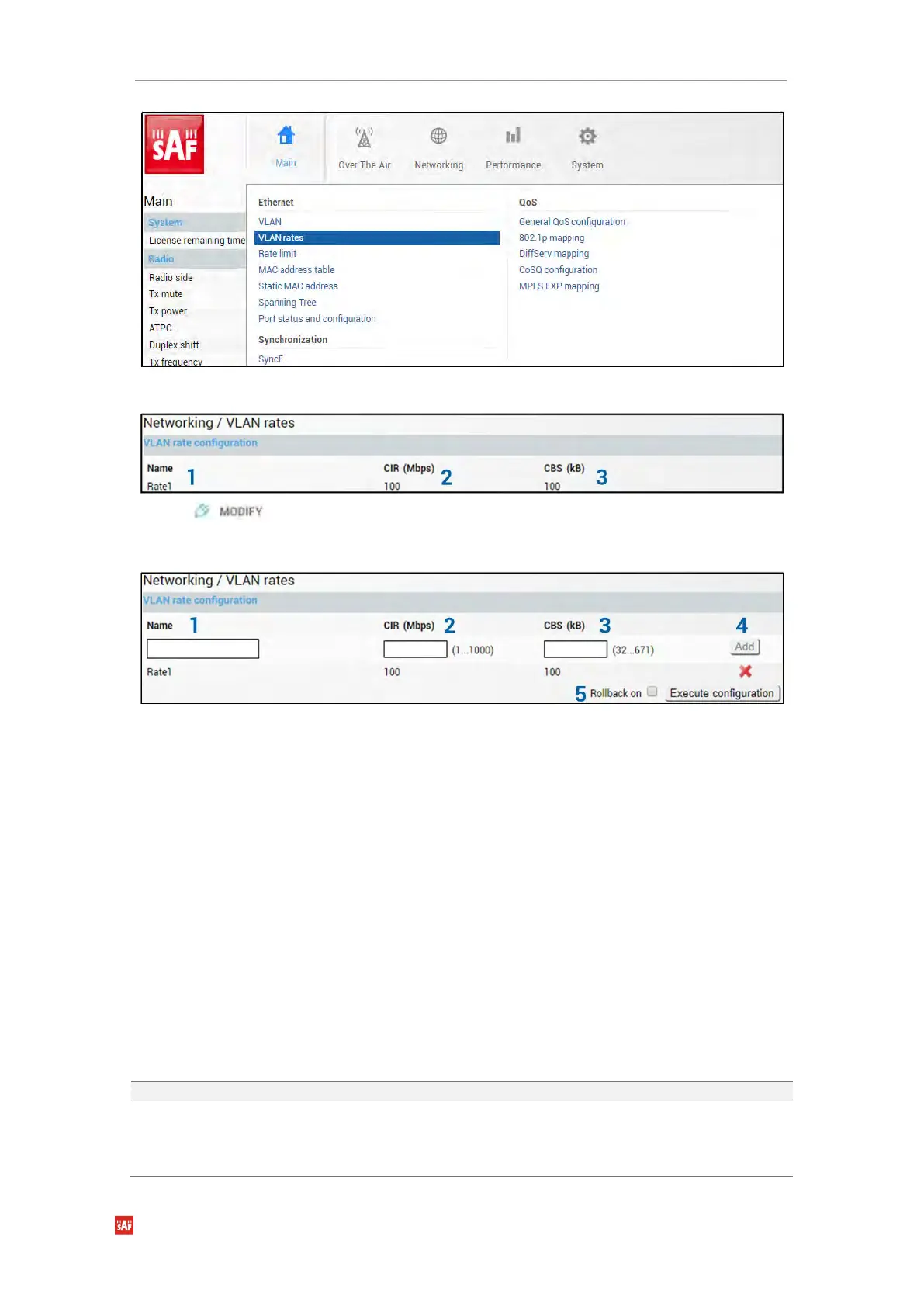
Status mode
Press button.
Modify mode
1) Name – Indicates whether the egress rate is enabled or disabled on a particular port
(status mode); allows enabling/disabling egress rate on a particular port (modify
mode).
2) CIR (Mbps) – Indicates configured rate CIR (Committed Information Rate) on a
particular VLAN rate item in Mbps (status mode); allows setting rate CIR on a
particular VLAN rate item in Mbps (modify mode).
3) CBS (kB) – Indicates configured rate CBS (Committed Burst Size) on a particular
VLAN rate item in kB (status mode); allows setting rate CBS on a particular VLAN rate
item in kB (modify mode).
4) Add / Delete – Press “Add” to add entered VLAN rate or press the red cross (×) to
delete this entry;
5) By pressing „Execute configuration”, changes made to the corresponding section
apply only to the local side Integra/Integra-S/Integra-G/Integra-GS. If „Rollback on” is
selected, the configuration will be reverted in case erroneous configuration changes
are applied.
CLI commands (Chapter 4: COMMAND LINE INTERFACE)
Use to show created rate profiles.
network vlan set rate
{add|delete} <name> cir
<1000…1000000kbps> cbs
<32…671kB>
Use to create new or delete existing rate configuration
profiles. Please refer to Chapter Networking → Ethernet →
VLAN to apply the created rate profile to a VLAN ID.


 To Next Page
 Loading...
