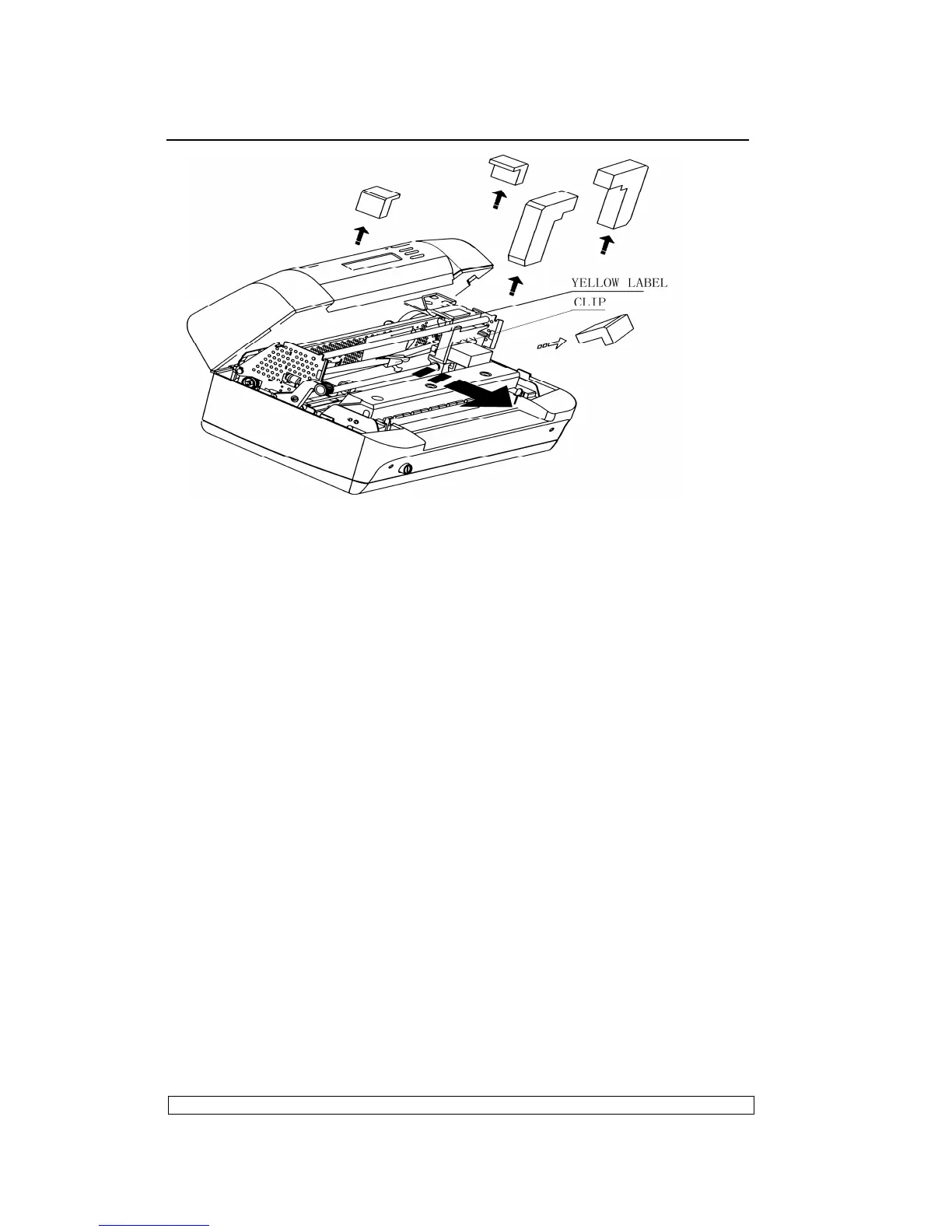
Fig. 2-2 Removing the Transportation Retainers
2.2.2. INSTALLING THE MACHINE
- Position the machine for operation, making sure that it complies with the
information provided in section 2.1.
- Make sure that the voltage rating indicated on the electrical data plate
corresponds to the local mains.
- Plug the power cord into the electrical wall outlet (make sure that the
printer has been turned off) and then power on the printer.
- Make sure that the printer powers on by checking the mechanical reset
and the lighting of the ON LED on the operating panel.
2.3. OFF-LINE TESTS
A print test can be run to make sure that the printer works correctly before
actually connecting it to the system.
2.3.1. STARTING AND STOPPING THE PRINT TEST
Proceed as follows to activate the print test:
- Power on the printer, after initialization, it will enter the on-line operation
- Pressing down the “STATION 2” and “COMPRESS” keys
simultaneously on the console, the printer will enter the off-line
operation.
- Pressing COMPRESS key until the LCD shows “MENU PRINTING”,



 To Next Page