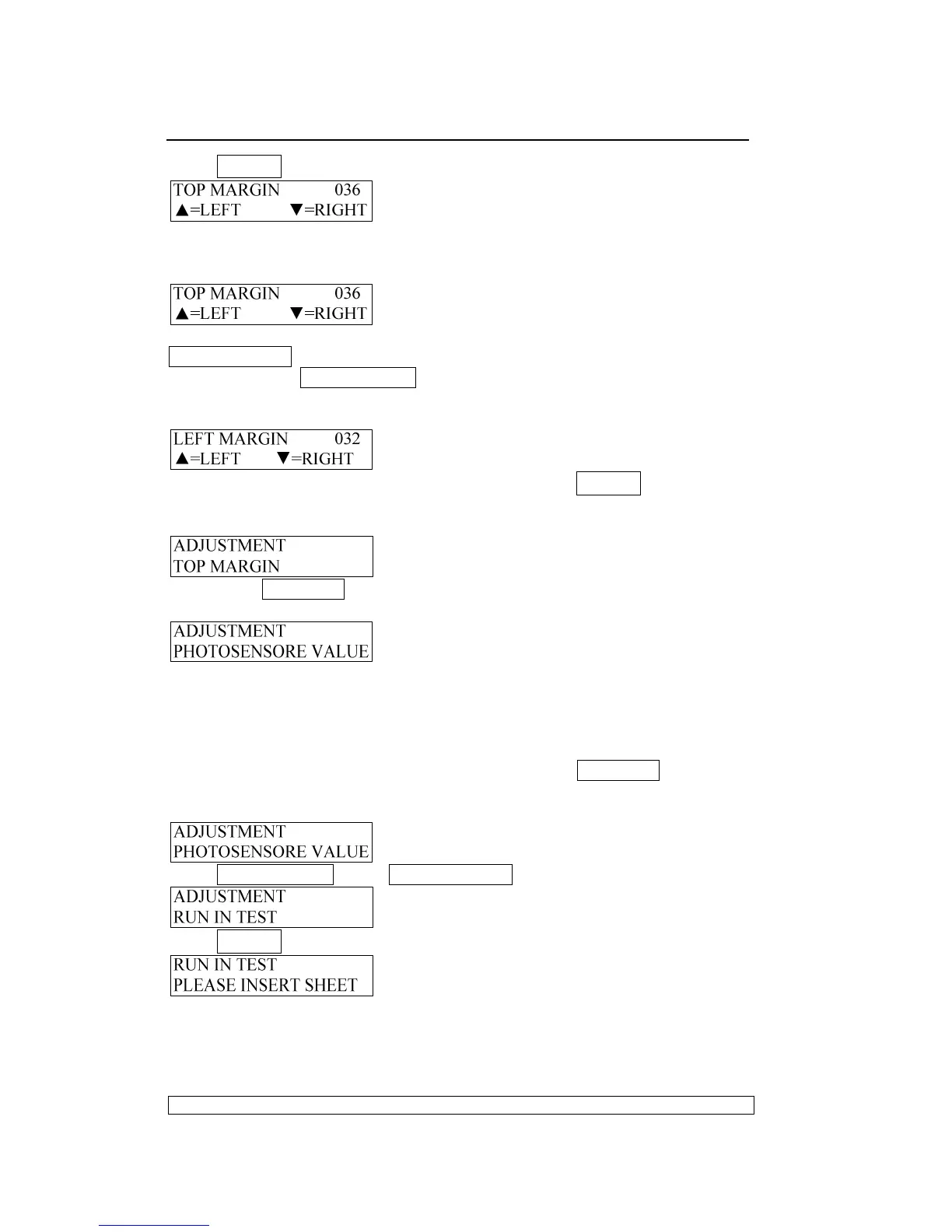
Press STOP▉ key to accept, LCD shows:
If you want to see the print effect, insert A4 sheet, the printer will feed the
paper automatically, print the current margin and eject the sheet
automatically, LCD shows:
Now you can adjust the top margin according your requirement, Press
FEED/EJECT▲ key means reduce based on current value (moving
upwards), Press COMPRESS▼ key means increase based on the current
value (moving downwards). If you want to check the print effect, Insert a
sheet, it will print it, the LCD show:
After selecting the value you want, you must press STOP▉ key to save,
and the printer will exit the left margin setup and enter the classified
selection of adjustment, LCD shows:
If you press STATION2 key, it will leave from the top margin setup and enter
the classified selection of adjustment, LCD shows:
Now you can select other operations you want.
3.3.4.4. RUN-IN PRINTING:
Once entering the run-in printing, the printer will insert sheet and not stop
print automatically from time to time unless you press STATION2 key or turn
off the printer,
Entering the adjustment, LCD shows:
Press COMPRESS
▼
key or FEED/EJECT
▲
key until the LCD shows:
Press STOP▉ key to accept, LCD shows:
After inserting the paper, it will feed the paper automatically and the run-in
printing start, LCD shows:



 To Next Page