- 9 -
5. BOX ADVANCED SETTINGS
5-3 AUDIO/VIDEO INSTALLATION
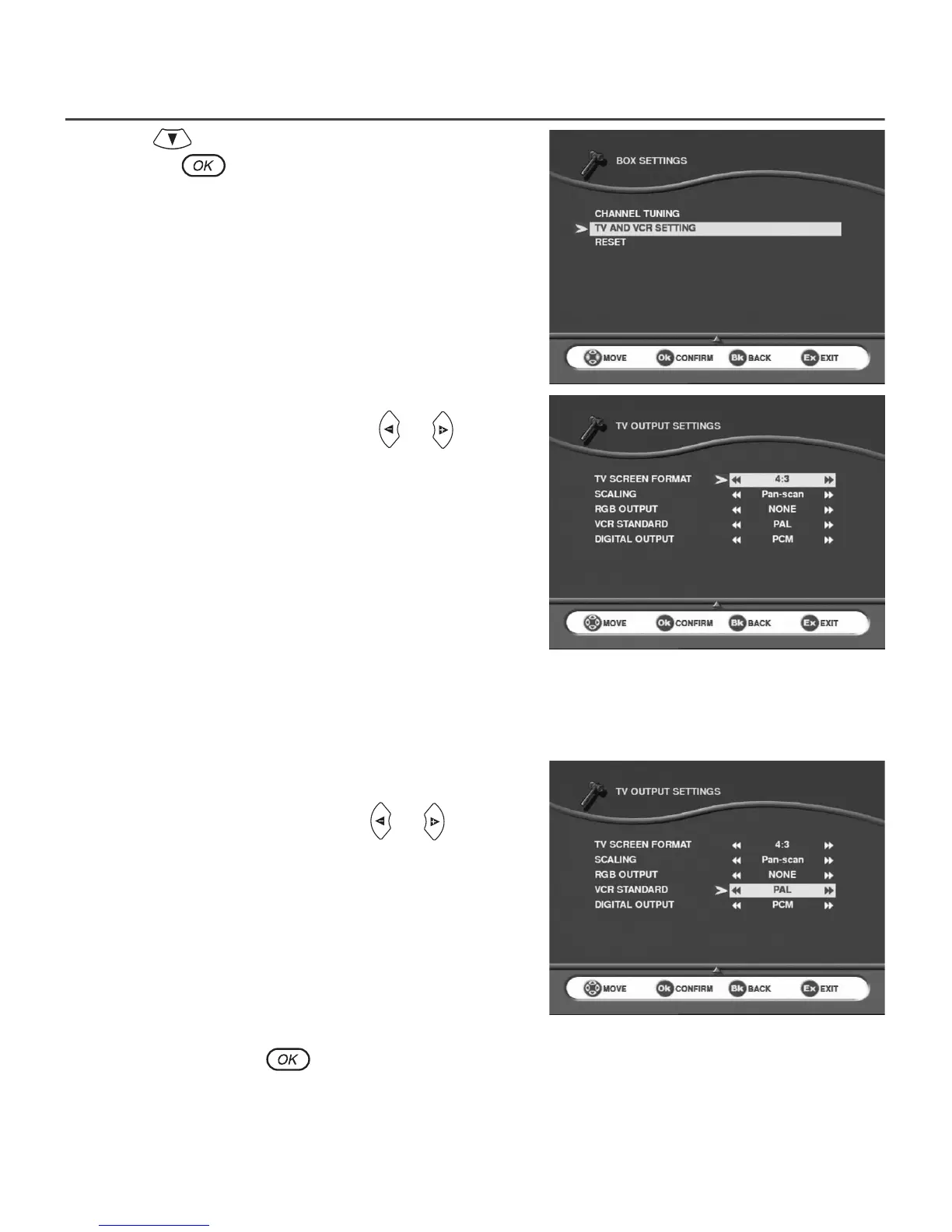
Use cursor to move down to the TV AND VCR SETTING
line and press
to confirm.
5-3-1 TV
Several choices are available.
Scroll through the choices using cursors or :
• TV format : 4/3 (Letterbox or Pan-scan) or 16/9.
• TV RGB Output: low,medium, high or none if you
want to have PAL video output (*).
(*) Note that if you choose low, medium or high you will not able to choose the VCR standard format.
5-3-2 VCR (Not available on ITD58/59/60/68)
Several choices are available.
Scroll through the choices using cursor or :
• PAL or S-Video standard.
After a final check, press to memorize the settings. Press BACK to continue installation or EXIT to
terminate.


 To Next Page