- 10 -
5. BOX ADVANCED SETTINGS
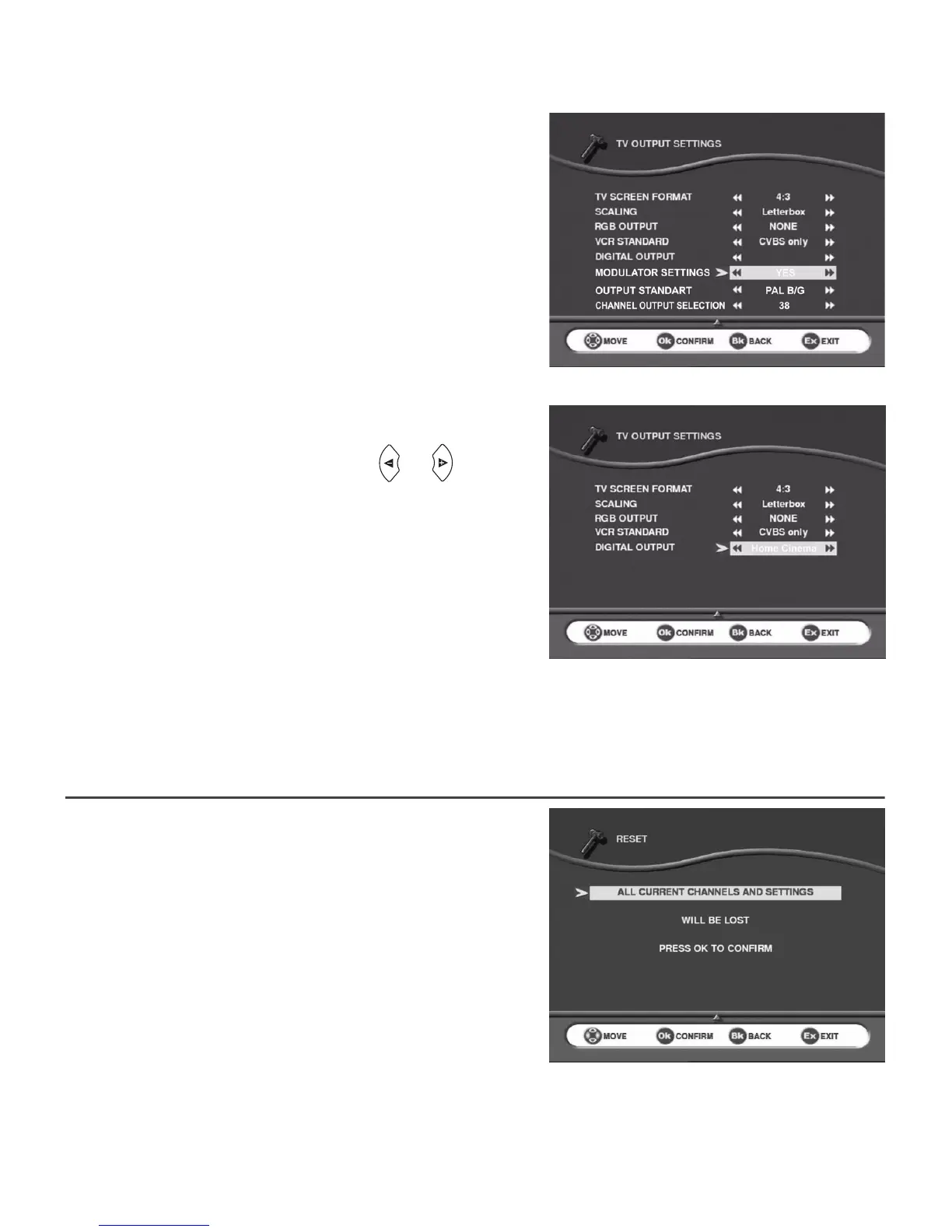
5-3-3 Modulator (Only ITD60)
If you want to adjust the channel for another TV set:
• directly access the menu,
• choose the channel (21 to 69) by entering the
number,
• choose the standard of your country (B/G, I or K).
The channel is factory set to 38.
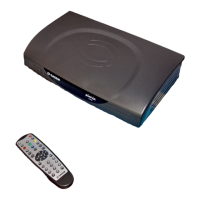
5-3-4 Digital output (Only ITD64)
Several choices are available.
Scroll through the choices using cursors or :
• Home cinema: Send AC3 audio data to the digital
output when available (*).
• PCM: Send to the digital output stereo audio
data.
Default configuration is PCM.
(*) If no AC3 audio data are available default audio track will be played.
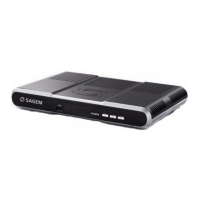
5-4 REINSTALLATION - RESET
Use this option only if you have to start the complete
installation procedure all over again. If you continue from here,
all your previous settings, access code and favourite channels,
etc. will be erased!
If you do not want to perform a reinstallation, you can
leave this menu when the warning is displayed by
pressing the BACK or EXIT key.


 To Next Page