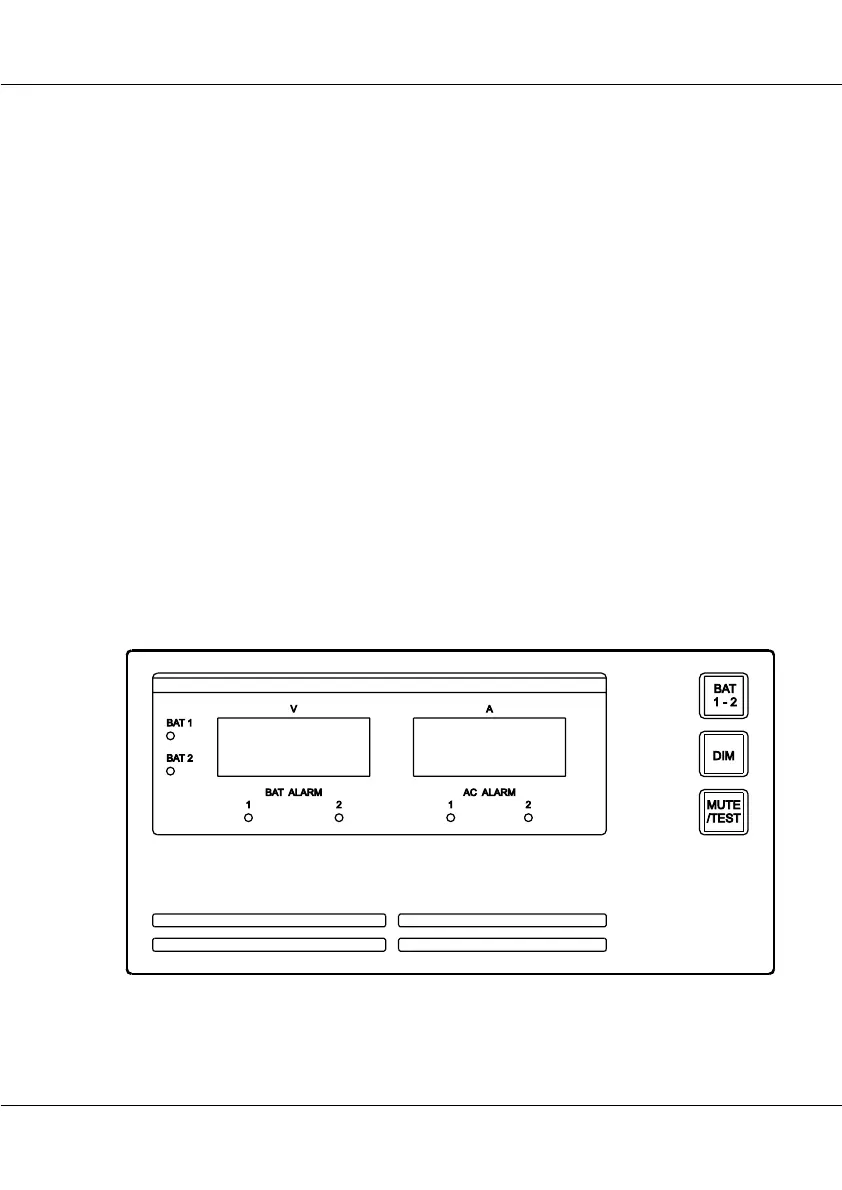
BATTERY PANEL 9
OPERATION
Mute the alarm sound
The alarm sound is muted by pressing ‘MUTE/TEST’.
A new event will reactivate the alarm sound.
Switch between batteries
To switch between Battery 1 and Battery 2, press ‘BATT 1-2’ briefly.
Applicable for 2 battery installations.
Test the Battery Panel
Press ‘MUTE/TEST’ for 2 seconds to initiate a self test.
All lamps, backlight and alarm sound are activated.
Adjust the light intensity
Press ‘DIM’ to adjust the light intensity.
The dimmer button controls the intensity of the lamps and backlight in
four levels. The light in the alarm lamps can not be turned fully off.
4-0-34932
OPERATION



 To Next Page