
 Need help?
Do you have a question about the Saitek Cyborg 3D and is the answer not in the manual?
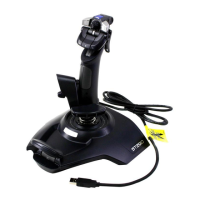
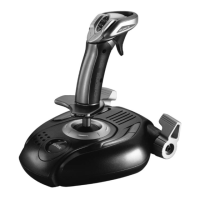
Details the primary input controls and functionalities of the joystick, including trigger, buttons, and throttle.
Provides initial instructions for connecting the Cyborg 3D Force to the system and preparing it for use.
Step-by-step guide for installing the necessary drivers and programming software on Windows XP.
Installs only the essential drivers required for basic controller operation on Windows XP.
Installs drivers along with the advanced programming software for full customization on Windows XP.
Installs only the essential drivers for basic controller operation on Windows 2000.
Installs drivers and programming software for full customization on Windows 2000.
Installs only the essential drivers for basic controller operation on Windows 98/ME.
Installs drivers and programming software for full customization on Windows 98/ME.
Overview of the SST software's capabilities and benefits for controller customization.
Highlights the key functionalities and advantages of the SST programming software.
Guide on how to create custom controller profiles for specific games.
Instructions on how to assign new commands and actions to controller buttons and axes.
Addresses issues where the PC fails to detect the Cyborg 3D Force.
Advice on managing conflicts when using multiple game controllers simultaneously.
Helpful tips and encouragement for users new to the product.
Guidance on clearly defining and explaining the issue before contacting support.
Key details about your system and the game that support may require.
Tips on having necessary information and the system ready for troubleshooting.
 General
| Connectivity | Wired |
|---|---|
| Interface | USB |
| Number of Buttons | 12 |
| Hat Switch | 8-way |
| Throttle | Yes |
| Compatibility | PC |


 To Next Page