
 Need help?
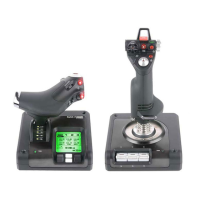
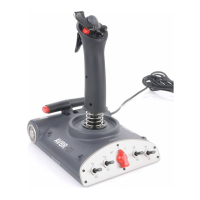
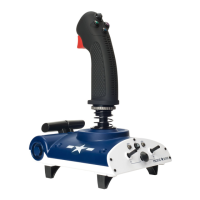
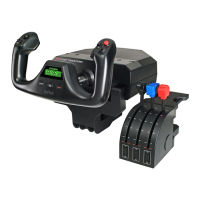
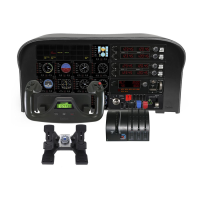
Do you have a question about the Saitek X52 and is the answer not in the manual?
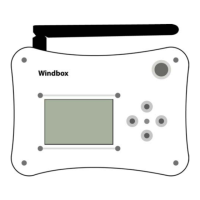
Identifies the external parts and interface connectors of the WINDBOX.
Defines the function of each button on the WINDBOX for menu operation.
How to enter, select options, and navigate within the system's sub-menus.
Monitors the real-time values of all servo channels.
Adjusts fine-tuning values for individual channels and allows resetting trims.
Configures the dual rate function to adjust channel output range.
Reverses the direction of operation for selected channels.
Customizes channel response curves by defining points for linear adjustments.
Combines inputs from multiple channels or applies predefined mixing modes.
Steps to pair the receiver with the transmitter using unique ID codes.
Instructions for switching the receiver between PPM and PWM output modes.
Configuring two receivers for 16-channel PWM signal output.
Sets predefined servo positions for when radio signal is lost.
Visual feedback for button presses, showing associated numerical IDs for mapping.
Assigns specific joystick buttons to trigger various actions or functions.
Removes existing mappings between joystick buttons and channels.
Records and assigns a shortcut button for the multi-rotorcraft unlocking action.
Maps the segments of an APM/PIX controller's six-segment switch to functions.
Links specific axes of the joystick to control output channels.
Releases a joystick axis that was previously mapped to a channel.
Configures the trainer function for instructor-student control scenarios.
Connects WINDBOX with 433/915M range extenders for extended control range.
Integrates WINDBOX with PC flight simulation software.
Sets alarm voltage and type for low battery warnings.
Manages saving, loading, and resetting system configurations for aircraft models.
Enables/disables a safety feature that forces throttle to the lowest position.
 General
| Compatibility | PC |
|---|---|
| Connection | USB |
| Throttle | Yes |
| Joystick | Yes |
| Hat Switches | 3 hat switches |
| Display | LCD display |
| Adjustable resistance | Yes |


 To Next Page
