EasyManua.ls Logo

SAJ Sununo Plus Series - User Manual

SAJ Sununo Plus Series
54 pages
Print Icon
To Next Page IconTo Next Page
Loading...
User Manual
SAJ Solar Inverter
Sununo Plus Series
www.saj-electric.com

Questions and Answers

SAJ Sununo Plus Series Specifications

General IconGeneral
BrandSAJ
ModelSununo Plus Series
CategoryInverter
LanguageEnglish

Summary

Preface

Safety Precautions

Scope of Application

Describes instructions for installing, operating, maintaining, and troubleshooting SAJ grid-tied inverters.

Safety Instructions

Details DANGER, WARNING, CAUTION, and NOTICE symbols and their meanings for safe operation.

Target User Group

Specifies that only qualified electricians should install, maintain, and repair the inverter.

Preparation and Safety

Preparation Safety Guidelines

Provides critical safety warnings regarding electrical shock, handling, and grounding during preparation.

Explanation of Safety Symbols

Defines various safety symbols used in the manual, including electrical voltage, hot surface, and disposal.

Product Information Overview

Product Application Scope

Details the use of Sununo Plus series as grid-tied single-phase inverters in solar power systems.

Product Model Specifications

Explains the naming convention for Sununo Plus inverters, including rating and MPPT function.

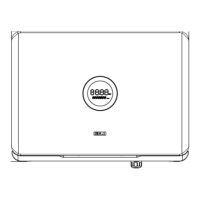
Product Dimensions and Overview

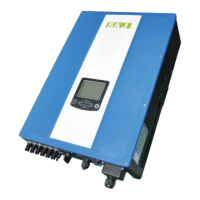
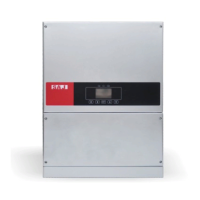
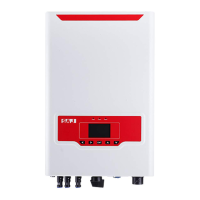
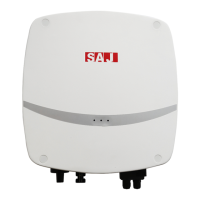
Presents visual representations and dimensions for different Sununo Plus series models.

Technical Datasheet

Provides detailed technical specifications, including input/output parameters, efficiency, and protection features.

Installation Instructions and Safety

Installation Safety Precautions

Highlights DANGER warnings for potential fire, electric shock, and high voltage during installation.

Pre-installation Checks

Covers checking the package for damage and verifying assembly parts before installation.

Installation Method and Position Guidance

Details recommended mounting methods, orientation, and optimal installation site conditions.

Mounting Procedure Steps

Outlines the steps for marking drill holes, drilling, placing expansion tubes, and mounting the inverter.

Electrical Connection Procedures

Hot-line Job Safety Instructions

Emphasizes safety for professional technicians when performing electrical connections, including PPE.

Electrical Interface Specifications

Identifies and describes the various ports (DC Input, DC Switch, RS232/Wi-Fi, AC Output) on the inverter.

AC Side Connection Guide

Provides instructions and specifications for connecting the AC cable, including waterproof hole and connector.

DC Side Connection Guide

Details the procedure for connecting DC cables, including positive/cathode connectors and crimping.

Communication Connection Options

Explains the RS232 interface and its potential connection with Wi-Fi, Ethernet, and GPRS modules.

Debugging and Operation

Human-Computer Interface Overview

Describes the inverter's interface components: LED indicators, LCD display, and buttons.

First Run Setup Procedures

Guides users through initial configuration steps, including setting the country and understanding operation states.

Monitoring Operation Methods

Explains how to monitor the inverter's status using Wi-Fi, Ethernet, or GPRS modules.

Fault Codes and Troubleshooting

Fault Code Directory

Lists error codes and their corresponding fault information for quick reference.

Troubleshooting Guide

Provides step-by-step solutions and checks for various fault conditions and error messages.

Recycling and Disposal Guidelines

Guarantee Service Information

Contact and Support Details

SAJ Warranty Policy

Standard Warranty Period

Specifies the standard warranty duration for SAJ inverters from shipment or purchase date.

Warranty Extension Options

Explains how to extend the warranty period and available extension durations.

Warranty Claim Conditions

Outlines the process for claiming warranty, including required information and contact methods.

Service After Warranty Expiration

Exclusion of Liability

Lists circumstances not covered by the manufacturer's warranty, such as product modification or improper use.

Warranty Card Completion

Related product manuals