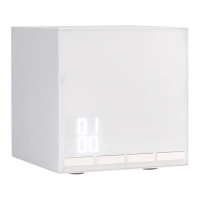
1. Press the West button to turn on the West tank for continuous
misting. A 'W' mark will appear on the top left hand side of the LED
display. Press the West button again to turn the unit off. The 'W'
mark will then disappear from the LED display.
2. Unit will shut off automatically when water in water tank reaches
minimum level (approx. 6 hours or 0.3-1.5 fl. oz./10-50 ml of water).
Repeat the same for East.
*Please note: Both water tanks cannot run at the same time. Run
times and amount of water left in the tank after auto shut-off will
vary due to climate, environment and other factors.
preset mist timer functionality:
1. Press and hold down the West button until the clock/LED display
flashes. Set the hour (H) and minute (M) in order to set a timer to
turn on the West water tank. Press the West button to confirm the
selected mist timer setting. If the button is not pressed, the timer
will automatically set after approximately five seconds. The West
water tank will turn on at the preset time and the mist output will
contain your selected Saje diffuser blend. Please note when timer
is being set for the first time, the default clock time will show as
12:00.
2. Double press the West button to cancel the preset timer and the
continous mist functionality (no timer):
9


 To Next Page