- Press RED button to enter a dialog box, and press LEFT or RIGHT navigation button to
decide whether delete it or not.
- Press OK button to play highlighted file.
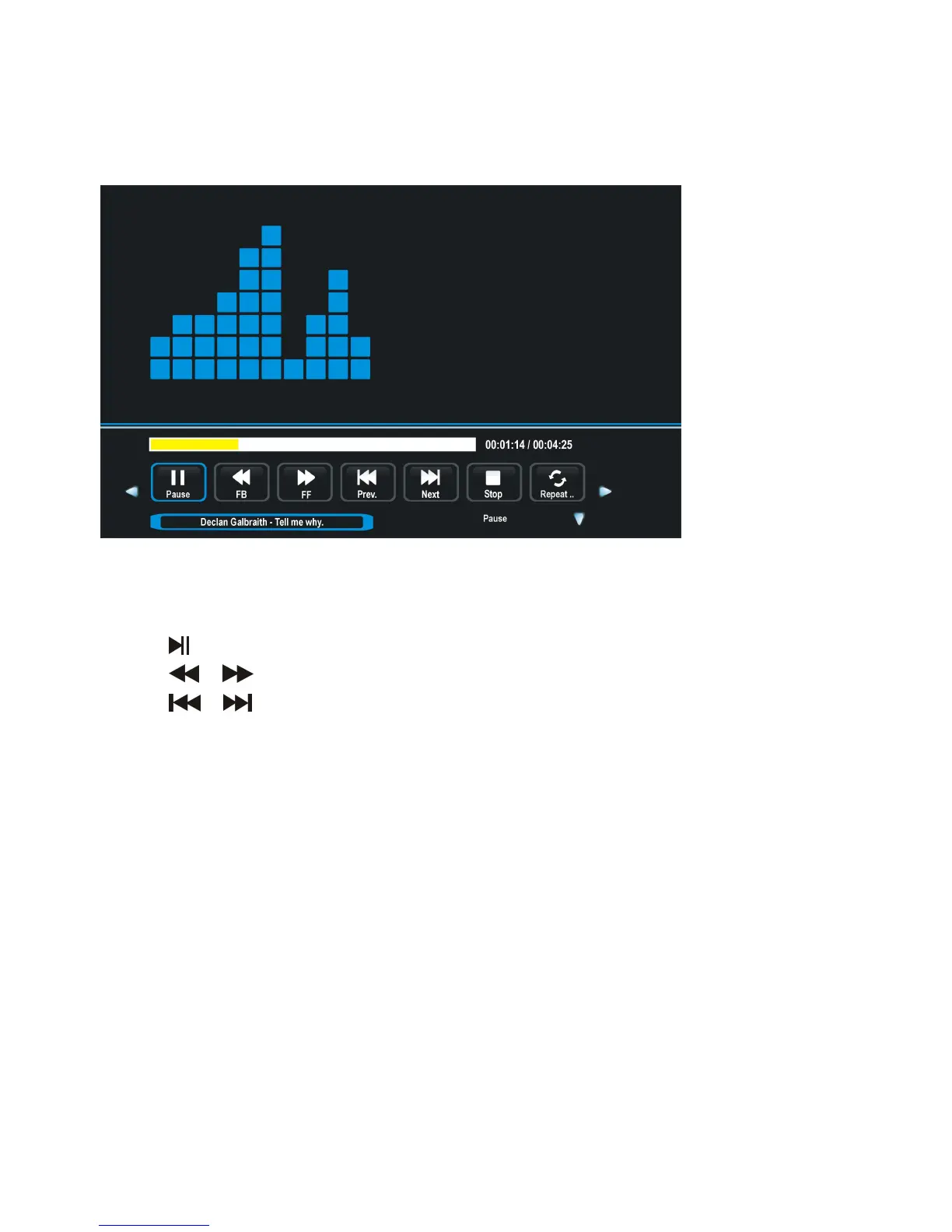
During MUSIC normal playing:
- Press LEFT or RIGHT navigation button to select desired option in the tool bar, and press
OK button to confirm selection.
- Press
button to pause/start playing.
- Press / button to play fast backward / fast forward.
- Press
/ button to play previous/next file.
- Press █ button to stop playing.
3. MOVIE
- Press LEFT or RIGHT navigation button to select MOVIE item.
- Press OK button to enter it and press LEFT or RIGHT navigation button to select desired
disk.
- Press OK button to enter it and press navigation buttons to select desired folder.
- Press OK button to enter it and press navigation buttons to select desired Movie file.





 To Next Page