OWNER’S MANUAL V.052021 ENGLISH
M-065 INDOOR BIKE K5
This manual can be downloaded on www.salter.es
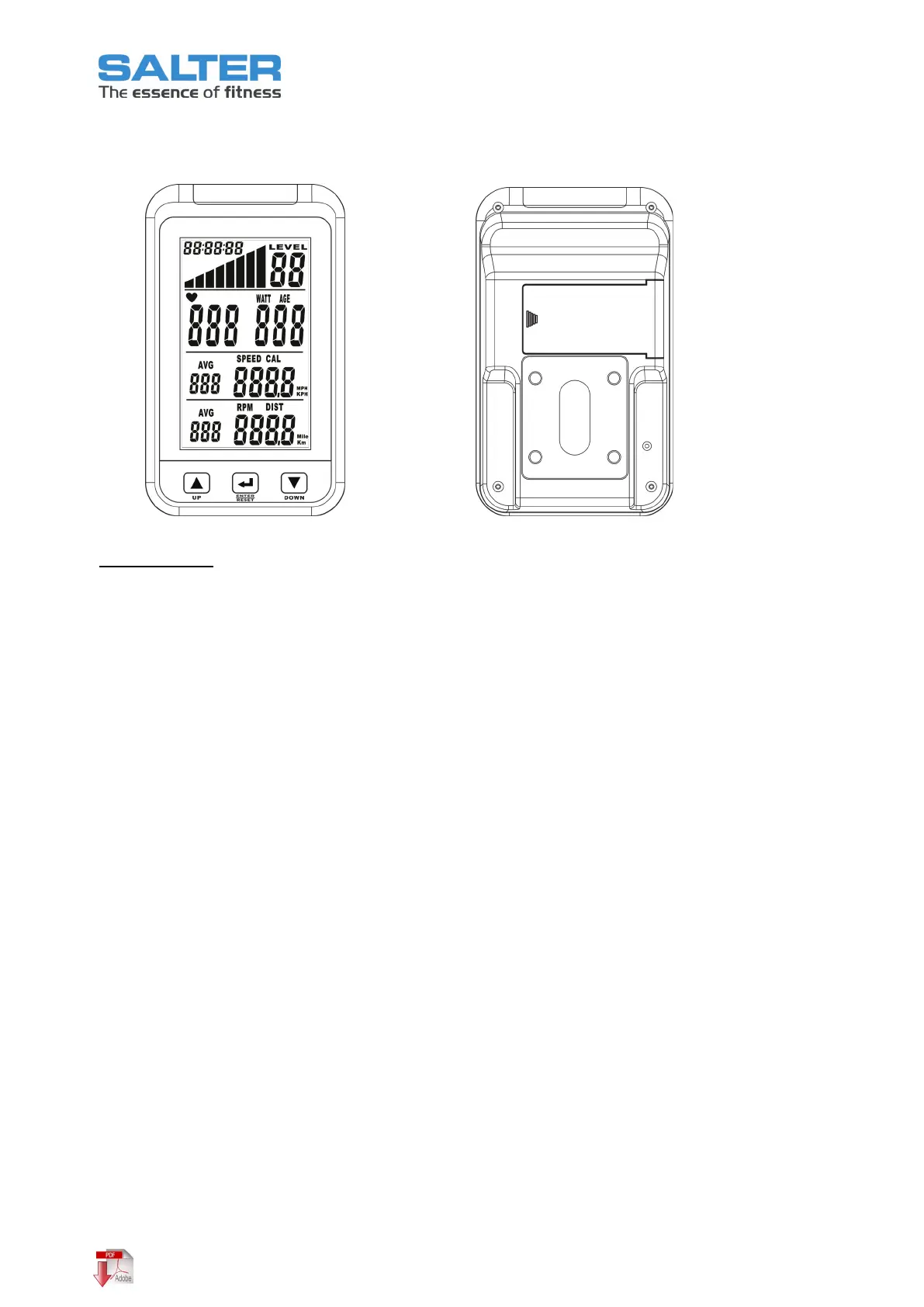
5. OPERATING INSTRUCTIONS OF THE COMPUTER
Operating guide
Exercise Target Setting
:
Exercise Target Setting is the function as COUNTING DOWN by Time or Distance. If user doesn’t set any
Exercise Target as the free-ride mode then the monitor will be counted up all exercising values.
1. If the pedals are still (RPM as 0), kindly press twice “ENTER” middle button to set the target value for
TIME or DISTANCE
2. Press UP or DOWN key to adjust the setting values. Press UP + DOWN keys simultaneously to clear the
setting values.
3. The setting mode will be closed without pressing any key for 5 seconds.
4. After setting, the monitor will be started to measure and display every exercise values.
Once the exercise target value is reached, the monitor will beep for 3 seconds, press any key can stop the
beep. The monitor will be entered automatically into the free-ride mode without any new setting.
Display Values Selection:
Press UP key to select display values as below changed:
SPEED instead of PULSE
DISTANCE instead of RPM
Reset Exercise Values:
Press ENTER/RESET key and hold for 5 seconds to clear all exercise values and exercise target values.
Metric / Imperial system:
Use a pen’s tip or pin and push down the “k/m” button on the back of the meter to switch between
imperial and metric display.



 To Next Page