GB | 7
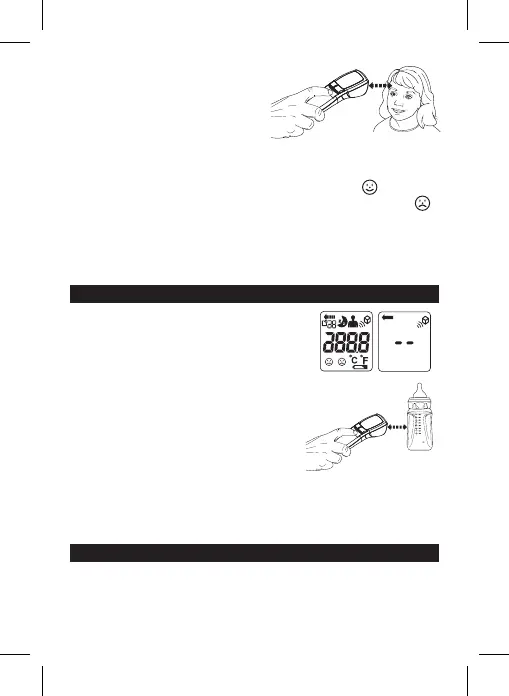
Measurement Sensor at the person’s
forehead, holding the thermometer
approximately 0.5~3 cm. But don’t touch
the forehead.
4. Release the “Scan & measure button”.
In about a second, you will hear a short beep means this temperature reading has
been completed and accompany with a back-light.
5. If the temperature measurement is below 38°C, a “Smiling Face”
will be
appear next to the reading. If the reading is 38°C or above, a “Frowning Face”
will be displayed and the RED LED light up.
Fever Alarm - Only in Human Mode and Human/Night Mode
6. After about 30 seconds after use, the thermometer will automatically beep and
shut o.
MEASURING OBJECT TEMPERATURE
1. Press the Power button to turn the thermometer on.
All symbols on the display will momentarily appear.
2. Ensure that the thermometer is in Object mode; the
Object symbol will be on the display. To alternate
between modes press and release the Human/
Object Mode button until you see the desired
measurement symbol on the display.
3. Press and hold the “Scan & measure button”,
aiming the Measurement Sensor at the object,
holding the thermometer approximately
0.5~3 cm.
4. Release the “Scan & measure button” and the
temperature reading will be displayed.
5. After about 30 seconds after use, the thermometer will automatically beep and
shut o.
MEMORY FUNCTION
You can recall up to 30 stored measurements in memory to share with your doctor or
trained healthcare professional.
0. 5~ 3 cm


 To Next Page