
EasyManua.ls Logo

SAMES KREMLIN GNM 100-A - User Manual

SAMES KREMLIN GNM 100-A
30 pages
Print Icon
To Next Page IconTo Next Page
Loading...
Index revision : G 1 6102
User manual
FRANCE
SAMES Technologies.
13 Chemin de Malacher 38243 Meylan Cedex
Tel. 33 (0)4 76 41 60 60 - Fax. 33 (0)4 76 41 60 90 - www.sames.com
USA
SAMES Technologies Inc.
11998 Merriman Road, Livonia, Michigan, 48 150
Tel. (734) 261.5970 - Fax. (734) 261.5971 - www.sames.com
GNM 100-A
Automatic mode of operation
This product is protected by French patents N° 2724787 et 2724786 which
have been extended to cover Europe and the United States.
From February 1st, 2017 SAMES Technologies SAS becomes SAMES KREMLIN SAS
A partir du 1/02/17, SAMES Technologies SAS devient SAMES KREMLIN SAS

Questions and Answers

  • N
    naguirreAug 13, 2025
    What to do if I have a problem with the low voltage cable on my SAMES KREMLIN GNM 100-A Controller?
    • D
      dennis06Aug 13, 2025
      If you're experiencing issues related to the low voltage cable with the SAMES KREMLIN Controller, the suggested solution is to replace or repair the low voltage cable.
  • C
    chaneylaceyAug 16, 2025
    What should I do if I have a problem with the low voltage connections on my SAMES KREMLIN Controller?
    • J
      james34Aug 16, 2025
      If you're encountering problems with the low voltage connections on your SAMES KREMLIN Controller, the recommended action is to replace or repair the low voltage connections.
  • M
    mclaughlinsaraAug 20, 2025
    What should I do if I have a problem with the connector terminals on my SAMES KREMLIN GNM 100-A?
    • A
      amillsAug 20, 2025
      If you're experiencing a problem with the connector terminals on your SAMES KREMLIN Controller, you should repair the low voltage terminals.
  • M
    maxwellcurryAug 25, 2025
    What should I do if I have a defective connector terminal on my SAMES KREMLIN GNM 100-A Controller?
    • R
      Robert SmithAug 25, 2025
      If you have a defective connector terminal on your SAMES KREMLIN Controller, you should repair or replace the low voltage terminals.
  • J
    Jessica DiazAug 27, 2025
    How to achieve a greater target distance with my SAMES KREMLIN GNM 100-A?
    • A
      Alexander GriffinAug 28, 2025
      If a greater target distance is required for your SAMES KREMLIN Controller, you can adjust parameter P3 and apply dielectric grease on the HV connection.
  • T
    Tiffany JohnsonSep 1, 2025
    What to do if my SAMES KREMLIN Controller GNM has no power, and the display and green LED are off?
    • J
      Jackie HicksSep 1, 2025
      If the GNM has no power and the display and green LED are off on your SAMES KREMLIN Controller, try powering it on. If that doesn't work, turn the GNM off for a minute and then turn it on again.
  • D
    Dustin LewisSep 4, 2025
    What to do if the GNM is powered, and the display and green LED are on for my SAMES KREMLIN GNM 100-A?
    • S
      Samuel GarciaSep 4, 2025
      If the GNM is powered and the display and green LED are on for your SAMES KREMLIN Controller, the suggested solution is to replace the GNM.
  • A
    Alicia ValdezSep 8, 2025
    What to do if there is a problem with the low voltage cable on my SAMES KREMLIN GNM 100-A?
    • M
      Ms. Rebecca RodriguezSep 8, 2025
      If you're having a problem with the low voltage cable on your SAMES KREMLIN Controller, replace or repair the low voltage cable.

Summary

Introduction

Description

2.1. Presentation

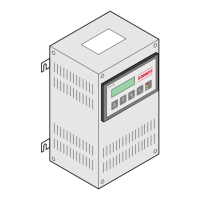
Overview of the GNM control module, its front panel, display, buttons, and LEDs.

2.2. Specifications

Details electrical data, dimensions, weight, and connecting cable specifications for the GNM.

2.3. GNM 100-A Module Connectors

Diagrams and pin assignments for GNM 100-A module connectors A (12-pin), B (19-pin), and C (7-pin).

Operating Principle

3.1. Automatic High Voltage Unit Selection

Explains how the GNM automatically detects and selects the connected high voltage unit.

3.2. Menus

Details navigation and operations within the GNM's user and calibrating menus.

3.2.3. Return to Factory Parameters

Procedure to reset all modified parameters to their original factory default values.

3.3. Faults

Describes various types of faults, their causes, and how they are displayed and reset.

3.4. Di;Dt Function

Explains the Di/Dt function for detecting sharp current changes and its sensitivity adjustments.

3.5. I Overflow Fault

Details the 'I overflow' fault, indicating current exceeding the maximum allowable value.

Low Voltage Connections

4.1. Supply

Information on supplying the GNM with 220 V or 110 V, including switch location.

4.2. Low Voltage Connectors Overview

Overview of the GNM 100-A module connectors: A (12-pin), B (19-pin), and C (7-pin).

4.3. Connecting Plug (12 pins A)

Details pin assignments and signals for the 12-pin connector A, used for high voltage unit connection.

4.4. Connecting Plug (7 pins C)

Details pin assignments for the 7-pin connector C, used for atomizer controls and PLC trigger copy.

4.5. Connecting Plug (19 pins B)

Details pin assignments for the 19-pin connector B, used for PLC connection, including analog inputs.

4.5.1. Analog Input Configuration

Explains analog input configuration using 4/20 mA or 0-10 V signals for external adjustment.

4.5.3. Wiring of External Trigger

Details methods for wiring an external trigger using dry contact or external voltage.

List of Parameters

Trouble Shooting

6.1. Troubleshooting Major Faults

Flowchart for diagnosing and resolving major faults like temperature, frequency, µP, and supply issues.

6.2. Troubleshooting Fault CC

Flowchart for diagnosing and resolving 'Fault CC' related to low voltage cable or connectors.

6.3. Troubleshooting Fault UP

Flowchart for diagnosing and resolving 'Fault UP' related to low voltage cable or connectors.

6.4. Troubleshooting I Overflow Trip

Flowchart for diagnosing and resolving 'I Overflow Trip' issues related to current consumption.

6.5. Troubleshooting Soft;Hard Di;Dt

Flowchart for diagnosing and resolving Soft/Hard Di/Dt faults, including cable and parameter checks.

6.6. Troubleshooting Coherence Trip

Flowchart for diagnosing and resolving 'Coherence Trip' faults related to voltage difference or cable issues.

GNM References

Plugs

SAMES KREMLIN GNM 100-A Specifications

General IconGeneral
BrandSAMES KREMLIN
ModelGNM 100-A
CategoryController
LanguageEnglish