SAMLEX AMERICA INC. | 85
SECTION 4 | Parameter Setup
4.8.2 Description of Parameters Under Group 5 – OTHER FUNCTION
4.8.2.1 POWER SAVING (Table 4.9, Parameter Setup Screen No.1)
INFO
For more information on use and application of Power Save Functions, please refer to Sections 4.6.3 & 4.6.4 in
the "Evolution Series Inverter/ Charger Owner's Manual for Models EVO-1212F/1212F-HW/1224F/1224F-HW."
Parameter "POWER SAVING" is used to enable or disable Power Saving Mode when in "Inverting Mode".
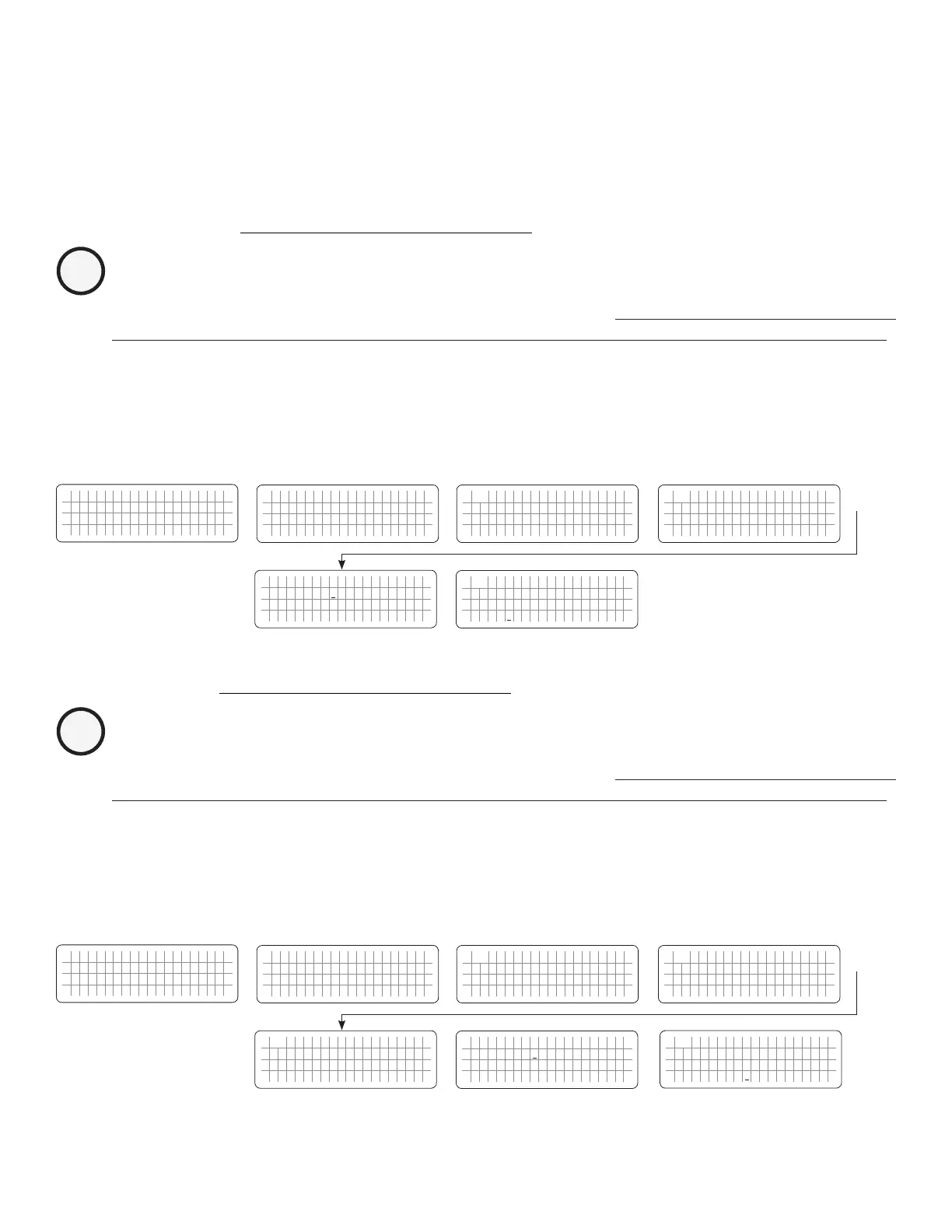
4.8.2.1.1 Programming Steps for Parameter "POWER SAVING"
ð ð
E V O - 1 2 1 2 F I n v e r t i n g
A C o u t p u t : 1 2 0 . 0 V
< 0 . 1 0 A
6 0 . 0 0 H z
Enter Key Enter Key
Any Operating Mode Screen from
Fig 3.1 to 3.5
[Above screen is Screen 1 of Fig 3.2(a)]
Password 8052
See Section 4.3.1
See Table 4.9, Parameter Setup
Screen No. 1
for programmable options
S e l e c t G r o u p
* C H A R G E C U R V E
ð
S e l e c t P a r a m e t e r
* O T H E R F U N C T I O N
ð
S e l e c t P a r a m e t e r
O T H E R F U N C T I O N
* P O W E R S A V I N G
0 = D i s a b l e
Down Key x 4 times
Enter Key
S e l e c t P a r a m e t e r
O T H E R F U N C T I O N
* P O W E R S A V I N G
0 = D i s a b l e
P a s s w o r d k e y i n
0 0 0 0
ð
Enter Key
4.8.2.2 ENTER POINT (Table 4.9, Parameter Setup Screen No.2)
INFO
For more information on use and application of Power Save Functions, please refer to Sections 4.6.3 & 4.6.4 in
the "Evolution Series Inverter/ Charger Owner's Manual for Models EVO-1212F/1212F-HW/1224F/1224F-HW."
If the value of power drawn by AC load falls to the "ENTER POINT" value for 5 sec, the unit will enter "Power Save Mode".
4.8.2.2.1 Programming Steps for Parameter "ENTER POINT"
ð ð
E V O - 1 2 1 2 F I n v e r t i n g
A C o u t p u t : 1 2 0 . 0 V
< 0 . 1 0 A
6 0 . 0 0 H z
Enter Key Down Key x 1 time
Any Operating Mode Screen from
Fig 3.1 to 3.5
[Above screen is Screen 1 of Fig 3.2(a)]
Password 8052
See Section 4.3.1
See Table 4.9, Parameter Setup
Screen No. 2
for programmable options
S e l e c t G r o u p
* C H A R G E C U R V E
ð
S e l e c t P a r a m e t e r
* O T H E R F U N C T I O N
ð
S e l e c t P a r a m e t e r
O T H E R F U N C T I O N
* P O W E R S A V I N G
0 = D i s a b l e
S e l e c t P a r a m e t e r
O T H E R F U N C T I O N
* E N T E R P O I N T
6 W
Down Key x 4 times
Enter Key
P a s s w o r d k e y i n
0 0 0 0
ð
Enter Key
S e l e c t P a r a m e t e r
O T H E R F U N C T I O N
* E N T E R P O I N T
6 W
ð
Enter Key


 To Next Page
 Loading...
