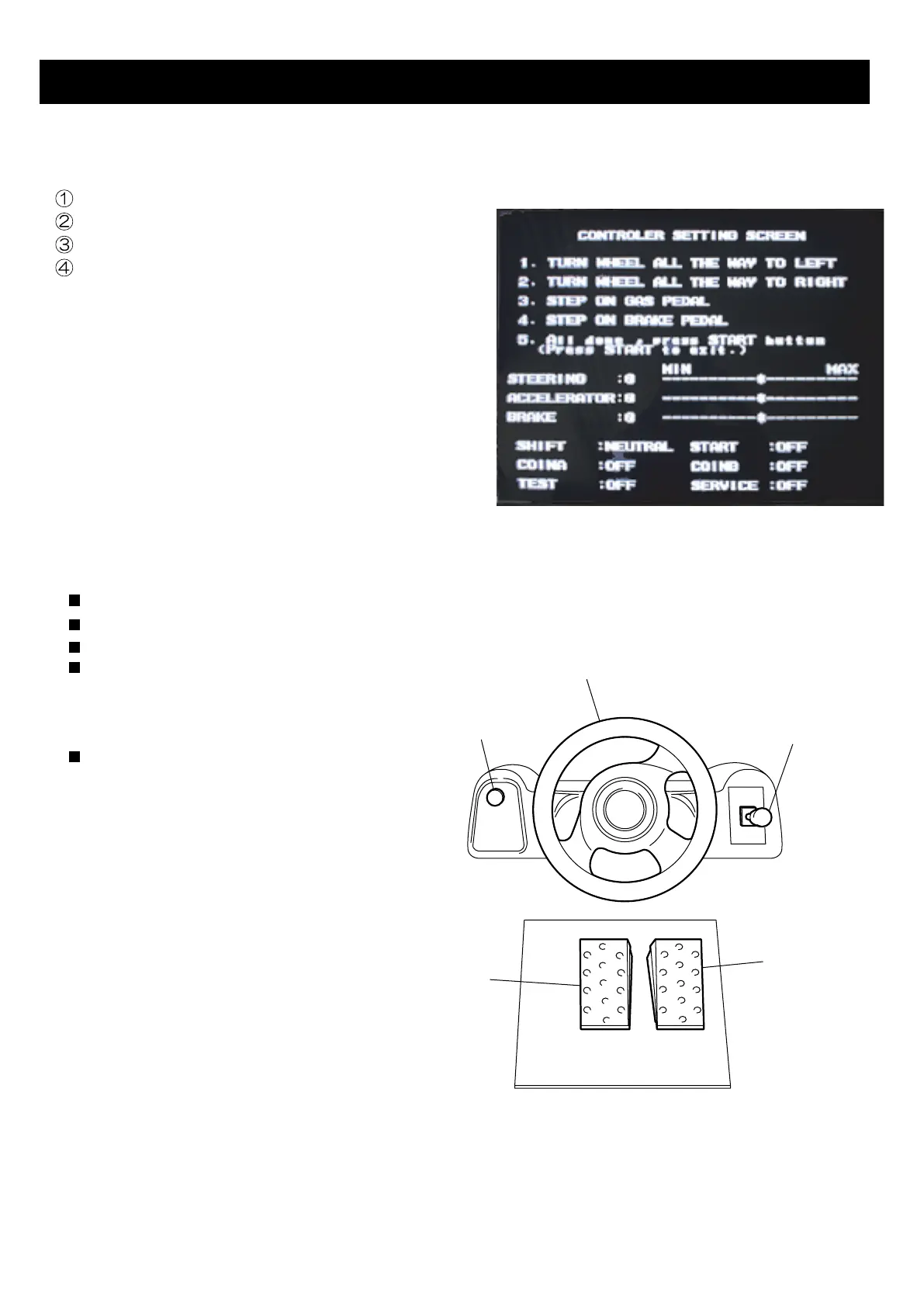
For Steering Wheel & Pedal calibrations, go to TEST MENU and select I/O TEST.
Screen shows calibration screen. (Fig.1)
4. CALIBRATION OF STEERING & PEDALS
Fig.1
10
Turn Steering wheel to Left stop and Right stop.
Press Accelerator pedal down to stop.
Press Brake pedal down to stop.
Press START button to complete the calibration.
CONTROLS
STEERING WHEEL: Controls the player’s car
ACCELERA
TOR PEDAL: Speed up.
BRAKE PEDAL: Speed down.
SHIFT LEVER: Gear change.
(HIGH or LOW)
Used when player selects MANUAL
shift mode.
START BUTTON: Start the game.
(Also use for View change during game play).
STEERING WHEEL
START BUTTON
SHIFT LEVER
BRAKE PEDAL
ACCELERATO
R
PEDAL
You can test START button and Shift Assy
during this mode. Using the Shift lever
displays HIGH or LOW on screen.
Press START button to displays ON on
screen.



 To Next Page