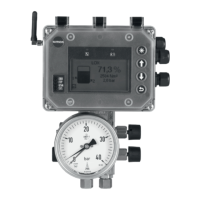
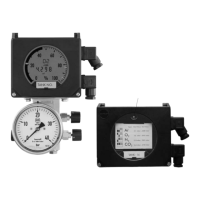
4.1 Display and operating elements
All the necessary information and measured
values stored in the instrument’s memory
are shown in the display of Media 6 with
LCD. Although the Media 6 with LED ver-
sion does not have such a digital display,
important operating conditions are indi-
cated by the LED.
Three keys are used to operate the differen-
tial pressure meter:
Up key
Down key
Enter key
and a DIL switch with four switches to select
the type of gas and write protection function.
4.1.1 Changing over display mode
for Media 6 with LCD
Press the key to change over from the
standard display to seven other display
modes.
After 8 seconds or after the message has fin-
ished running across the display, the dis-
play returns automatically to the standard
display.
O2 e.g. gas name and current tank
content
∆P current differential pressure
MCN maximum capacity nominal
MCN/R 100 % capacity assigned to
20 mA signal
SCN save capacity nominal
geometric capacity up to overflow/
gauge pipe
SCN/R 100 % capacity assigned to
20 mA signal
UCW useable capacity work
∆P100 maximum differential pressure
PTANK nominal tank pressure
Indicated value corresponds to the
pressure assigned to the density
(liquid)
as per vapor pressure diagram.
If the calculations for MCN and SCN
are based on density
(liquid)
at 1 bar
abs, then 1 bar is shown for PTANK.
X-TANK-16 e.g. tank ID as running text
ERROR error message displayed auto-
matically when an error occurs
(see section 8 on troubleshooting).
OFF Special signal on opening the
equalizing valve, I = 3.6 mA
(refer to EB 9527-2, page 7).
EB 9527-1 EN
15
Operation



 To Next Page