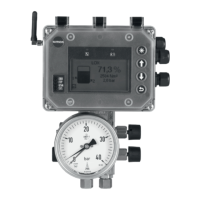
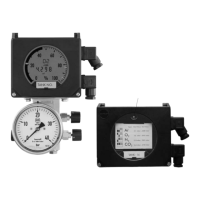
Media 6 with LED
Connect an ammeter to the power supply at
connector A (Fig. 9) or to the TEST terminal.
Both limit switches are already set over the
software as either min. alarm or max.
alarm and are displayed to the assigned dif-
ferential pressure corresponding to a cur-
rent between 4 and 20 mA.
Both alarms need to be set and confirmed
separately.
Turn write protection (switch 4) OFF.
Alarm A1
Press and hold down key until after 8
seconds the LED flashes slowly.
Press key to display the currently set
A1 alarm at the ammeter. The LED lights
up.
Press to reduce the value in steps of 1 %
or
Press to increase the value.
Press key to confirm new setting. The
LED goes off.
Alarm A2
Press and hold down key until after 8
seconds the LED flashes slowly.
or needs to be pressed to switch over
to A2 alarm which flashes more quickly.
Press key to confirm the selected alarm.
The LED lights up.
The currently set A2 alarm is indicated
at the ammeter.
Press to reduce the value in steps of 1 %
or
Press to increase the value.
Press key to confirm new setting. The
LED goes off.
Turn write protection (switch 4) ON.
22
EB 9527-1 EN
Setting



 To Next Page