16
Using the Optional SP04 Shock-Mount
Using the Optional SP04
“Spider” Shock-Mount
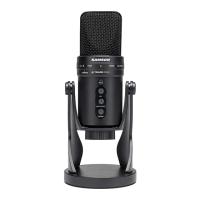
For additional isolation the G Track
can be fitted on the optional SP04
“Spider” shock mount. Follow the
steps below the to install the SP04.
• First, screw the SP04 shock mount
onto your mic stand or boom arm.
If you’re using a US 5/8” mic stand
or boom, remove the Euro adapter.
• Remove the G Track swivel mount
by rotating the threaded collar
counterclockwise as shown in fig-
ure 1.
• Install the G Track into the SP04
by fitting the microphone into the
center of the web, positioning the
G Track onto the bottom mounting
plate.
• Secure the SP04 by reinstalling the
threaded collar, rotating clockwise
until tight. (Figure 2)
• Now, loosen the thumb screw to
adjust the angle of the microphone
and position the G Track to the
desired location. Once set, tighten
the thumbscrew to secure the
microphone in place.
Note: Be careful not to cross
thread or over tighten the thread-
ed collar or thumb screw.



 To Next Page