3
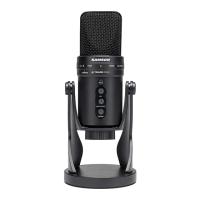
G Track Layout
1. Capsule – Large diaphragm, 19mm
capsule with 3-micron diaphragm.
2. Input
– Selector switch to configure
the input configuration for either
mono instrument and microphone, or
stereo line in.
3. LED
– The dual color Power/Clip LED
lights green to indicate power, and
flashes red when the input signal is
clipping.
4. Direct Monitor
– The slide switch
allows you to select three different
monitor modes; computer playback
only, computer playback with direct
monitor in mono, or computer
playback with the direct monitor in
stereo.
5. Volume
– Pop-out level control to
adjust the overall volume of the
Headphone/Line output.
6. Instrument
– Pop-out level control
to adjust the input level of the
instrument or line inputs.
7. Mic
– Pop-out level control to
adjust the sensitivity of the internal
microphone.
Bottom View
A. IN
- Instrument Input on 1/8-inch
(.35mm) stereo input jack for
connecting instruments in mono
like electric guitar and bass guitar, or
stereo line level signal like those from
keyboards, drum machines and MP3
players.
B. USB
– B size USB connector for
interfacing with your PC or Mac.
C. Phones
- 1/8-inch (.35mm) stereo jack
for connecting headphones or studio
monitors.



 To Next Page