Operating
the
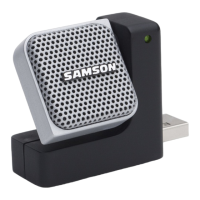
Go Mic
A Note on Powering
the
Go Mic
The
Go
Mic
is
a condenser microphone, and
like all
condenser microphones,
it
has
internal electronics
that
require
an
active power
supply. Traditional
studio condensers
are almost always
powered by a Phantom Power
supply which
is
usually
derived from
the mixing
console.
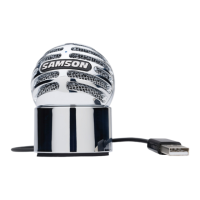
The
Go
Mic receives its
power
from
the
USB
bus. Simply
connect
the
microphone
to
the
computer's
USB
port
and the microphone
is
ready
to
operate.
The
Go
Mic features a power on
LED,
which
will illuminate
when
USB
power
is
present.
Setting Up
the
Signal Level
You
can adjust
the
Go Mic's
internal analog
input
gain stage by using
the
your software
DAW
or
operating system. The purpose
of
the
level,
or
gain,
controls
are
to
optimize
the
amount
of
good
signal relative
to
any associated noise. A
good
mic
or
instrument
pre-amplifier, like
the
one inside
Go
Mic, will also have a
PEAK
indicator
to
show when
the
input
signal
is
clipping.
To
set a
good
level
on
the
mic, set
the
Go
Mic
up
in
front
of
the
desired sound source and
slowly
raise
the
DAW's
or
operating system's
input
gain
control until
you
see
the
CLIP
or
Peak
indicator
light
up. Then,
turn
the
input
trim
control
down
until
the
indicator does
not
light
any more. Once you set the
input
level
control
you
shouldn't need
to
change
them
during
recording.
Use
the
level controls
on
the
DAW
to
set
the
balance
between the mic and stereo mix.
Stand Mounting
the
Go Mic
The
Go
Mic can be
mounted
to
a standard microphone stand
like
the
Samson
BT4,
BL3
or
MB
1 using
the
included
nut
adapter.
If
you are using a
U.S.
5/8" mic stand, you
will
need
to
screw on
the
included Euro stand adapter. Then install
the
nut
spacing adapter.
Simply screw
the
Go Mic on
to
your mic stand
or
boom
arm. Now, using
the
ball
joint,
adjust
the
microphone
to
the
desired angle.
15



 To Next Page