SM10
Owner's Manual
11
USING AN EXTERNAL EFFECT
If you prefer to use an external device for
eects processing, you can easily connect
the unit using the SM10 EFX bus. Follow
the simple steps below to interface your
processor:
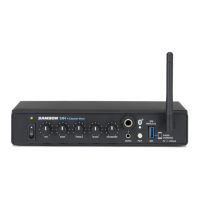
1. Connect the EFX OUTPUT to the input of the external eect processor.
2. Connect the outputs of the eects processor to channel 9 stereo line input.
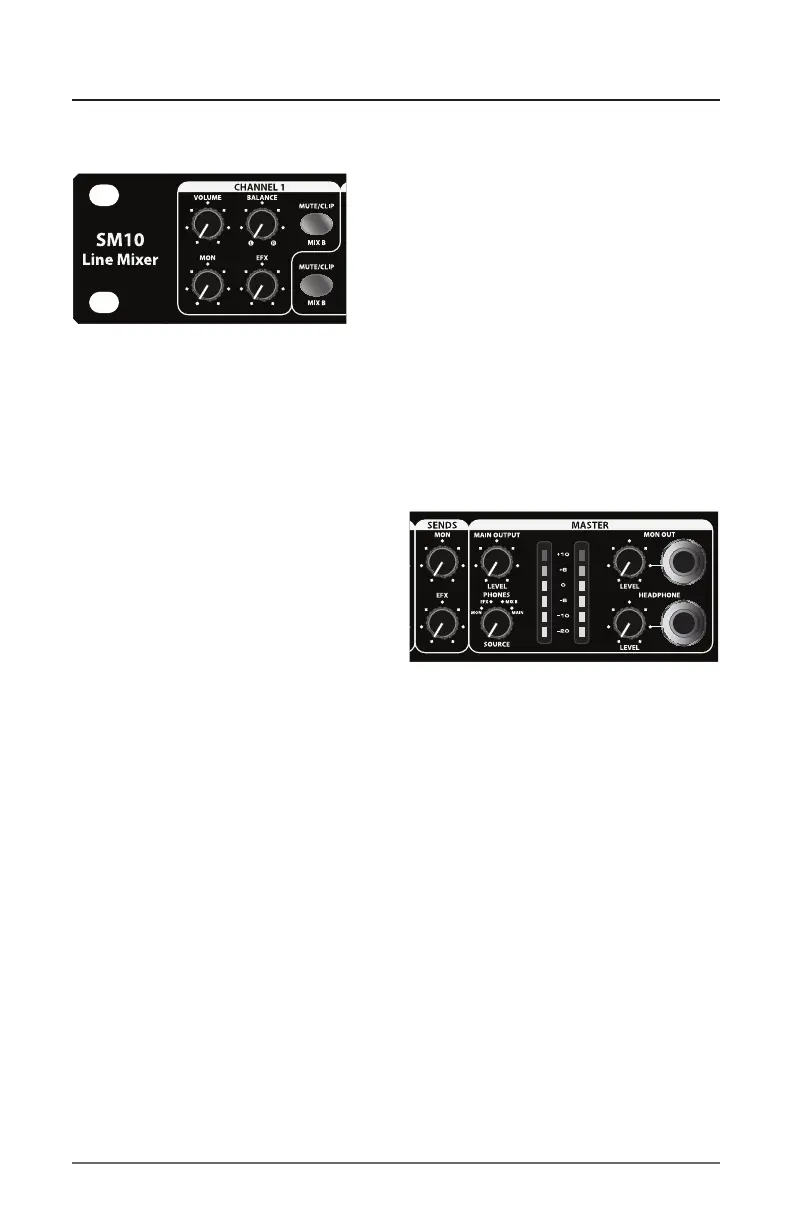
3. Set the EFX SEND control to the 12 o’clock position.
4. Raise the EFX knobs for the channels to which you want the external eect
to be applied.
5. Set the input level of the external ef-
fect so that the sound is not distorted
and so that the eect’s input meter
does not indicate a clipped signal.
6. Use the channel 9 Volume control to
adjust the level of the eects pro-
cessed by the external eects device.
7. The EFX bus can be monitored via headphones, by setting the PHONES
SOURCE switch to EFX.
NOTE: Listening to high volume levels through headphones for even a short
time may damage your hearing and/or your headphones. Always turn the
HEADPHONE LEVEL control all the way counterclockwise before connecting
your headphones. Slowly raise the HEADPHONE LEVEL until a comfortable lis-
tening level is reached. Noise over 85 dB can cause gradual hearing loss. Learn
to establish a safe listening level.
SM10 Quick Start


 To Next Page