Expedition Pro XPL300
Interconnecting the XPL300
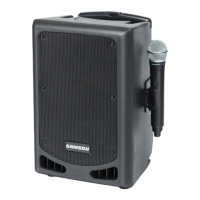
Using one XPL300: In this example, microphones are connected to the XLR mic inputs of channels 1 and 2, and a stereo key-
board is connected to the stereo 1/4" TRS connector of channel 3/4 (using a Y-cord, with the tip carrying the left signal and the
ring carrying the right signal). IMPORTANT NOTE: When using just one XPL300, always be sure to set its Mono/Stereo
switch to “Mono.”
Using The Docking Station
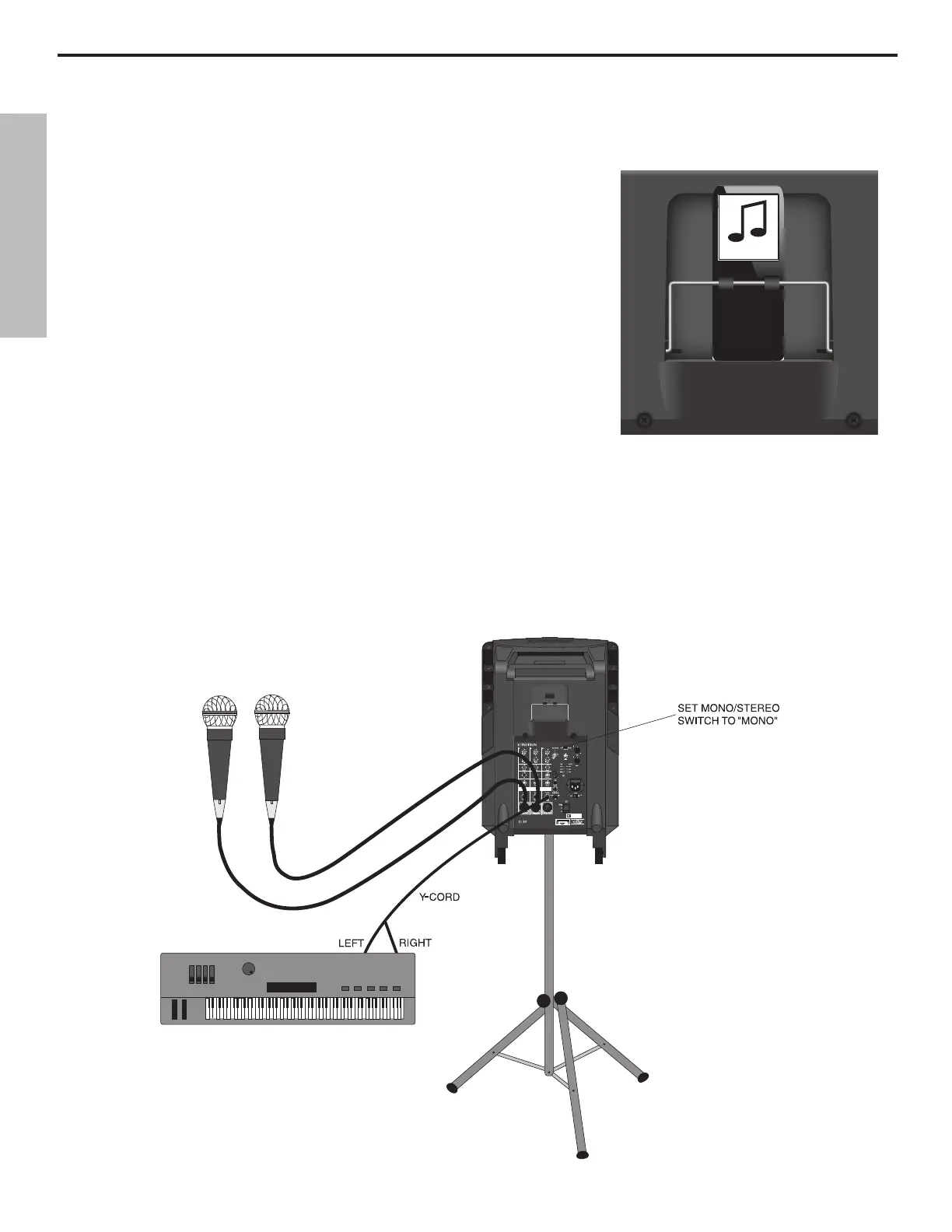
The XPL300 has a built-in MP3 docking station, which fits neatly into a special com-
partment above the XPL300’s mixer allowing you to install an MP3 player to provide
background music for meetings or performances. The XPL300’s docking station is com-
patible with most popular MP3 players that have a 30-pin connector on the bottom.
Follow the steps below to install your MP3 player.
• If your MP3 player came with a dock adapter, fit it in the XPL300’s docking station.
• Pull the spring loaded retaining bracket forward and slide your MP3 player into
place making sure it mates properly with the 30 pin connector.
• If you have a thin style MP3 player, remove your MP3 player and install the included
thick EVA foam.
• Then, pull the spring loaded retaining bracket forward to re-install the MP3 player.
• Slowly lower the spring loaded retaining bracket to hold the MP3 player in place.
ENGLISH
10



 To Next Page