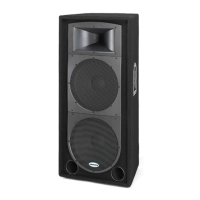
Expedition Pro XPL300
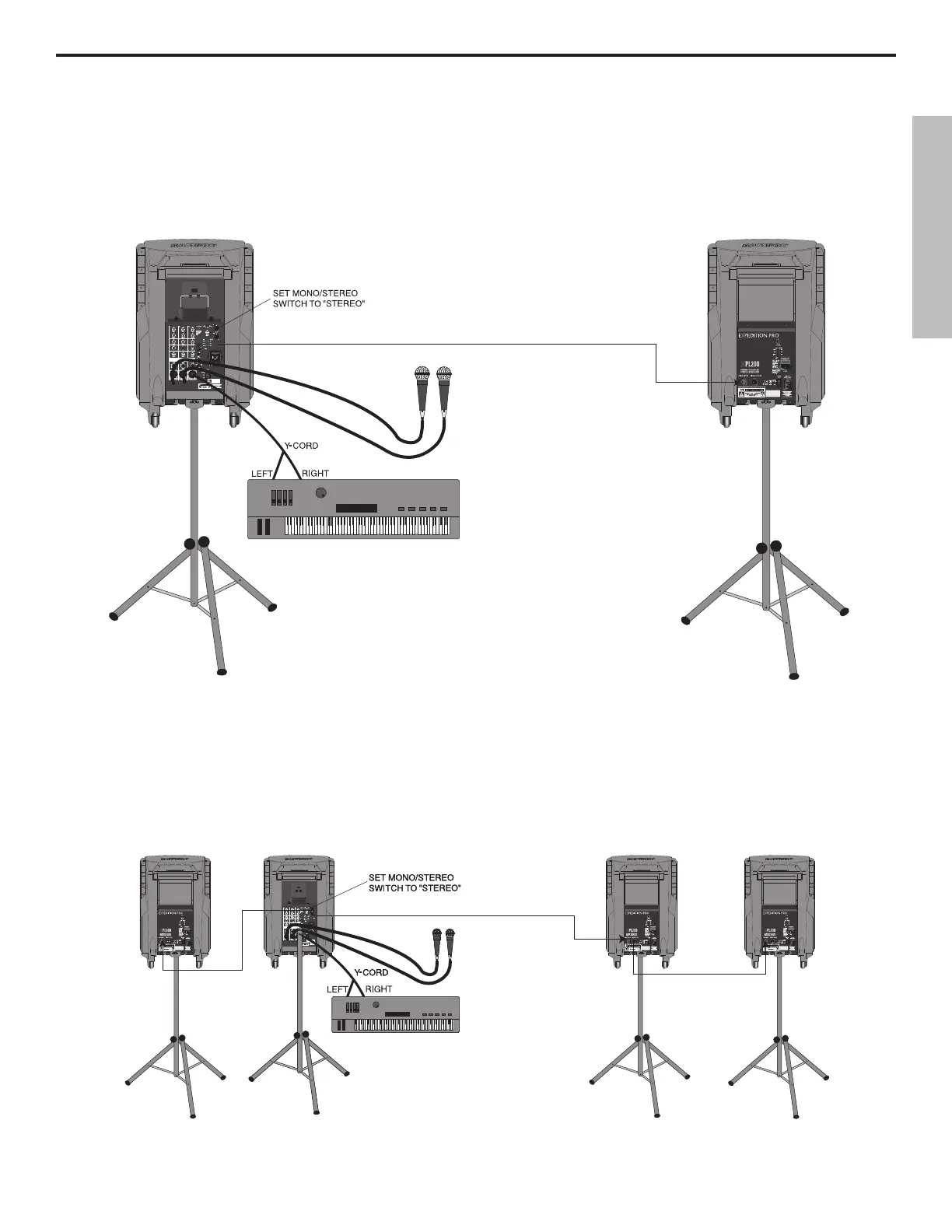
Using one XPL300 and an XPL200 (stereo operation): In this example, microphones are connected to the XLR mic inputs of
channels 1 and 2 of an XPL300, and a stereo keyboard is connected to the stereo 1/4" TRS connector of channel 3/4 of the XPL300
(using a Y-cord, with the tip carrying the left signal and the ring carrying the right signal). A connection is then made between
the Right output of the XPL300 to the XLR input of an XPL200. IMPORTANT NOTE: When using the XPL300 with additional
Expedition Pro enclosures, always be sure to set the XPL300 Mono/Stereo switch to “Stereo.”
Using one XPL300 and three XPL200s (extended range stereo operation): In this example, microphones are connected to the
XLR mic inputs of channels 1 and 2 of an XPL300, and a stereo keyboard is connected to the stereo 1/4" TRS connector of channel
3/4 of the XPL300 (using a Y-cord, with the tip carrying the left signal and the ring carrying the right signal). A connection is then
made between the Left output of the XPL300 to the XLR input of an XPL200 (both will then carry the same left channel signal).
Finally, a connection is made between the Right output of the XPL300 and an XPL200, and between that XPL200’s XLR output
and the XLR input of a third XPL200 (both will then carry the same right channel signal). IMPORTANT NOTE: When using the
XPL300 with additional Expedition Pro enclosures, always be sure to set the XPL300 Mono/Stereo switch to “Stereo.”
ENGLISH
11



 To Next Page