Getting Remote Support
Samsung Remote Support service offers you one-on-one support with a Samsung Technician who can
remotely:
. Diagnose your TV
. Adjust the TV settings for you
. Perform a factory reset on your TV
. UnstaHrecommended firmware updates
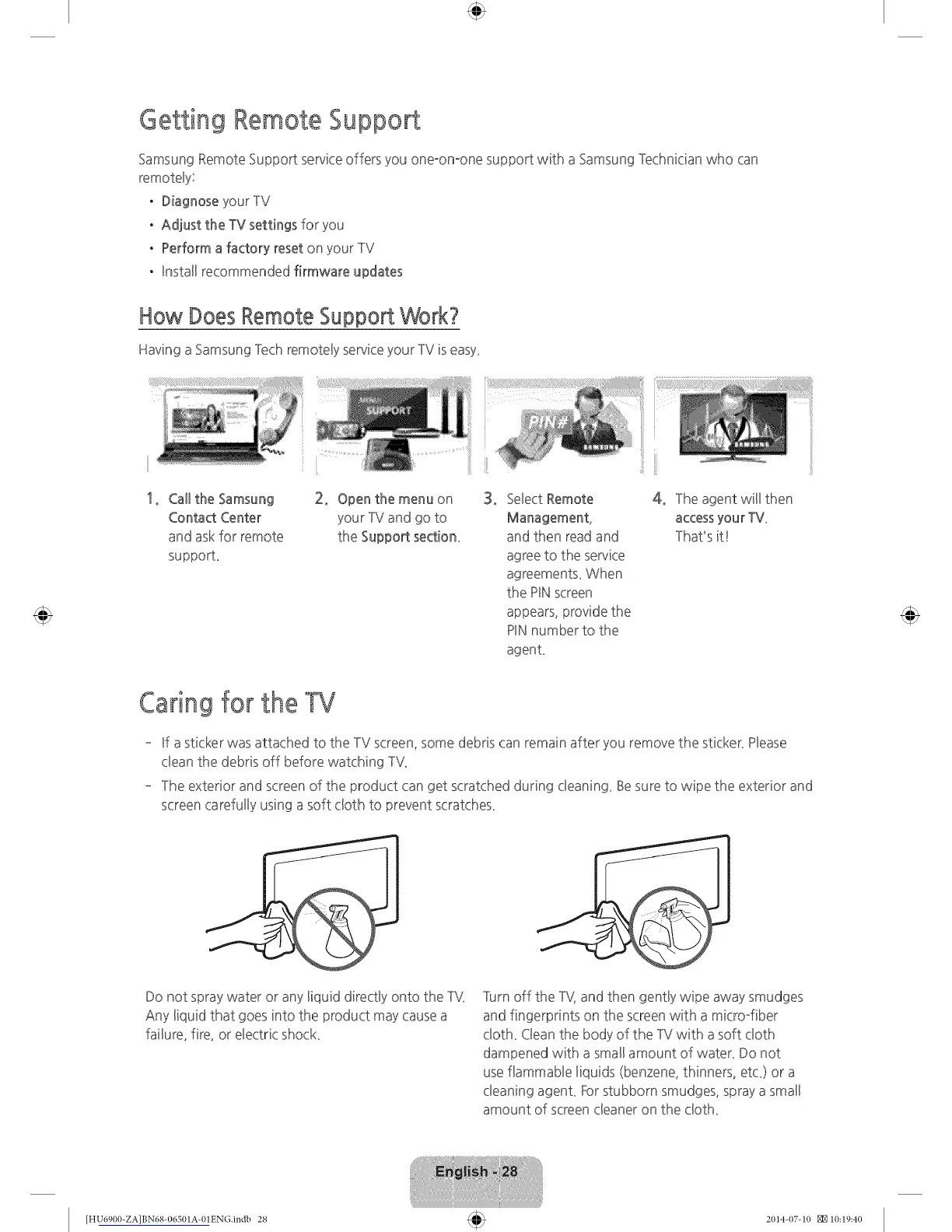
How Does Remote Support Work?
Having a Samsung Tech remoteByservice your TV is easy_
1, Call the Samsung 2, Open the menu on
Contact Center your IM and go to
and ask for remote the Support section_
supporL
3, Select Remote
Management,
and then read and
agree to the service
agreements_ When
the PINscreen
appears, provide the
PINnumber to the
agenL
4, The agent will then
accessyour TV_
That's it!
Caring for the TV
- Ufa sticker was attached to the TV screen, some debris can remain after you remove the sticker_Hease
dean the debris off before watching TV_
- The exterior and screen of the product can get scratched during deaning_ Be sure to wipe the exterior and
screen carefully using a soft cloth to prevent scratches_
Do not spray water or any liquid directly onto the TV_
Any liquid that goes into the product may cause a
failure, fire, or electric shock
]urn off the TV, and then gently wipe away smudges
and fingerprints on the screen with a microffiber
doth_ Clean the body of the -IV with a soft cloth
dampened with a small amount of water_ Do not
use flammable liquids (benzene, thinners, etc_) or a
cleaning agenL Forstubborn smudges, spray a small
amount of screen cleaner on the doth_
[HU6900-ZA]BN68-06501A-01EN(}.indb 28 2(114-(17-1(I _10:19:40









 To Next Page