Getting Started 7
3.
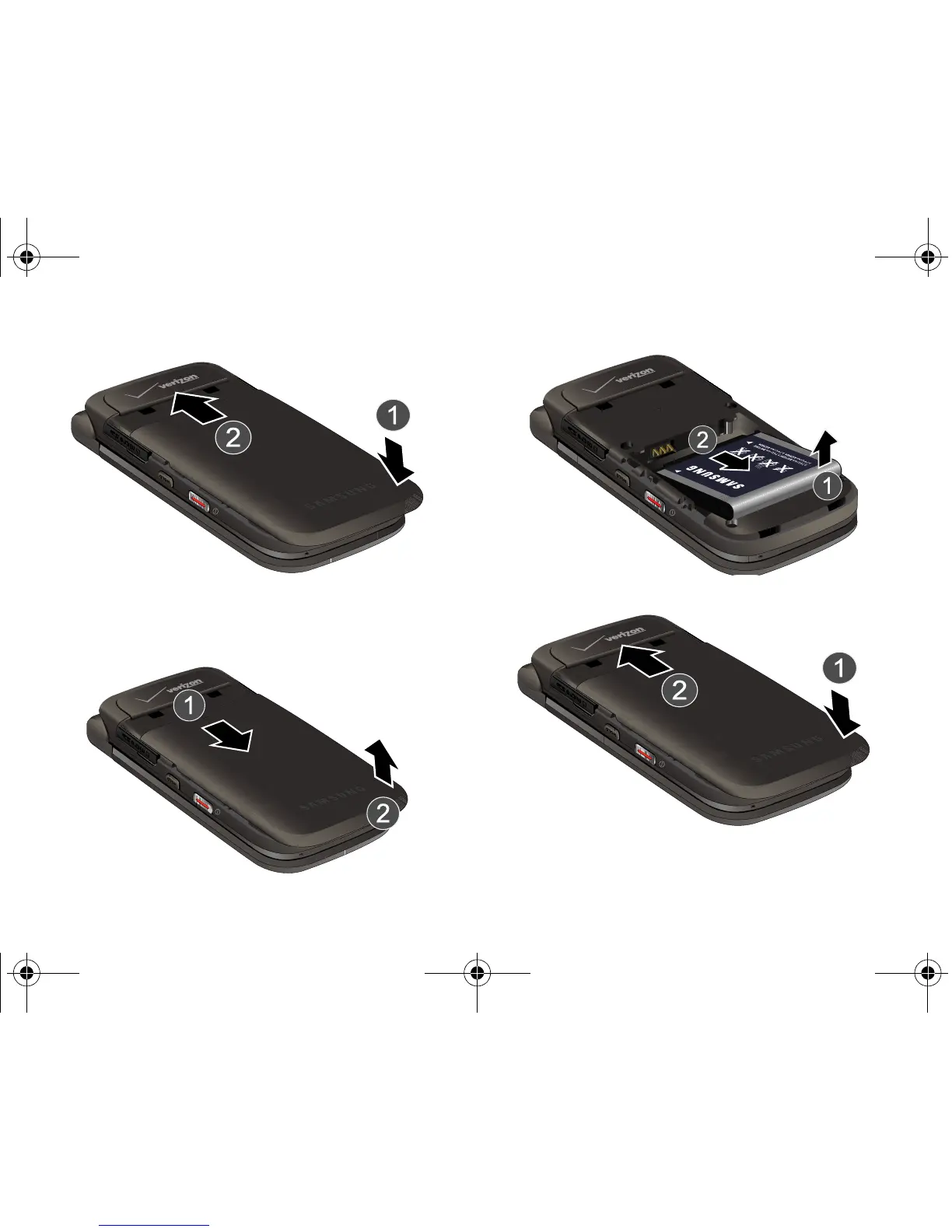
Slide the battery cover up until it snaps into place.
Removing the Battery
1. Press down at the top of the battery cover, and slide the
battery cover back and lift up to remove.
2. Lift the battery from the bottom end and remove.
3. Slide the battery cover up until it snaps into place.
u750.book Page 7 Sunday, April 5, 2009 8:40 PM











 To Next Page