14
Open View of Your Phone
(Portrait Mode)
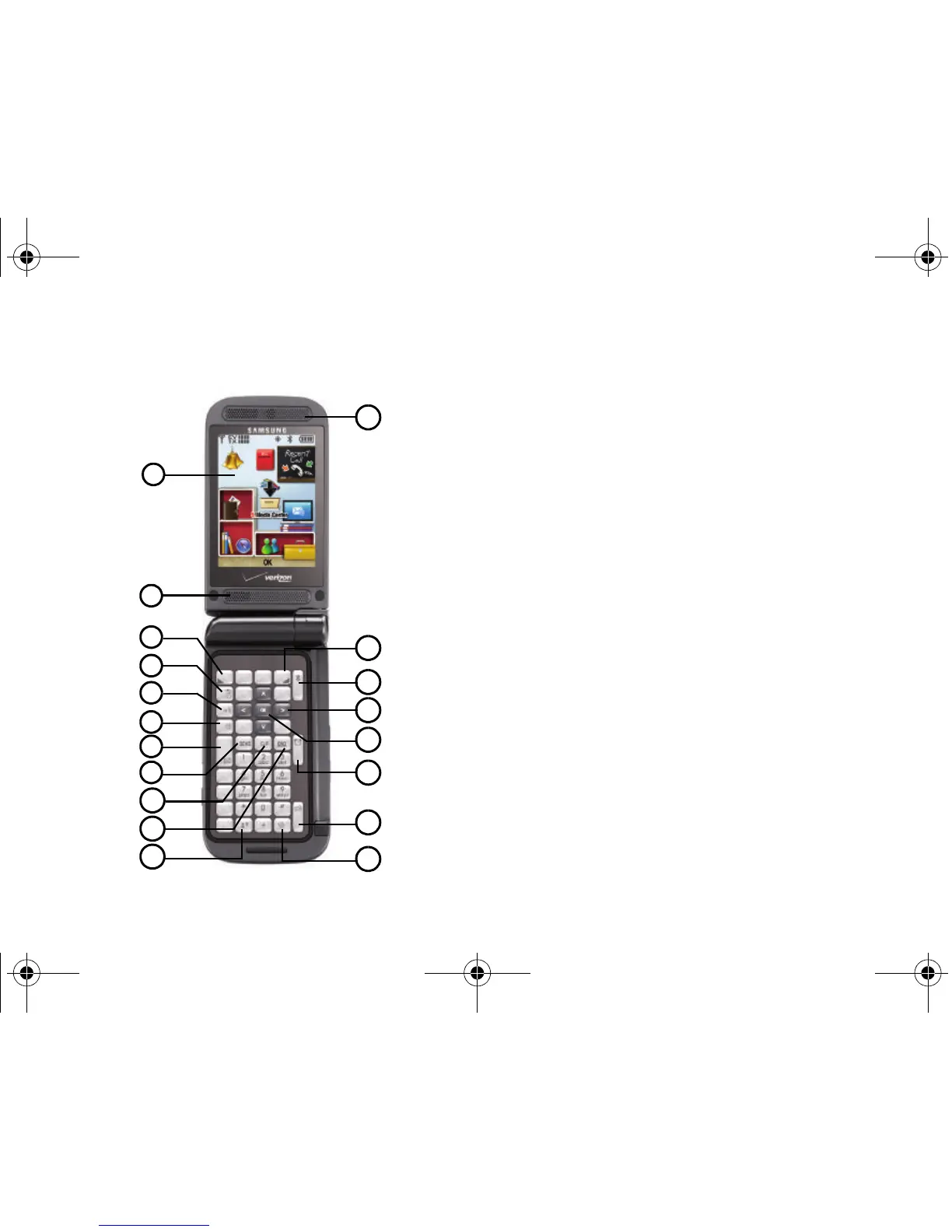
The following illustration shows the main features of the phone.
Features
1.
Internal LCD
: Displays all the information needed to operate
your phone.
2.
Speaker
: Music, Ringtones and Sounds are played through
the speaker.
3.
Left Soft Key
: This key is used to navigate through menus
and applications by selecting the choice indicated on the
lower left area of the display screen.
4.
Camera/Camcorder Key
: Press to activate the camera and
take photos. Press and hold to activate the camcorder and
take video.
5.
Voice Commands Key
: Press to access Voice Commands.
6.
Speakerphone Key
: Press and hold this key to enable/
disable the speakerphone option.
7.
Text Message Key
: Launches the New Txt Msg screen.
8.
Send Key
: Allows you to place or receive a call. From the
Home screen, press the key once to view All Calls log.
9.
Back/Clear Key
: Deletes characters from the display when
you are in text entry mode. Press to return to the previous
menu or screen when navigating features.











 To Next Page