18
Camera Key
From the Home screen, press
Camera
key to activate the
camera. While in camera mode, press the Camera key to take a
photo.
Voice Commands Key
From the Home screen, press the
Voice Commands
key to
activate Voice Commands.
Speakerphone Key
With the flip open, press the
Speakerphone
key to switch
from using the earpiece to the speakerphone before or during a
call. Use the volume keys (located on the left side of your phone)
to adjust the volume. Press the
Speakerphone
key to enable
and disable the speakerphone option.
When answering a call, press and hold the Speakerphone key
. To end the call, press the End key . After the call has
ended the speakerphone function turns off automatically.
New Text Message Key
From the Home screen, press the
Text Message
key to
create a Text Message.
Bluetooth Key
Open the flip in portrait mode and press the
Bluetooth
key to
to turn Bluetooth On/Off on your device.
Alarm Clock Key
Open the flip in portrait mode and press the
Alarm Clock
key
to open the Alarm Clock menu.
Games Key
Open the flip in portrait mode and press the
Games
key to
open Games menu.
Vibration Mode Key
Open the flip in portrait mode and press the
Vibration Mode
key
to set your incoming call alert to vibrate.
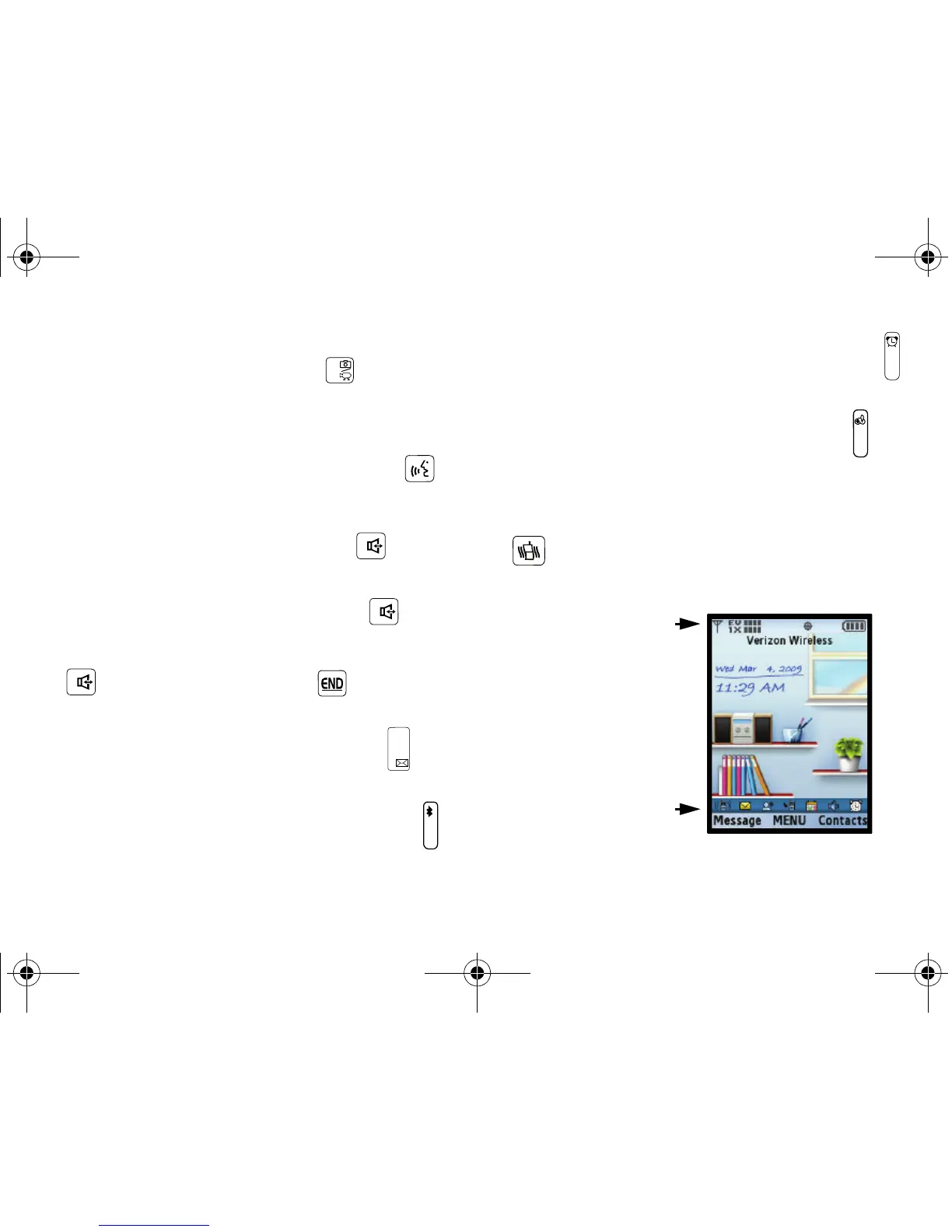
Understanding the Home Screen
The top annunciator line
of your phone’s display
contain icons that indicate
network status, battery
power, signal strength,
connection type and
more.
The lower area of the
Home screen shows icons
that indicate feature and
function status.
The following list contains icons that may appear in your display.
u750.book Page 18 Sunday, April 5, 2009 8:40 PM











 To Next Page