134
Making Calls Using Contacts
Contacts are entries that you create to store names, numbers,
and other information for people or groups of interest. If you’ve
already entered information into your Contacts list, you can recall
and dial the contact easily.
Note:
In landscape mode, you can only make calls using the speakerphone.
1. From the Home screen, in landscape mode press the right
soft key Contacts.
2. Press the
Directional keys until the contact that
you want to call is highlighted.
3. When the desired contact is highlighted, press the
Directional key left or right if the entry contains more than
one number.
4. Press to call the number.
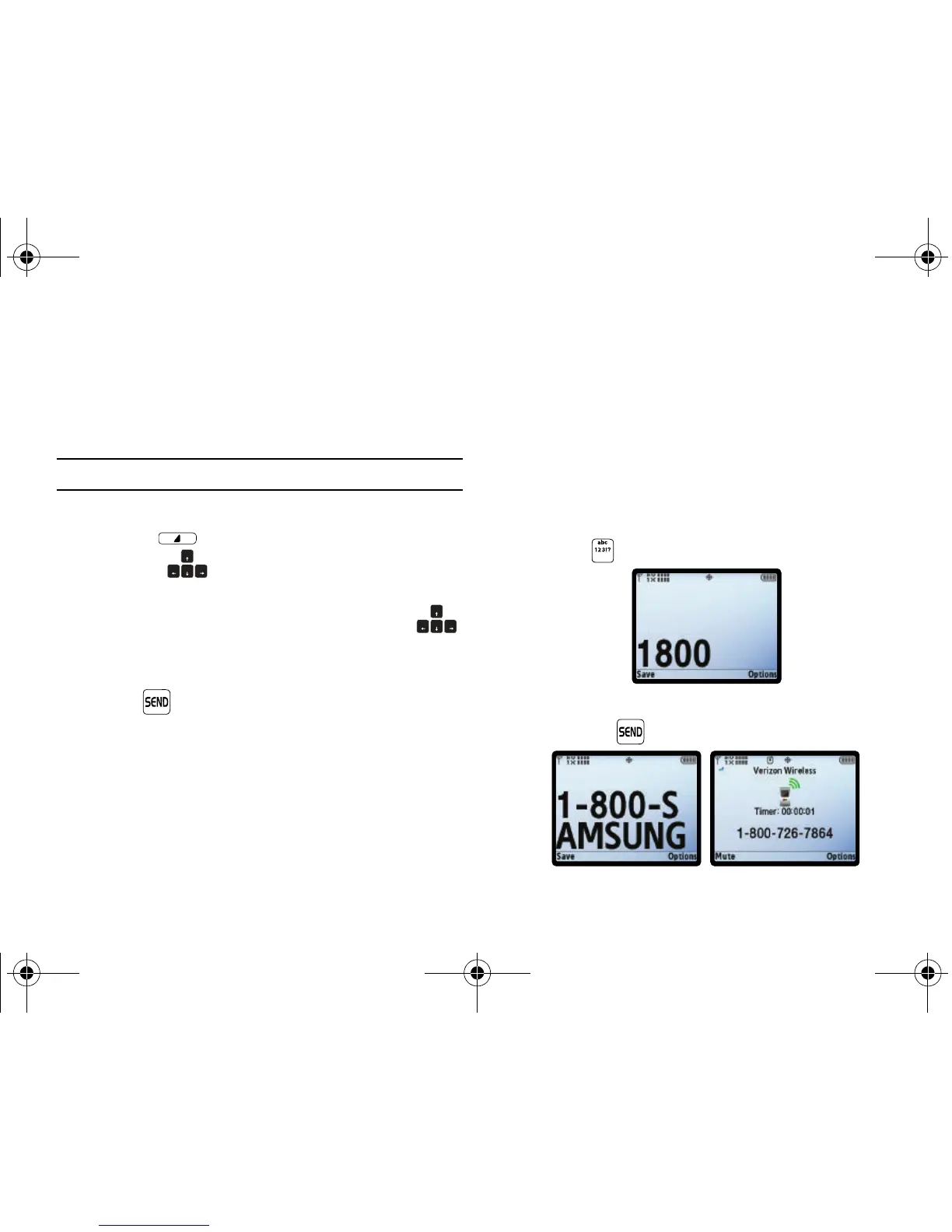
Dialing Vanity Numbers
The Vanity Dialing option allows you to dial a number using the
letters on the keypad. For example, if you wanted to call the
number for Samsung Product Support, you could dial 1-800-
SAMSUNG and 1-800-SAMSUNG would actually appear on your
display rather than the numeric equivalent. To enable this
feature, follow these steps:
1. Dial the number you desire and when you come to the first
letter in the number (for example, S in 1-800-SAMSUNG),
press .
2. Using the QWERTY keyboard to enter the word (SAMSUNG)
and press .
u750.book Page 134 Sunday, April 5, 2009 8:40 PM











 To Next Page