EasyManua.ls Logo

Samsung AM045NNNDEH Series - User Manual

Samsung AM045NNNDEH Series
44 pages
Print Icon
To Next Page IconTo Next Page
Loading...
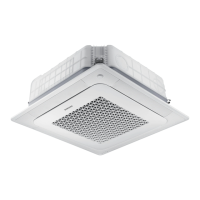
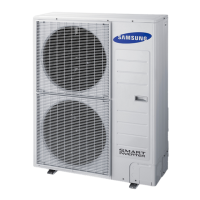
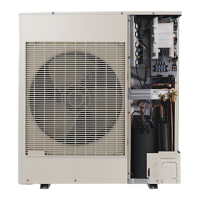
Air conditioner
User manual
AM***NNN*EH***
Thank you for purchasing this Samsung air conditioner.
Before operating this unit, please read this user manual carefully and retain it for future reference.

Other manuals for Samsung AM045NNNDEH Series

Questions and Answers

  • E
    Eric LopezAug 15, 2025
    Why is my Samsung AM045NNNDEH Air Conditioner not cool enough?
    • J
      Joshua WeissAug 16, 2025
      If your Samsung Air Conditioner isn't cooling effectively, it might be due to several reasons. In Cool mode, ensure the set temperature is lower than the current room temperature by repeatedly pressing the Temperature button until it's set to at least 18°C. Also, make sure it's not in Fan mode, which doesn't provide cooling or heating. Check the air filter for blockages and clear any obstructions around the outdoor unit. For optimal performance, ensure the outdoor unit is in a well-ventilated area, shielded from direct sunlight, and the indoor unit isn't exposed to direct sunlight either.
  • Z
    Zachary HowellAug 18, 2025
    What to do if my Samsung Air Conditioner does not turn on?
    • D
      David PrattAug 19, 2025
      If your Samsung Air Conditioner isn't turning on, first ensure the power plug is properly connected. Next, check if the auxiliary power switch (MCCB, ELB) is turned on. If it’s off, the unit won’t work even if you press the Power button. If the air conditioner hasn't been used for a while, turn on the auxiliary power switch (MCCB, ELB) 6 hours before starting it. Also, if the air conditioner was turned off by the Timed off function, press the Power button to turn it back on.
  • S
    Sara EstradaAug 21, 2025
    Why isn't my Samsung Air Conditioner remote working?
    • B
      Becky MccoyAug 21, 2025
      If your Samsung Air Conditioner remote isn't working, start by checking if the batteries are discharged and replace them if needed. Ensure nothing is blocking the remote control sensor on the air conditioner unit. Also, check for any strong lighting sources near the air conditioner, as they can interfere with the remote's signal.
  • S
    Stephen MooreAug 25, 2025
    What to do if the Samsung Air Conditioner indoor unit display is blinking?
    • C
      Catherine LopezAug 25, 2025
      If the indoor unit display of your Samsung Air Conditioner is blinking continuously, try turning the air conditioner on again by pressing the Power button. If that doesn't work, turn off and then turn on the auxiliary power switch, and then turn the air conditioner back on.
  • B
    brian42Aug 28, 2025
    How to fix the Timed on/off function on my Samsung AM045NNNDEH Air Conditioner?
    • E
      Eric GouldAug 28, 2025
      If the Timed on/off function on your Samsung Air Conditioner isn't working, make sure you pressed the SET button on the remote control after setting the on/off time.
  • V
    vasquezteresaAug 30, 2025
    Why is my Samsung AM045NNNDEH Air Conditioner not blowing warm air?
    • R
      Ryan CamachoAug 30, 2025
      If your Samsung Air Conditioner isn't blowing warm air, first check if the outdoor unit is designed for cooling only. If so, it won't produce warm air even in Heat mode. Also, verify that the remote control supports both cooling and heating; if it doesn't, use a remote control that does.
  • S
    Scott OlsonSep 2, 2025
    What to do if the wired remote control of Samsung AM045NNNDEH does not operate?
    • B
      Brenda PattersonSep 3, 2025
      If the wired remote control of your Samsung Air Conditioner isn't working, check whether the indicator is displayed at the bottom right of the remote control display. If the indicator is not displayed, turn off both the air conditioner and the auxiliary power switch, and then contact a service centre.
  • N
    Natalie MartinSep 5, 2025
    Why doesn't my Samsung AM045NNNDEH turn on right away after restarting?
    • E
      Ellen RiceSep 6, 2025
      Your Samsung Air Conditioner has a protective mechanism to prevent overloading. Because of this, the air conditioner will start in 3 minutes.
  • I
    ibassSep 8, 2025
    Why can't I change the fan speed on my Samsung Air Conditioner?
    • J
      Jill KellerSep 8, 2025
      If you cannot change the fan speed on your Samsung Air Conditioner, check whether the Auto or Dry mode is currently running.
  • J
    jrichSep 12, 2025
    Why doesn't my Samsung Air Conditioner turn on/off immediately with the wired remote?
    • E
      ericksonstephanieSep 12, 2025
      If your Samsung Air Conditioner isn't responding immediately to the wired remote control, check whether the wired remote control is set for group control.

Summary

Safety Information

Installation Safety Precautions

Safety precautions and requirements for installing the air conditioner unit.

Professional Installation Requirements

Emphasizes professional installation to prevent hazards like shock or fire.

Power Supply Safety Guidelines

Safety guidelines related to the power supply of the air conditioner.

Operational Safety Guidelines

Safety precautions and warnings during the operation and use of the air conditioner.

Appliance Operation Cautions

Specific cautions for operating the appliance, including avoiding certain materials and water.

Cleaning and Maintenance Safety

Safety warnings and instructions related to cleaning and maintaining the unit.

Operation Features

Operating Temperature and Humidity Ranges

Specifies the operational temperature and humidity ranges for different modes.

Cleaning and Maintenance

Air Filter Cleaning Procedure

Step-by-step guide on how to detach, clean, and reassemble the air filter.

Periodical Maintenance Schedule

Troubleshooting Common Issues

Unit Not Operating or Responding

Solutions for when the air conditioner fails to start or operate.

Temperature and Fan Speed Problems

Troubleshooting steps for issues with temperature control and fan speed.

Cooling and Heating Performance Issues

Solutions for when the air is not cool or warm enough.

Installation Procedure

Installing the Indoor Unit

Detailed steps for physically mounting and securing the indoor unit.

Performing the Gas Leak Test

Procedure for checking the system for refrigerant gas leaks.

Insulating the Refrigerant Pipes

Instructions on insulating refrigerant pipes to prevent condensation.

Refrigerant Pipe Insulation Guidelines

Specifics on pipe insulation types and thicknesses based on conditions.

Installing the Drain Hose and Drain Pipe

Steps for correctly installing the drain hose and piping for water drainage.

Connecting Power and Communication Cables

Instructions for connecting power and communication cables between units.

Setting Indoor Unit Addresses and Options

Setting Indoor Unit Addresses

MAIN, RMC, and MCU Address Configuration

Process for setting main, RMC, and MCU addresses for indoor units.

02 Series Installation Options

05 Series Installation Options

Changing Addresses and Options Individually

Samsung AM045NNNDEH Series Specifications

General IconGeneral
BrandSamsung
ModelAM045NNNDEH Series
CategoryAir Conditioner
LanguageEnglish

Related product manuals