EasyManua.ls Logo

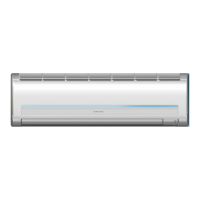
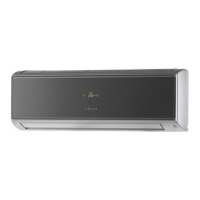
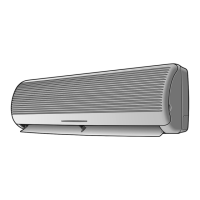
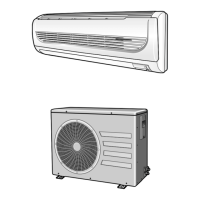
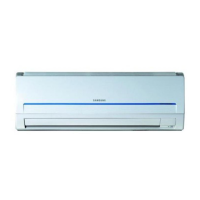
Samsung AQ18MSBN - User Manual

Samsung AQ18MSBN
28 pages
Print Icon
To Next Page IconTo Next Page
Loading...
E-2
Contents
PREPARATION
Safety Precautions ......................................................................................................... 3
Name of Each Part ......................................................................................................... 8
Remote Control – Buttons and Display ............................................................... 10
Inserting the Remote Control Batteries ............................................................... 10
Getting Started ............................................................................................................... 11
OPERATION
Selecting Auto Mode ................................................................................................... 12
Selecting Cool Mode .................................................................................................... 13
Selecting Heat Mode ................................................................................................... 14
Selecting Dry Mode ...................................................................................................... 15
Selecting Fan Mode ...................................................................................................... 16
Selecting the Turbo Function ................................................................................... 16
Selecting the Energy Saving Function ................................................................. 17
Selecting Good Morning Mode .............................................................................. 18
Adjusting the Airflow Direction .............................................................................. 20
Selecting Auto Cleaning Function ......................................................................... 21
Setting the On Timer .................................................................................................... 22
Setting the Off Timer ................................................................................................... 23
Operating Your Air Conditioner Without the Remote Control .................. 24
RECOMMENDATIONS FOR USE
Cleaning the Air Filter on Your Air Conditioner ................................................ 25
Cleaning Deodorizing and Bio filter (Option) .................................................... 25
Temperature and Humidity Ranges ...................................................................... 26
Operating Recommendations ................................................................................. 26
Solving Common Problems ...................................................................................... 27
Correct Disposal of This Product
(Waste Electrical & Electronic Equipment)
(Applicable in the European Union and other European countries with separate collection systems)
This marking shown on the product or its literature, indicates that it should not be disposed with other household waste
at the end of its working life. To prevent possible harm to the environment or human health from uncontrolled waste
disposal, please separate this from other types of waste and recycle it responsibly to promote the sustainable reuse of
material resources.
Household users should contact either the retailer where they purchased this product, or their local government office,
for details of where and how they can take this item for environmentally safe recycling.
Business users should contact their supplier and check the terms and conditions of the purchase contract.
This product should not be mixed with other commercial waste for disposal.
Moderato_IB_E.indd 2 2007-1-11 13:37:51

Other manuals for Samsung AQ18MSBN

Question and Answer IconNeed help?

Do you have a question about the Samsung AQ18MSBN and is the answer not in the manual?

Summary

Safety Precautions

When Installing

Safety guidelines for unit installation.

Regarding Power Source

Precautions related to electrical power supply and connection.

Operational Safety Warnings

During Operation

Safety warnings and precautions during the operation of the air conditioner.

Disposal and Installation Safety

Disposing the Unit

Instructions and precautions for the safe and responsible disposal of the unit.

Installation Precautions

Guidelines for proper installation, avoiding direct sunlight or water.

Operational Safety Cautions

Regarding Power Source

Disconnecting power for energy saving and contacting service for repairs.

During Operation

Precautions to avoid damage, injury, or improper operation during use.

General Safety Cautions

During Operation

Precautions on touching pipes, using for specific purposes, and avoiding shocks.

Other Precautions

Warnings regarding air filter exposure, child supervision, and cleaning methods.

Indoor Unit Components

Indoor Unit Overview

Identification of components and indicators on the indoor unit.

Outdoor Unit Components

Outdoor Unit Overview

Identification of components for different outdoor unit models.

Remote Control Guide

Buttons and Display

Explanation of all buttons and indicators on the remote control.

Inserting Batteries

Step-by-step guide for inserting or replacing remote control batteries.

Getting Started

Manual Overview and Symbols

Guidance on reading the manual and understanding operation symbols.

Selecting Operating Modes

Selecting Auto Mode

Instructions to set the air conditioner to automatically cool or heat the room.

Selecting Cooling Mode

Selecting Cool Mode

Steps to select and operate the air conditioner in Cool mode for cooling.

Selecting Heating Mode

Selecting Heat Mode

Steps to select and operate the air conditioner in Heat mode for heating.

Selecting Dehumidifying Mode

Selecting Dry Mode

Instructions to select Dry mode for dehumidifying the room.

Selecting Ventilation Mode

Selecting Fan Mode

Steps to select Fan mode for ventilating and refreshing the air.

Special Functions

Selecting the Turbo Function

How to activate Turbo function for rapid cooling or heating.

Special Functions: Energy Saving

Selecting the Energy Saving Function

Instructions to use the Energy Saving function to reduce power consumption.

Special Functions: Sleep Comfort

Selecting Good Morning Mode

How to use Good Morning mode for comfortable sleep and waking up.

Good Morning Mode Details

In Cool Mode

Explanation of Good Morning mode stages and recommended settings in Cool mode.

In Heat Mode

Explanation of Good Morning mode operation and temperature adjustments in Heat mode.

Airflow Direction Control

Adjusting Airflow Vertically

Guide to adjusting the vertical airflow direction using the remote control.

Adjusting Airflow Horizontally

Instructions for manually adjusting the horizontal airflow direction.

Special Functions: Cleaning

Selecting the Auto Cleaning Function

How to activate the Auto Cleaning function to sterilize the unit.

Timer Functions: On Timer

Setting the On Timer

Steps to set the timer to automatically turn the air conditioner on.

Canceling the On Timer

Procedure to cancel the set On Timer.

Timer Functions: Off Timer

Setting the Off Timer

Steps to set the timer to automatically turn the air conditioner off.

Canceling the Off Timer

Procedure to cancel the set Off Timer.

Manual Unit Operation

Operating Without Remote Control

How to operate the air conditioner using the ON/OFF switch on the unit.

Maintenance Procedures

Cleaning Air Filter

Instructions for cleaning the air filter every two weeks.

Cleaning Deodorizing and Bio Filter

Guide for cleaning the deodorizing and bio filters every three months.

Operating Guidelines

Temperature and Humidity Ranges

Recommended indoor/outdoor temperature and humidity ranges for efficient use.

Operating Recommendations

Tips and advice for optimal operation in various conditions like heating, frost, and power failure.

Troubleshooting Common Problems

Solving Common Problems

A guide to identifying and resolving common issues with the air conditioner.

Customer Support

Contact SAMSUNG WORLD WIDE

Contact information and web sites for Samsung customer care centers globally.

Summary

Safety Precautions

When Installing

Safety guidelines for unit installation.

Regarding Power Source

Precautions related to electrical power supply and connection.

Operational Safety Warnings

During Operation

Safety warnings and precautions during the operation of the air conditioner.

Disposal and Installation Safety

Disposing the Unit

Instructions and precautions for the safe and responsible disposal of the unit.

Installation Precautions

Guidelines for proper installation, avoiding direct sunlight or water.

Operational Safety Cautions

Regarding Power Source

Disconnecting power for energy saving and contacting service for repairs.

During Operation

Precautions to avoid damage, injury, or improper operation during use.

General Safety Cautions

During Operation

Precautions on touching pipes, using for specific purposes, and avoiding shocks.

Other Precautions

Warnings regarding air filter exposure, child supervision, and cleaning methods.

Indoor Unit Components

Indoor Unit Overview

Identification of components and indicators on the indoor unit.

Outdoor Unit Components

Outdoor Unit Overview

Identification of components for different outdoor unit models.

Remote Control Guide

Buttons and Display

Explanation of all buttons and indicators on the remote control.

Inserting Batteries

Step-by-step guide for inserting or replacing remote control batteries.

Getting Started

Manual Overview and Symbols

Guidance on reading the manual and understanding operation symbols.

Selecting Operating Modes

Selecting Auto Mode

Instructions to set the air conditioner to automatically cool or heat the room.

Selecting Cooling Mode

Selecting Cool Mode

Steps to select and operate the air conditioner in Cool mode for cooling.

Selecting Heating Mode

Selecting Heat Mode

Steps to select and operate the air conditioner in Heat mode for heating.

Selecting Dehumidifying Mode

Selecting Dry Mode

Instructions to select Dry mode for dehumidifying the room.

Selecting Ventilation Mode

Selecting Fan Mode

Steps to select Fan mode for ventilating and refreshing the air.

Special Functions

Selecting the Turbo Function

How to activate Turbo function for rapid cooling or heating.

Special Functions: Energy Saving

Selecting the Energy Saving Function

Instructions to use the Energy Saving function to reduce power consumption.

Special Functions: Sleep Comfort

Selecting Good Morning Mode

How to use Good Morning mode for comfortable sleep and waking up.

Good Morning Mode Details

In Cool Mode

Explanation of Good Morning mode stages and recommended settings in Cool mode.

In Heat Mode

Explanation of Good Morning mode operation and temperature adjustments in Heat mode.

Airflow Direction Control

Adjusting Airflow Vertically

Guide to adjusting the vertical airflow direction using the remote control.

Adjusting Airflow Horizontally

Instructions for manually adjusting the horizontal airflow direction.

Special Functions: Cleaning

Selecting the Auto Cleaning Function

How to activate the Auto Cleaning function to sterilize the unit.

Timer Functions: On Timer

Setting the On Timer

Steps to set the timer to automatically turn the air conditioner on.

Canceling the On Timer

Procedure to cancel the set On Timer.

Timer Functions: Off Timer

Setting the Off Timer

Steps to set the timer to automatically turn the air conditioner off.

Canceling the Off Timer

Procedure to cancel the set Off Timer.

Manual Unit Operation

Operating Without Remote Control

How to operate the air conditioner using the ON/OFF switch on the unit.

Maintenance Procedures

Cleaning Air Filter

Instructions for cleaning the air filter every two weeks.

Cleaning Deodorizing and Bio Filter

Guide for cleaning the deodorizing and bio filters every three months.

Operating Guidelines

Temperature and Humidity Ranges

Recommended indoor/outdoor temperature and humidity ranges for efficient use.

Operating Recommendations

Tips and advice for optimal operation in various conditions like heating, frost, and power failure.

Troubleshooting Common Problems

Solving Common Problems

A guide to identifying and resolving common issues with the air conditioner.

Customer Support

Contact SAMSUNG WORLD WIDE

Contact information and web sites for Samsung customer care centers globally.

Samsung AQ18MSBN Specifications

General IconGeneral
TypeSplit System
Power Supply220-240V, 50Hz
Operating Temperature (Cooling)18°C to 43°C
Cooling Capacity18000 BTU/h
Heating Capacity20000 BTU/h

Related product manuals