30
SAMSUNG ELECTRONICS
No. Parts Procedure Remark
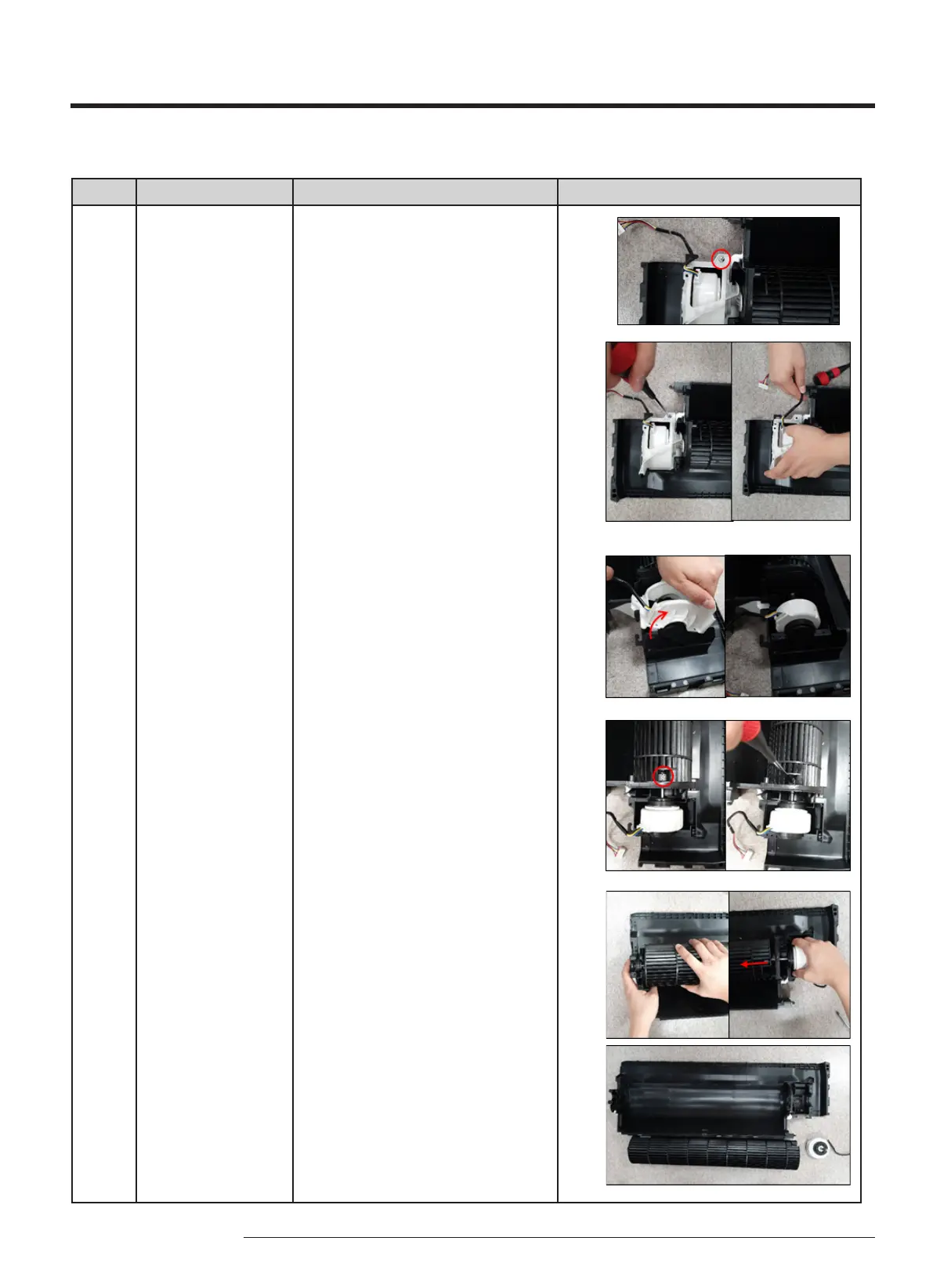
6 FAN MOTOR
&
CROSS FAN
28) Unfasten a screw on the COVER
Motor. (Use (+) Screw Driver.)
29) Unwind the Motor Wire.
30)Detach the COVER Motor.
31) Unfasten a screw of the CROSS FAN
a little. (Use (+) Screw Driver.)
32)Raise up the CROSS FAN of the left
side and pull out from the Motor.



 To Next Page