4-12 Samsung Electronics
Disassembly and Reassembly
No. Part name Procedures Remarks
^
&
*
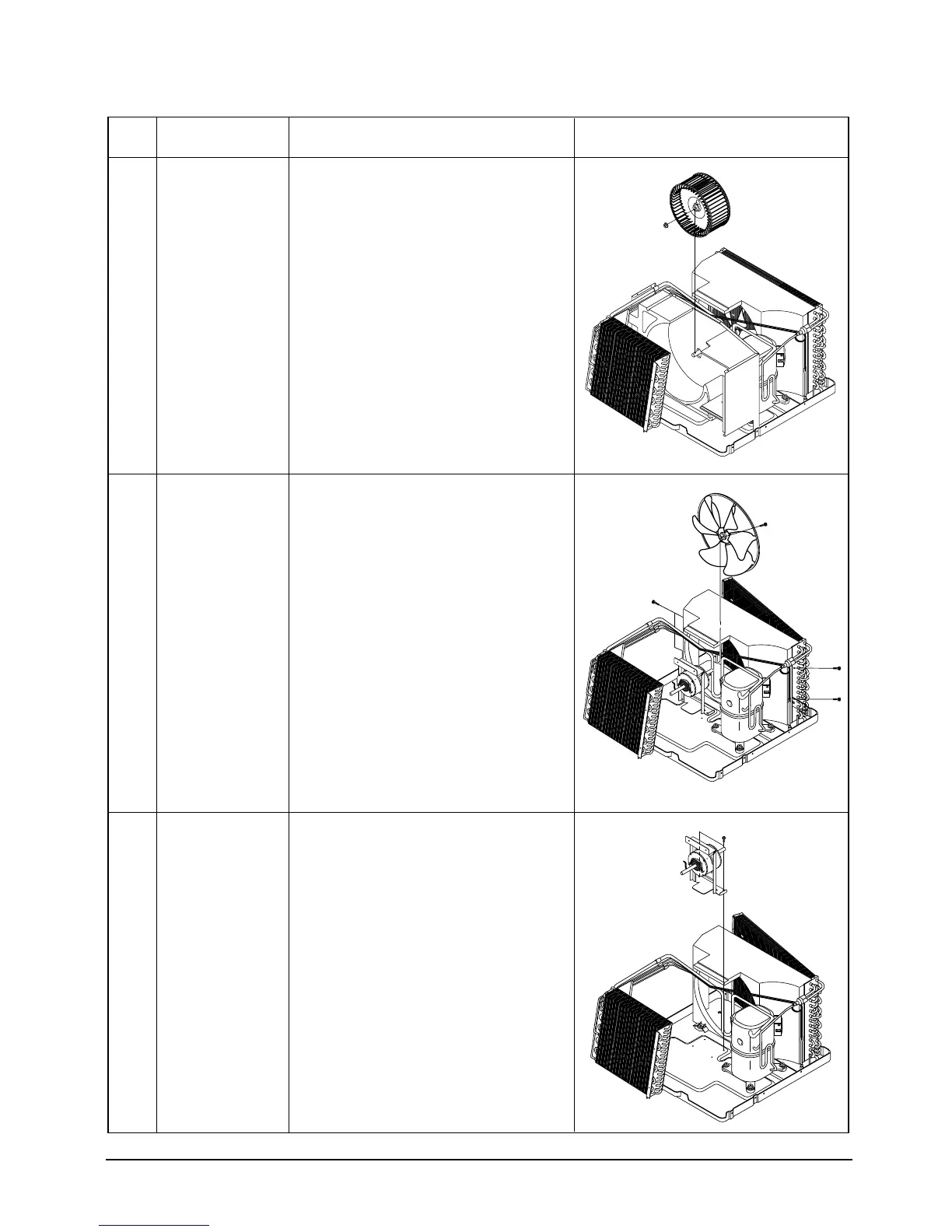
Blower
Propeller Fan
Motor Supporter &
Motor
1. Loosen the nut-washer, and remove the
blower.
1. Remove two screws on the bottom side,
and 5 screws on the case cond.
2. Loosen the hexagon nut, and remove the
fan.
1. Remove four hexagon nuts on the base
pan and partition.
2. Move the motor - assembly toward the
condenser, and lift up the motor - assembly
from the frame.
3. Remove four hexagon nuts on the
supporter-motor.
(J)DB98-03455A(1)-1 9/12/01 1:24 PM Page 4-8



 To Next Page