EasyManua.ls Logo

Samsung BD-C6500 - Quick Setup Guide; HDMI TV Connection

Samsung BD-C6500
86 pages
Print Icon
To Next Page IconTo Next Page
To Previous Page IconTo Previous Page
Loading...
BLU-RAY
DISC
PLAYER
Quick
Setup
Guide
BD-C6500
Connecting to a TV
Connecting
to
a
TV
with
an
HDMI Cable -
Best
Quality
(Recommended)
1.
Using
an
HOMI
cable,
connect
the
HDMI OUT terminal
on
the
rear
of
the
player
to
the
HDMIIN
terminal
of
your
TV.
2.
Turn
on
the
player
and
TV.
3.
Press
the
input selector
on
your
TV
remote control
until
the
HOMI
signal
from
the
player
appears
on
your
TV
screen.
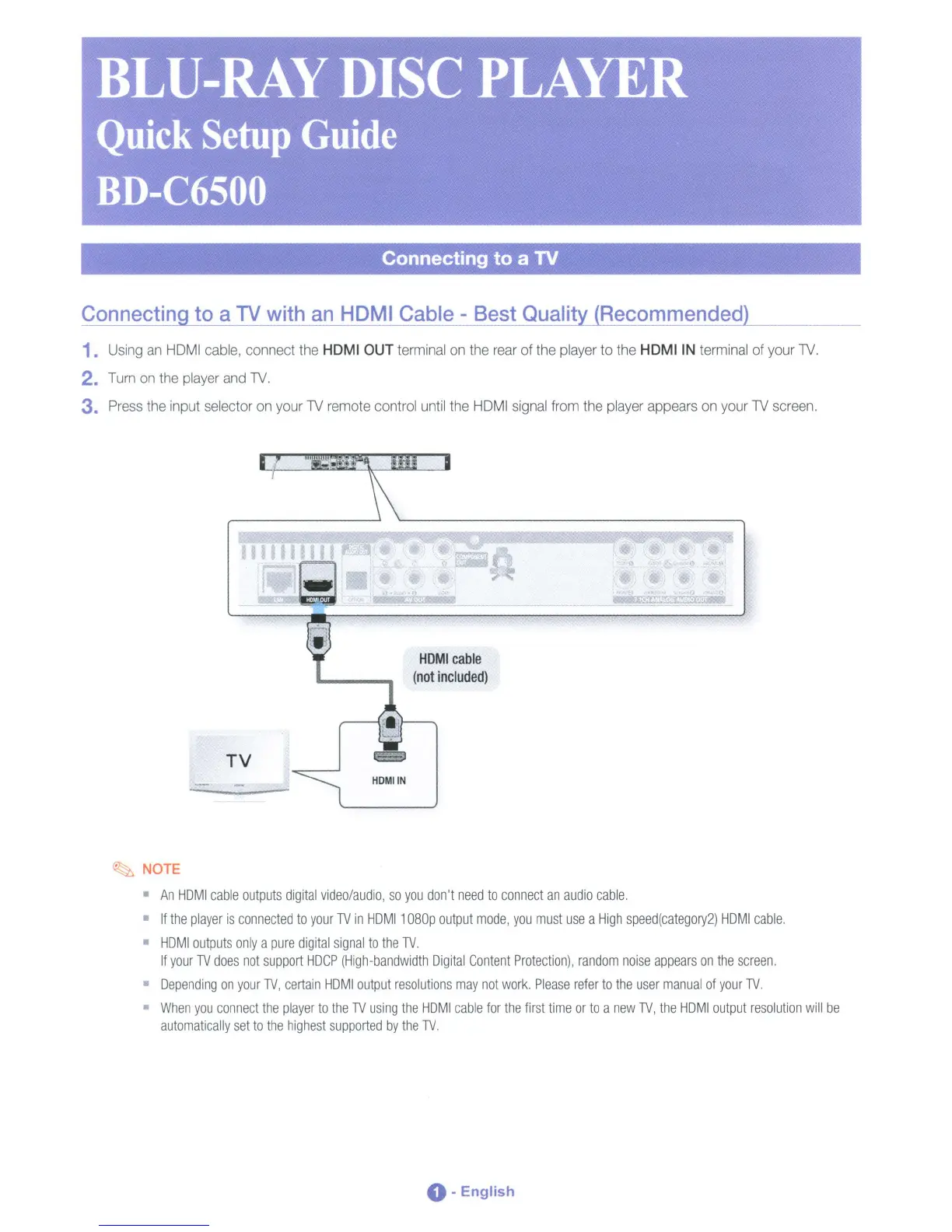
TV
HDMI
cable
(not
included)
HOMIIN
~
NOTE
An
HDMI
cable
outputs
digital
video/audio,
so
you
don't
need
to
connect
an
audio
cable.
If
the
player
is
connected
to
your
TV
in
HDMI1
D8Dp
output
mode,
you
must
use
a
High
speed(category2)
HDMI
cable.
HDMI
outputs
only
a
pure
digital
signal
to
the
TV.
If
your
TV
does
not
support
HDCP
(High-bandwidth
Digital
Content
Protection),
random
noise
appears
on
the
screen.
Depending
on
your
TV,
certain
HDMI
output
resolutions
may
not
work.
Please
refer
to
the
user
manual
of
your
TV.
When
you
connect
the
player
to
the
TV
using
the
HDMI
cable
for
the
first
time
or
to
a
new
TV,
the
HDMI
output
resolution
will
be
automatically
set
to
the
highest
supported
by
the
TV.
0-
English

Table of Contents