EasyManua.ls Logo

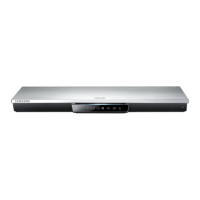
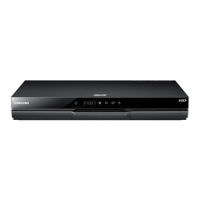
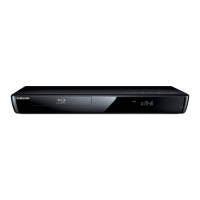
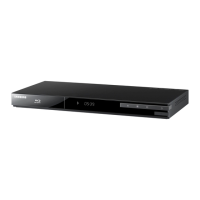
Samsung BD-D5300 - User Manual

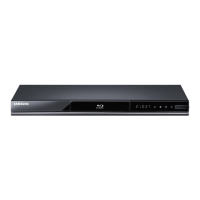
Samsung BD-D5300
68 pages
Print Icon
To Next Page IconTo Next Page
Loading...
imagine the possibilities
Thank you for purchasing this Samsung product.
To receive more complete service,
please register your product at
www.samsung.com/register
Blu-ray
Disc Player
user manual
BD-D5300

Table of Contents

Other manuals for Samsung BD-D5300

Questions and Answers

  • R
    Rachel HallSep 8, 2025
    Why can't I see files in AllShare folders on my Samsung BD-D5300 Blu-ray Player?
    • E
      Edward MatthewsSep 8, 2025
      If you can see folders shared through AllShare on your Samsung Blu-ray Player but cannot see the files, it's because AllShare only displays files corresponding to the Image, Music, and Movie categories. Files that don't fall into these categories won't be shown.
  • E
    Emily BrownSep 12, 2025
    What does the prohibition message on my Samsung BD-D5300 mean?
    • N
      Natasha EdwardsSep 12, 2025
      If a prohibition message appears on the screen of your Samsung Blu-ray Player, it means you've pressed an invalid button, the Blu-ray Disc/DVD’s software doesn’t support the feature (e.g., angles), or you’ve requested a title or chapter number or search time that is out of range.
  • G
    George CortezSep 12, 2025
    Why can't I change the screen ratio on my Samsung BD-D5300?
    • T
      tompetersSep 12, 2025
      If the screen ratio cannot be changed on your Samsung Blu-ray Player, it is because the screen ratio is fixed on your Blu-ray Disc/DVD. This is not a problem with the player.
  • K
    Katie RobertsSep 14, 2025
    Why doesn't the disc menu appear on my Samsung BD-D5300 Blu-ray Player?
    • C
      chanmelissaSep 14, 2025
      If the disc menu does not appear on your Samsung Blu-ray Player, ensure that the disc actually has disc menus.
  • R
    Raymond SchneiderSep 16, 2025
    Why does the play mode differ from the Setup Menu selection on my Samsung BD-D5300?
    • M
      Michelle GutierrezSep 16, 2025
      If the play mode differs from the Setup Menu selection on your Samsung Blu-ray Player, it's because some of the functions selected in the Setup Menu may not work properly if the disc is not encoded with the corresponding function.

Summary

Key Features

Blu-ray Disc Features

Details features of Blu-ray Discs, including HD video support and codecs.

Video Highlights

Lists supported HD video resolutions and codecs like AVC, VC-1, and MPEG-2.

High-Definition Playback

Explains requirements for viewing HD content, like an HDTV and HDMI connection.

BD-LIVE

Describes downloading content via a network connection for BD-LIVE discs.

Blu-ray Disc Player Features

Overview of player-specific features like Smart Hub and AllShare.

Safety Information

Warnings and Cautions

General safety warnings regarding electric shock, laser beams, and proper operation.

Disc Handling and Storage

Guidelines for handling and storing discs, including cleaning and preventing damage.

Player Handling and Maintenance

Precautions for player operation, cabinet cleaning, and playback restrictions.

Connections

Connecting to a TV

Instructions for connecting the player to a TV via HDMI or Audio/Video cables.

Connecting to an Audio System

Guides for connecting to audio systems using HDMI or optical/analog cables.

Connecting to the Network

Instructions for connecting the player to a network via cable or wireless.

Setup

Initial Settings

Steps to configure initial settings like language and network connection.

Display Settings

Options for configuring display settings like TV Aspect Ratio and Resolution.

Audio Settings

Settings for audio output, including Digital Output and Downmixing Mode.

Network Setup

Configuration options for network settings like wired and wireless connections.

System Settings

Setting up system parameters like initial settings and Anynet+.

Time Zone

Specify the applicable time zone for your area.

Security Settings

Controls playback based on Blu-ray/DVD age or numeric ratings.

General Settings

General settings for the player.

Support and Software Upgrade

Options for player support and upgrading software via various methods.

Basic Functions

Playback Operations

Instructions for playing video discs, including menu navigation and search functions.

Music Playback

How to play audio CDs and MP3s, including repeat modes and playlists.

Picture Playback

Instructions for playing JPEG files and using slide show features.

USB Storage Device Playback

How to play multimedia files from a USB storage device.

Getting Started

Disc Compatibility

Lists supported and unsupported disc types, including Blu-ray and DVD formats.

Supported File Formats

Details supported video and audio file formats for USB playback.

Accessories and Panel Layouts

Lists included accessories and describes front and rear panel components.

Front Panel

Rear Panel

Tour of the Remote Control

Installing Batteries

Instructions for installing batteries in the remote control.

Network Services

Using Smart Hub

Accesses movies, videos, music, and applications from the internet.

Smart Hub at a Glance

Overview of the Smart Hub interface and its main features.

Samsung Apps

Download paid or free applications and services to the player.

Creating an Account

Steps to create a Smart TV Account for exclusive configuration.

Account Management

Manages service provider accounts, Smart Hub password, and accounts.

BD-LIVE

Enjoy movie-related services using a BD-LIVE compliant disc.

AllShare Function

Play media files from PC or DLNA compatible devices.

Appendix

Troubleshooting

Problem-solving guide for common issues with the player and remote.

BD-LIVE Troubleshooting

Troubleshooting for BD-LIVE connection and error occurrences.

Repairs

Information on repair services and administration fees.

Specifications

Technical specifications of the Blu-ray Disc Player.

Compliance and Compatibility Notice

Notices regarding disc compatibility and potential playback issues.

License

Licensing information for Dolby, DTS, DivX, HDMI, and Java technologies.

Contact SAMSUNG WORLD WIDE

Samsung BD-D5300 Specifications

General IconGeneral
3DNo
HDMIYes
Weight1710 g
Audio systemDolby Digital, Dolby Digital Plus, Dolby Digital TrueHD, DTS
Package depth274.32 mm
Package width515.62 mm
Product colorBlack
Package height88.9 mm
Package weight2475 g
Dimensions (WxDxH)433 x 205 x 39 mm
Disc types supportedBD-R, BD-RE, BD-ROM, CD, CD-R, CD-RW, DVD, DVD+R, DVD+RW, DVD-R, DVD-RW
USB 2.0 ports quantity2
Video formats supportedWMV
Digital audio optical out1
Audio output channels2.0 channels
Portable-
Networking featuresEthernet

Related product manuals