English 41
✎
NOTE
`
This function is not available if the HDMI cable does
not support CEC.
`
If your Samsung TV has an Anynet+ logo, then it
supports the Anynet+ function.
`
Depending on your TV, certain HDMI output
resolutions may not work.
Please refer to the user manual of your TV.
Clock
Set time-related functions.
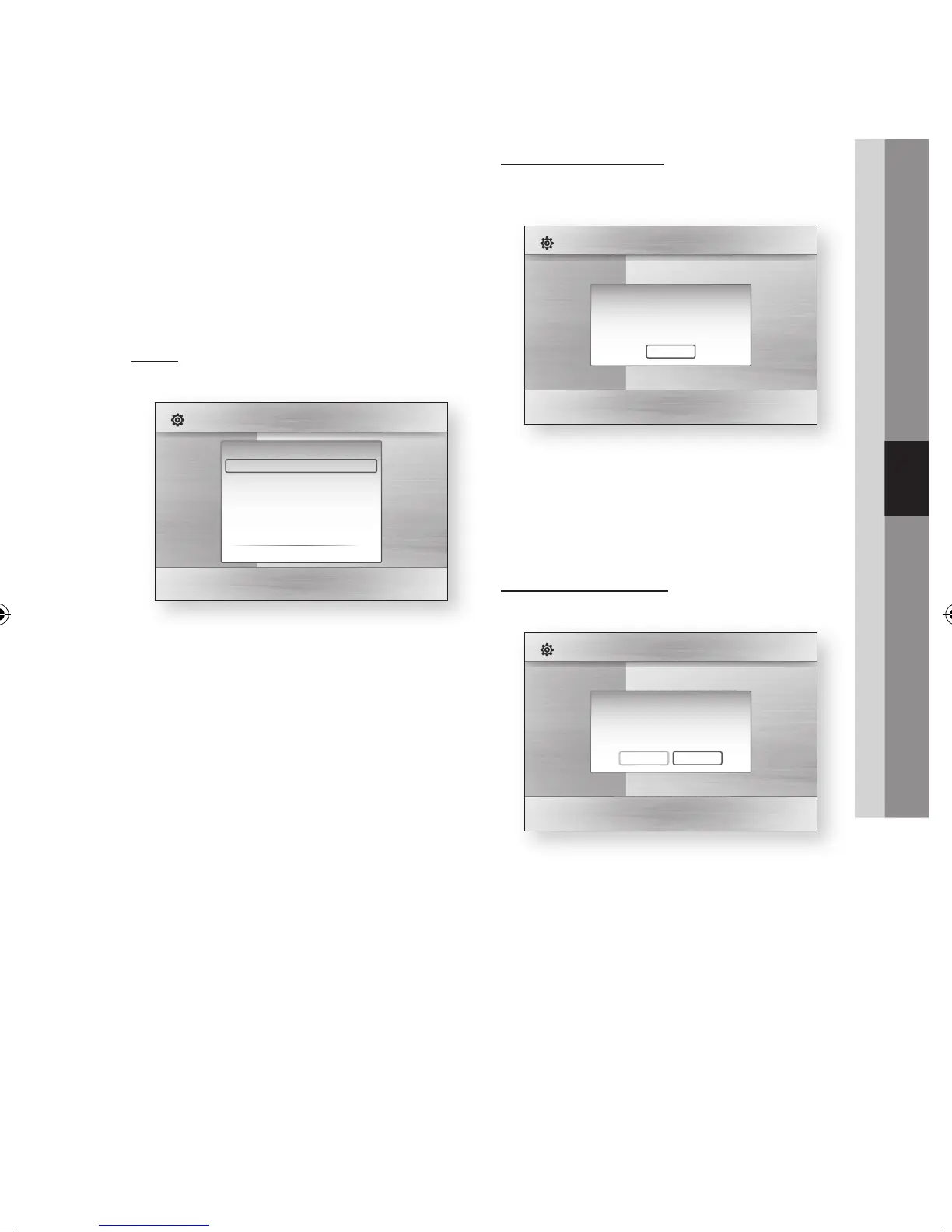
• Clock Mode : You can set it to Auto or Manual.
If you select Manual, the Clock Set menu will
be activated.
• Clock Set : You can specify the current time
and date manually.
• Time Zone : You can specify the time zone that
is applicable to your area.
DivX(R) Registration
View DivX(R) VOD Registration Code to purchase
and play DivX(R) VOD content.
✎
NOTE
`
This option is not activated if you select OK.
To activate this option, please activate the DivX(R)
Deactivation.
DivX(R) Deactivation
Select this to get a new registration code.
✎
NOTE
`
This function can be operated when DivX(R)
Registration function is deactivated.
Display
Audio
System
Network
Language
Security
General
Support
Settings
Plug & Play
Audio :
Subtitle :
DivX(R) Video On Demand
Your registration code is : XXXXXXXXXX
To learn more visit www.divx.com/vod
OK
Display
Audio
System
Network
Language
Security
General
Support
Settings
Plug & Play
Audio :
Subtitle :
Do you want to deactivate your device?
Yes
No
Display
Audio
System
Network
Language
Security
General
Support
Settings
Clock
Clock Mode : Auto
Clock Set
Time Zone
> Move " Enter ' Return
02064Q-BD-D5900-HC-ENG-.indb 41 2012-01-12 오전 11:15:38




 To Next Page