18 English
Getting Started
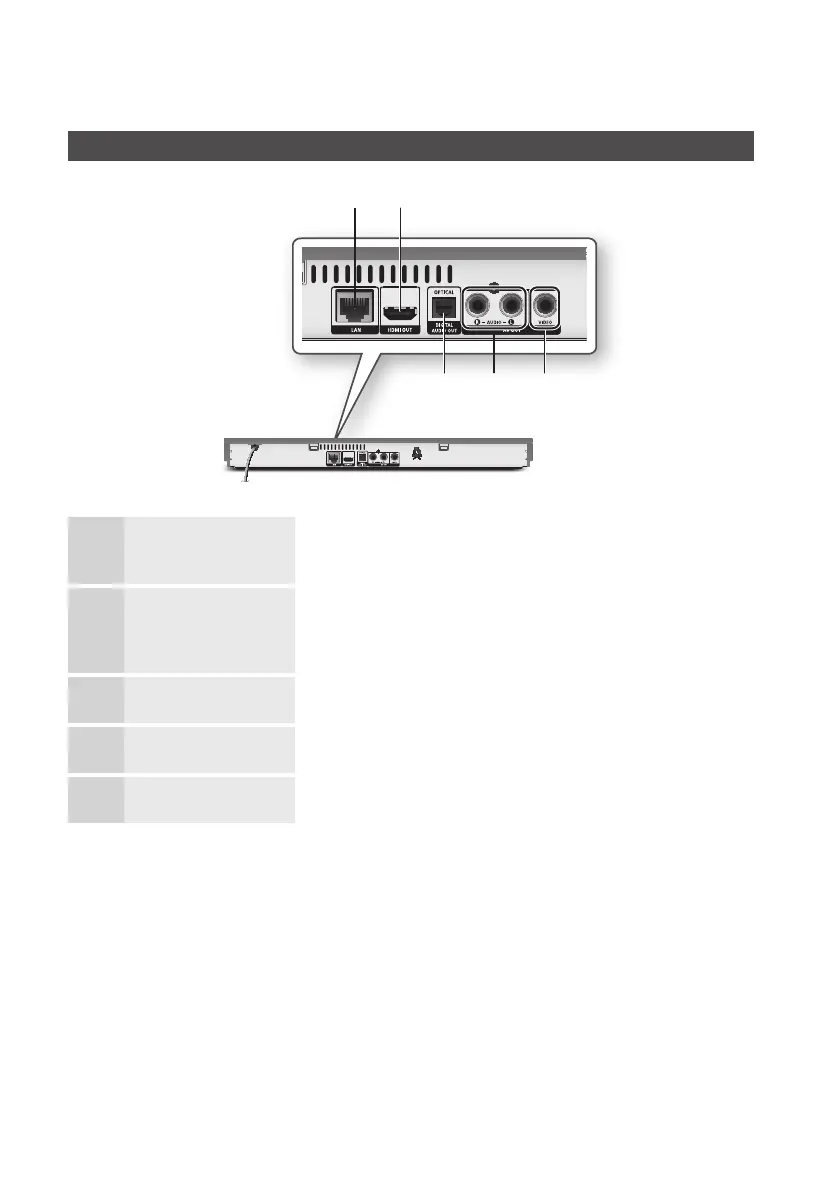
Rear Panel
1
LAN
Use for network based services (See pages 52~61), BD-LIVE, and software
upgrades using a network connection.
2
HDMI OUT
Using an HDMI cable, connect this HDMI output terminal to the HDMI input terminal
on your TV for the best quality picture or to your AV receiver for the best quality
sound.
3
VIDEO OUT Connects to the video input of external devices using a video cable.
4
AUDIO OUT Connects to the audio input of external devices using audio cables.
5
DIGITAL AUDIO OUT Connects to an AV receiver.
a b
e d c



 To Next Page