English 45
06 Basic Functions
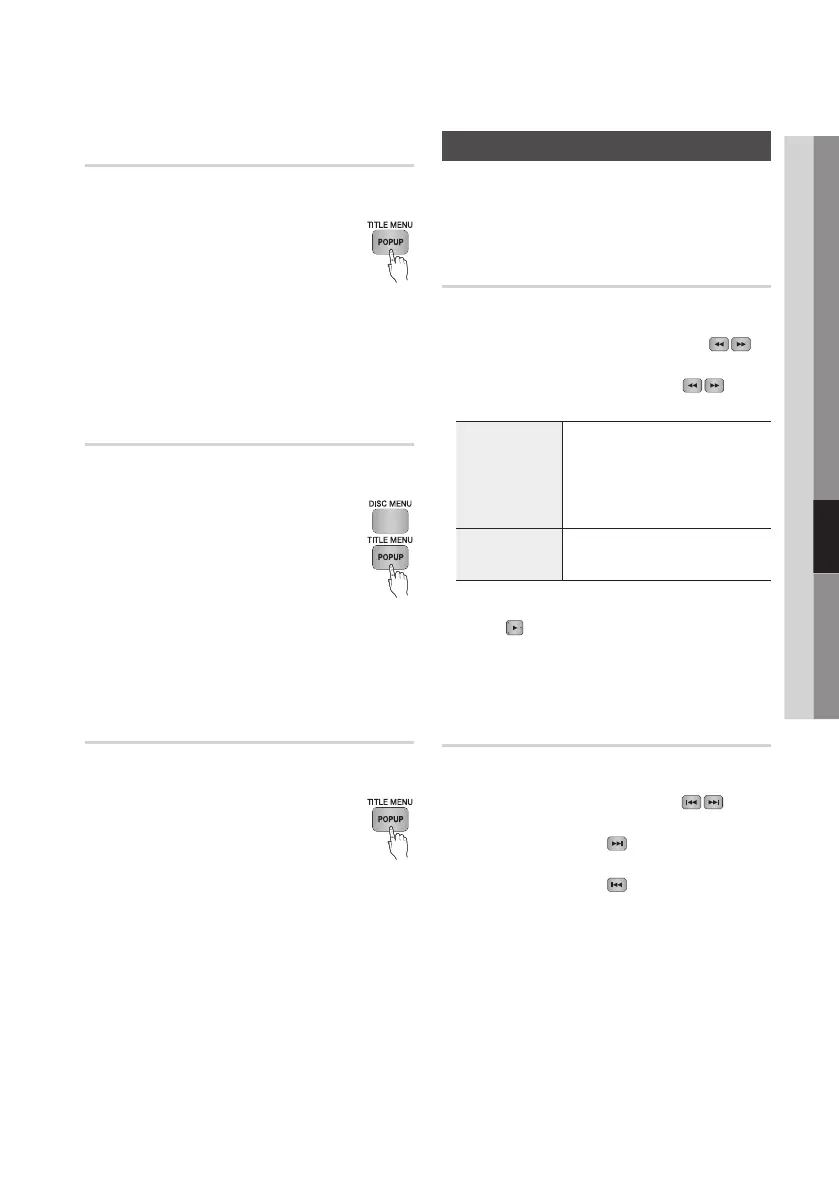
Using the Title Menu
Z
1. During playback, press the TITLE
MENU button on the remote control.
2. Press the ▲▼◄► buttons to make
the desired selection, then press the
ENTER button.
✎
NOTE
`
Depending on the disc, the menu items may differ
and this menu may not be available.
Playing the Title List
z
1. During playback, press the DISC
MENU or TITLE MENU button.
2. Press the ▲▼ buttons to select an
entry you want to play from the Title
List, and then press the ENTER
button.
✎
NOTE
`
If your disc has a playlist, press the GREEN (B)
button to go to the playlist.
Using the Popup Menu
h
1. During playback, press the POPUP
MENU button on the remote control.
2. Press the ▲▼◄► buttons or ENTER
button to select the desired menu.
✎
NOTE
`
Depending on the disc, the menu items may differ
and this menu may not be available.
Using the Search and Skip Functions
During play, you can search quickly through a
chapter or track, and use the skip function to
jump to the next selection.
Searching for a Desired Scene
hzZyx
• During playback, press the SEARCH ( )
button.
Each time you press the SEARCH (
)
button, the playback speed will change as follows
:
BD-ROM,
BD-RE/-R,
DVD-RW/-R,
DVD+RW/+R,
DVD-VIDEO
)
1
)
2
)
3
)
4
)
5
)
6
)
7
(
1
(
2
(
3
(
4
(
5
(
6
(
7
DivX, MKV, MP4
)
1
)
2
)
3
(
1
(
2
(
3
• To return to normal speed playback, press the
PLAY (
) button.
✎
NOTE
`
The player does not play sound in search mode.
Skipping Chapters
hzZyx
• During playback, press the SKIP ( )
button.
If you press the SKIP (
) button, the disc
moves to the next chapter.
If you press the SKIP (
) button, the disc
moves to the beginning of the chapter. One
more press makes the disc move to the
beginning of the previous chapter.










 To Next Page