EasyManua.ls Logo

Samsung BD-UP5000 - Repeat Playback Functions

Samsung BD-UP5000
76 pages
Print Icon
To Next Page IconTo Next Page
To Previous Page IconTo Previous Page
Loading...
watcbiog
a
OJOYi---"--"-8
_
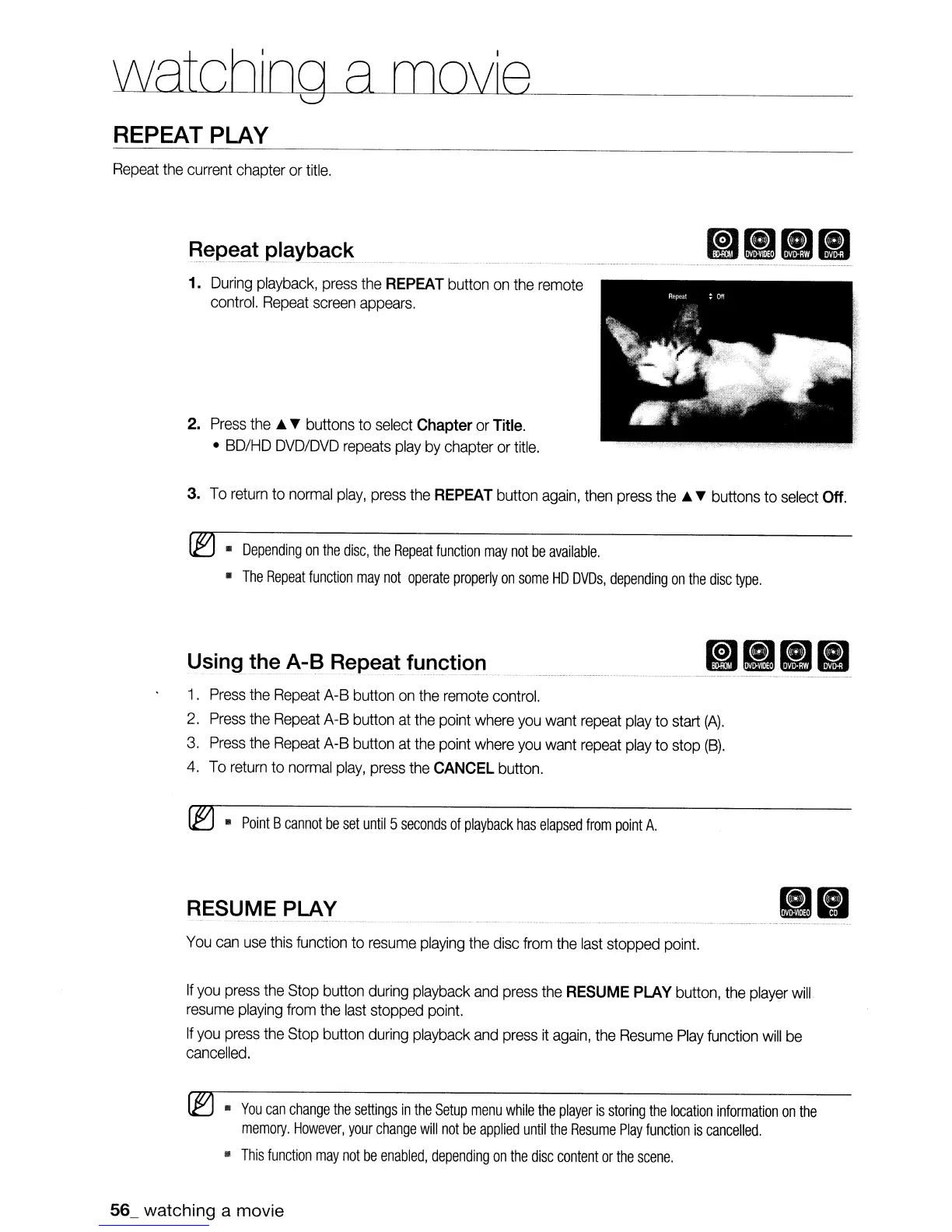
REPEAT PLAY
Repeat
the
current
chapter
or
title.
Rep~C1tpJaYt>Clck
1.
During
playback,
press
the
REPEAT
button
on
the
remote
control.
Repeat
screen
appears.
2.
Press
the.
T buttons
to
select
Chapter
or
Title.
•
BD/HD
DVD/DVD
repeats
play
by
chapter
or
title.
3.
To
return
to
normal
play,
press
the
REPEAT
button
again,
then
press
the.
T buttons
to
select
Off.
~
•
Depending
on
the
disc,
the
Repeat
function
may
not
be
available.
•
The
Repeat
function
may
not
operate
properly
on
some
HD
DVDs,
depending
on
the
disc
type.
Using.!D_e
A-B
Repeat
fUr1~ti.()n
. _
1.
Press
the
Repeat
A-B
button
on
the
remote
control.
2.
Press
the
Repeat
A-B
button
at
the
point
where
you
want
repeat
play
to
start
(A).
3.
Press
the
Repeat
A-B
button
at
the
point
where
you
want
repeat
play
to
stop
(B).
4.
To
return
to
normal
play,
press
the
CANCEL
button.
(EJ
•
Point
B
cannot
be
set
until
5
seconds
of
playback
has
elapsed
from
point
A.
RESUME
PLAY
You
can
use
this
function
to
resume
playing
the
disc
from
the
last
stopped
point.
If
you
press
the
Stop
button
during
playback
and
press
the
RESUME
PLAY
button,
the
player
wilL
resume
playing
from
the
last
stopped
point.
If
you
press
the
Stop
button
during
playback
and
press
it
again,
the
Resume
Play
function
will
be
cancelled.
~
•
You
can
change
the
settings
in
the
Setup
menu
while
the
player
is
storing
the
location
information
on
the
memory.
However,
your
change
will
not
be
applied
until
the
Resume
Play
function
is
cancelled.
•
This
function
may
not
be
enabled,
depending
on
the
disc
content
or
the
scene.
56_ watching a movie

Table of Contents