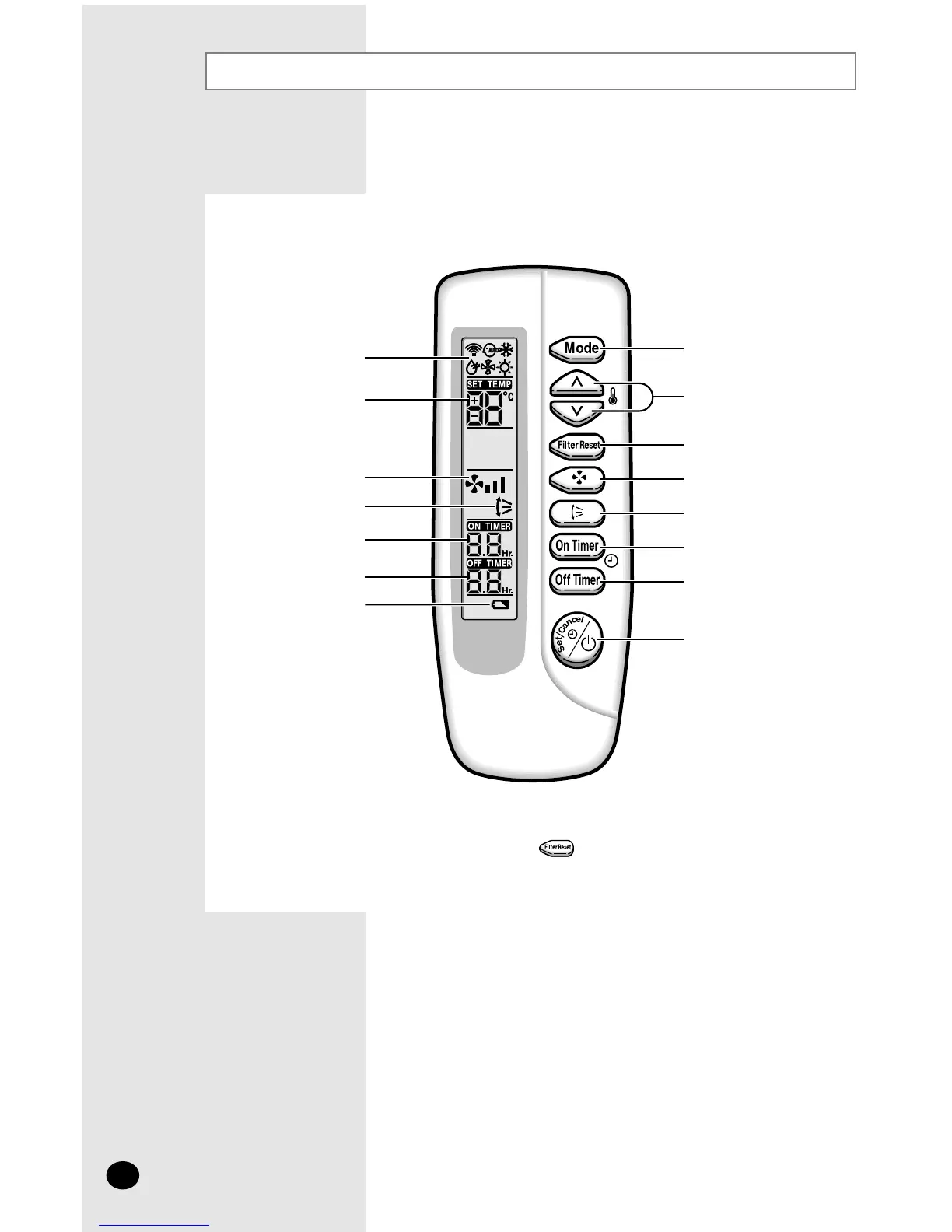
Wireless Remote Controller-Buttons and Display
◆ After cleaning the air filter, press the button.
NN
NN
oo
oo
tt
tt
ee
ee
Operating mode
Mode selection button
Filter Reset button
Swing button
On Timer button
Off Timer button
On/Off & Timer
Set/Cancel button
Fan speed adjustment
button
Temperature adjustment
buttons
Temperature setting
Fan speed
Air flow direction
On Timer setting
Off Timer setting
Battery discharge indicator
The wireless remote controller is an optional accessory.
To use the wireless remote controller, refer to an appropriate manual.
E-6



 To Next Page