8
Icons
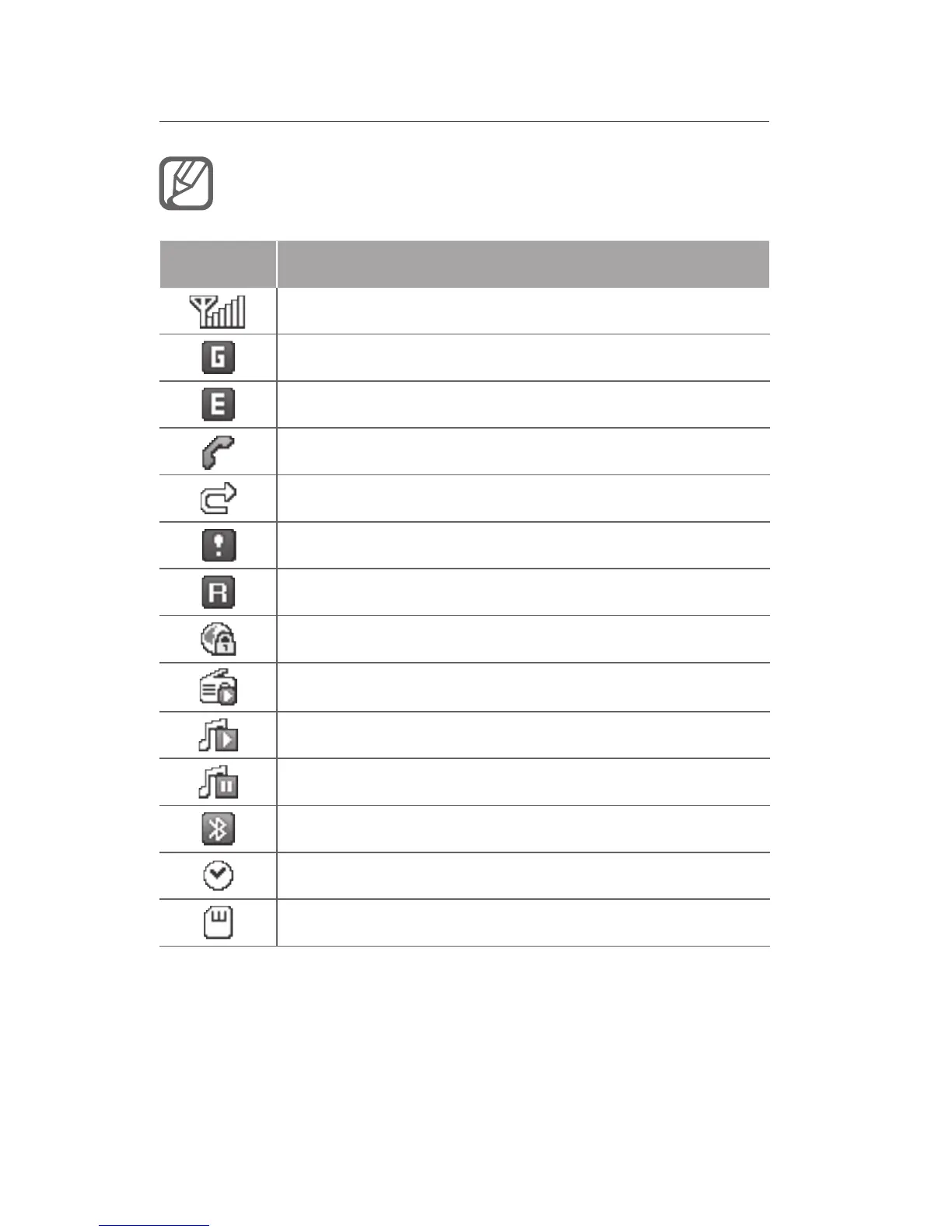
Icons shown on the display may vary depending
on your region or service provider.
Icon Denition
Signal strength
GPRS network connected
EDGE network connected
Call in progress
Call diverting activate
SOS message feature activated
Roaming (outside of normal service area)
Connecting to secured WAP page
FM radio on
Music playback in progress
Music playback paused
Bluetooth activated
Alarm activated
Memory card inserted



 To Next Page