4-3-9 RF AGC Adjustment
Set the AGC data to 33 (Factory Mode).
4-3-10 Sub-Color Adjustment
Set NSR data to 3 (Factory Mode).
4-3-11 Geometry Adjustment
SC →VS→VA →VSL→HS
1. Input a lion head pattern.
2. Set the SC (S-Correction) as 20(13V : 12) and
VS(Vertical Shift) 31 so that the lion head circle
becomes oval.
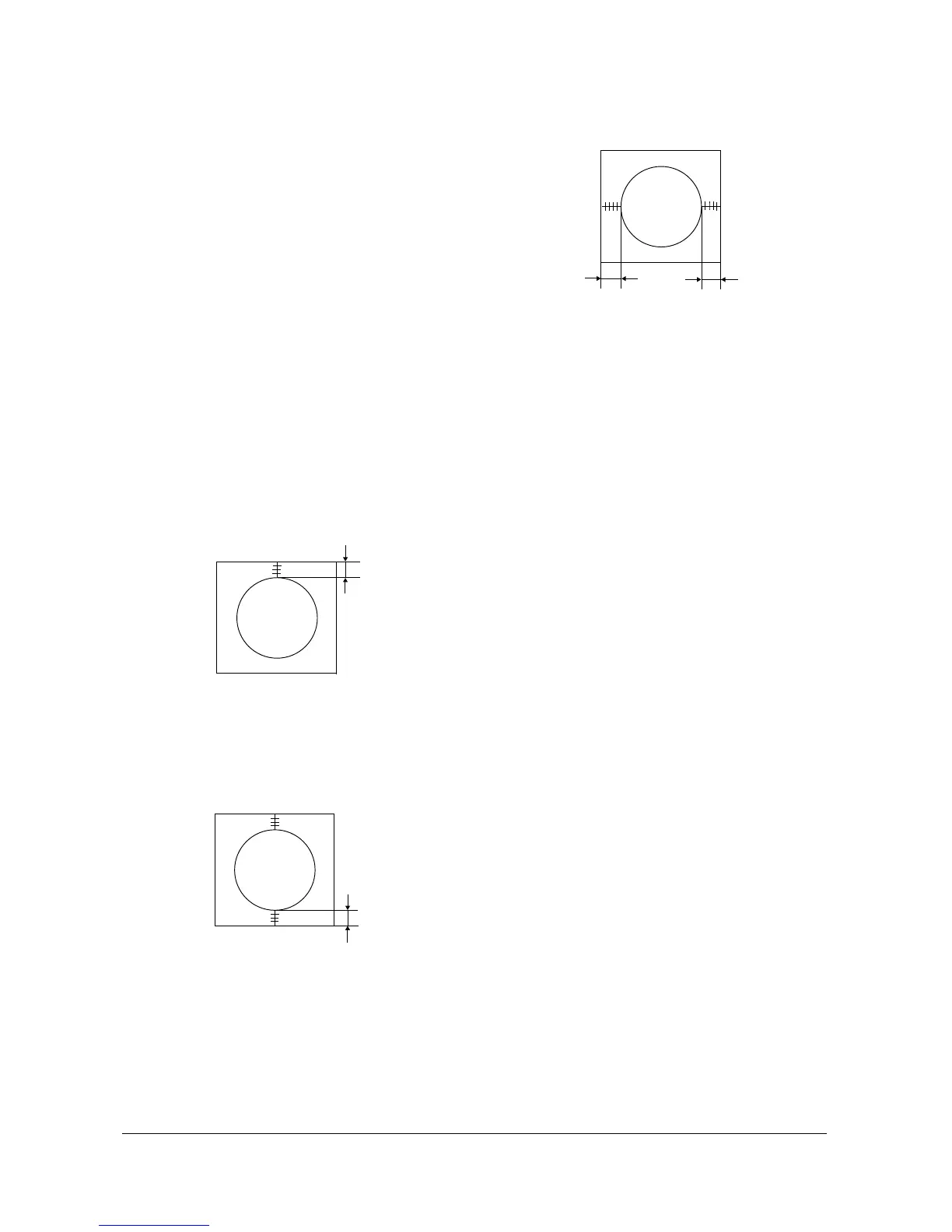
3. Adjust with VA (Vertical Amplitude) so that
the top margin of the picture is 4.
Fig. 4-7
4. Adjust with VSL (Vertical-Slope) so that the
bottom margin of the picture is 4.
Fig. 4-8
5. Adjust with HS (Horizontal Shift) so that the
lion-head pattern and CRT centers are aligned.
Fig. 4-9
6. Adjust HS (Horizontal Shift) so that the left
and right margins of the picture are 5.
Alignment and Adjustments
4-8 Samsung Electronics



 To Next Page