12 English
Hob use
Hob use
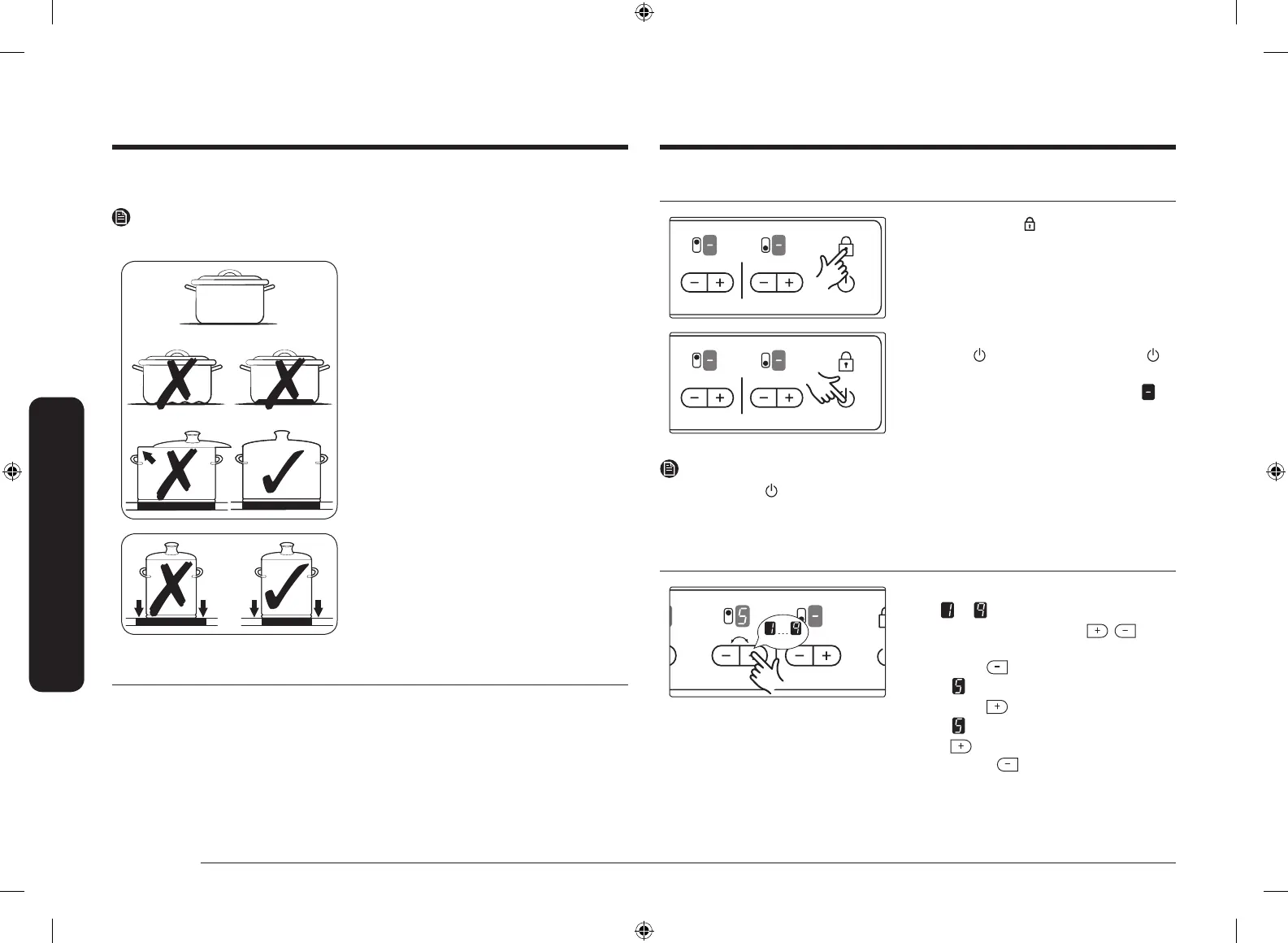
Energy saving tips
NOTE
You can save valuable energy by observing the following points.
• Always position pots and pans before
switching on the cooking zone.
• Dirty cooking zones and pan bases
increase power consumption.
• When possible, position the lids
rmly on the pots and pans to cover
completely.
• Switch the cooking zones off before
the end of the cooking time to use the
residual heat for keeping foods warm
or for thawing.
• The base of the pan should be the same
size as the cooking zone.
• Using a pressure cooker reduces
cooking times by up to 50 %.
Using the touch buttons
To operate the touch button, touch the desired button with the tip of your pointed
nger until the relevant displays illuminate or go out, or until the desired function
is activated.
Ensure that you are touching only one button when operating the appliance. If
your nger is too at on the panel, an adjacent button may be actuated as well.
Switching the appliance on
1. Touch the Lock button for
approximately 3 seconds.
2. The appliance is switched on using the
On/Off button. Touch the On/Off
button.
• The digital displays will show
.
NOTE
After the On/Off
button has been actuated to switch on your appliance, a
heat setting must be selected within approximately 10 seconds. Otherwise, the
appliance will switch itself off for safety reasons.
Temperature control
For setting and adjusting the power
level (
to ) for cooking, touch the
corresponding cooking zone’s ,
buttons.
The rst time is pressed, the heat level
is set to
.
The rst time is pressed, the heat level
is set to
.
Use the button to increase the heat
setting and the button to decrease.
CTR432NB02_XSP_DG68-00315C-00_EN.indd 12 2017-07-24 6:00:35



 To Next Page