English 13
Hob use
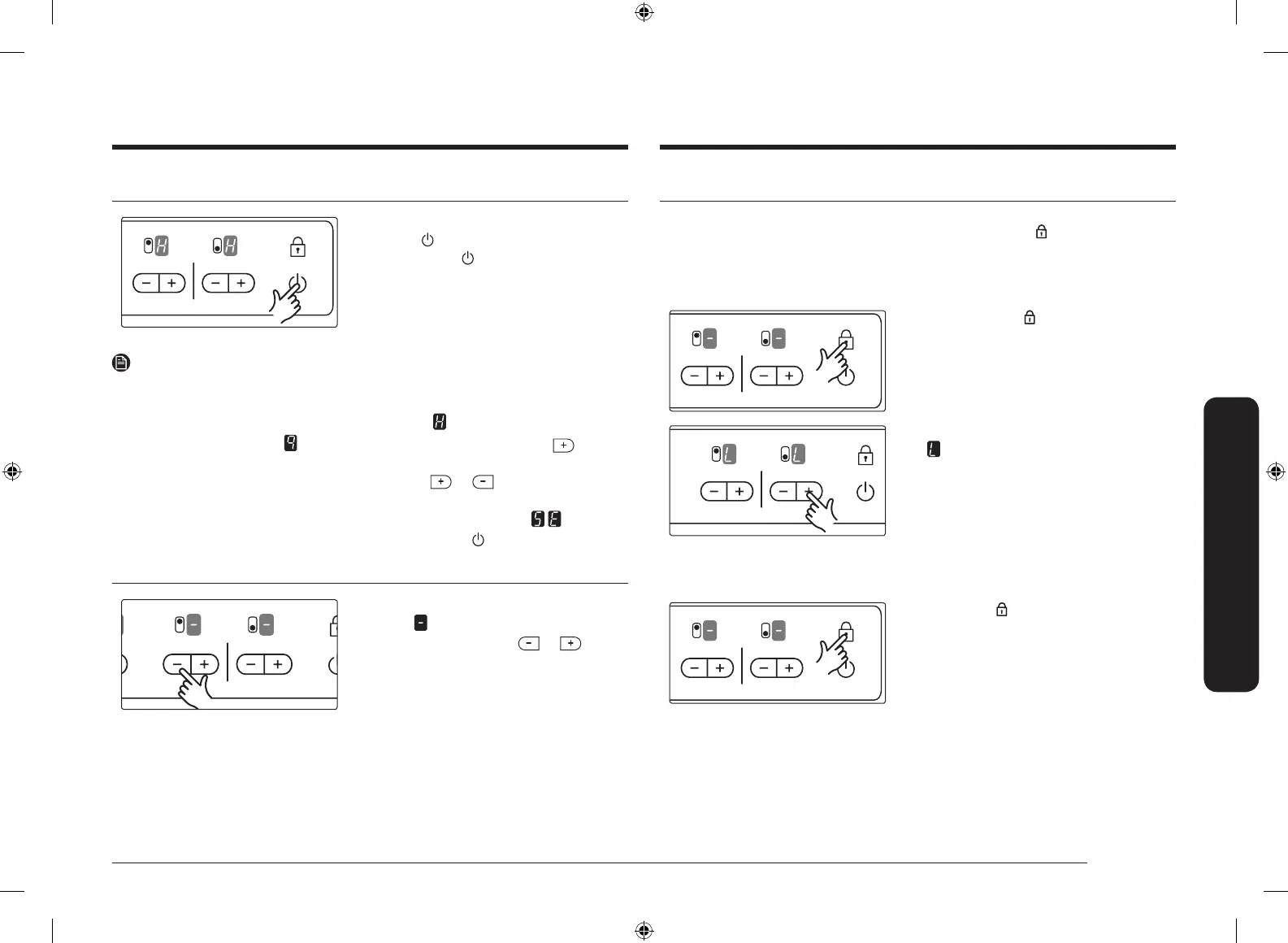
Using the child safety lock
You can use the child safety lock to safeguard against unintentionally turning on
a cooking zone and activating the cooking surface. The Lock button can be used
only when the power is on.
Switching the child safety lock on
1. Touch the Lock button for
approximately 3 seconds.
An acoustic signal will sound as
conrmation.
2. Touch any Heat setting buttons.
will appear in the displays, indicating
the child safety lock has been activated.
Switching the child safety lock off
Touch the Lock button for approximately
3 seconds.
An acoustic signal will sound as
conrmation.
Switching the appliance off
To completely switch off the appliance, use
the On/Off button.
Touch the On/Off button.
NOTE
• After switching off a single cooking zone or the entire cooking surface, the
presence of residual heat will be indicated in the digital displays of the
corresponding cooking zones in the form of an
(for “hot”).
• If the heat setting is at
and you want to turn the burner off, the button
can be touched one additional time, and the heat setting will go to zero.
• For faster adjustment, keep your nger on the or button until the
required value is obtained.
• If more than one button is pressed for longer than 10 seconds,
will show
in the heat setting display. To reset, touch the On/Off button.
Switching a cooking zone off
To switch off a cooking zone, return the
setting to
by using the control panel’s
heat setting and touch the or
button.
CTR432NB02_XSP_DG68-00315C-00_EN.indd 13 2017-07-24 6:00:35



 To Next Page