Ś81ś
Specifications
ƅ Image Sensor
- Type : 1/2.5" CCD
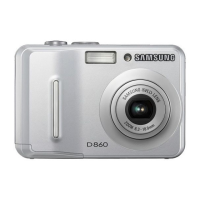
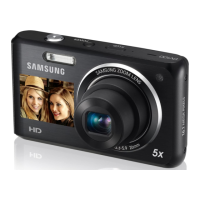
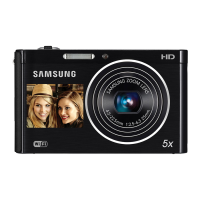
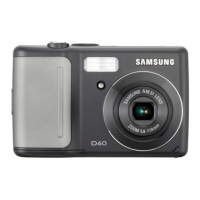
- Effective Pixel : D75/D70-Approx. 7.2 Mega-pixel
D60-Approx. 6.0 Mega-pixel
- Total Pixel : D75/D70-Approx. 7.4 Mega-pixel
D60-Approx. 6.1 Mega-pixel
ƅ Lens
- Focal Length : SHD Lens f = 5.8 ~ 17.4mm (35mm film equivalent :
35~105mm)
- F No. : F2.8 ~ F7.1(Wide), F4.9 ~ F12.4 (Tele)
- Digital Zoom :ňStill Image mode : 1.0X ~ 5.0X
ňPlay mode : D75/D70 : 1.0X ~ 12.0X (depends on image size)
D60 : 1.0X ~ 11.0X (depends on image size)
ƅ LCD Monitor : 2.5" color TFT LCD (D75/D70:230K dots, D60:150K dots)
ƅ Focusing
- Type : TTL auto focus
- Range
ƅ Shutter
- Shutter Speed : 1 ~ 1/1,500 sec. (Manual : 8 ~ 1/1,500 sec.)
Normal Macro Auto Macro
Wide
80cm ~ infinity
5 ~ 80cm 5cm~ Infinity
Tele 40 ~ 80cm 40cm~ Infinity
Before contacting a service centre
Colour of image is different to the original scene
ϏWhite balance or effect setting is incorrect
Ɗ Select appropriate White balance and effect
Images are too bright
ϏExposure is excessive
Ɗ Reset exposure compensation
No image on external monitor
ϏThe external monitor has not been connected properly with the camera
Ɗ Check the connection cables
ϏThere are incorrect files in the memory card
Ɗ Insert a memory card that has correct files
When using the PC’s explorer, the [Removable Disk] file does not show
ϏCable connection is incorrect
Ɗ Check the connection
ϏThe camera is off
Ɗ Turn the camera on
ϏThe operating system is not Windows 98, 98SE, 2000, ME, XP/ Mac OS 9.2 -
10.3. Alternatively the PC does not support USB
Ɗ Install Windows 98, 98SE, 2000, ME, XP/ Mac OS 9.2 - 10.3 to PC that
supports USB
ϏThe camera driver is not installed
Ɗ Install a [USB Storage Driver]


 To Next Page