EasyManua.ls Logo

Samsung DVD-S221 - User Manual

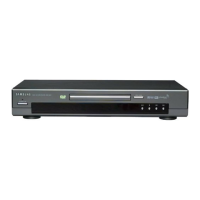
Samsung DVD-S221
50 pages
Print Icon
To Next Page IconTo Next Page
Loading...
D
D
VD PLA
VD PLA
YER
YER
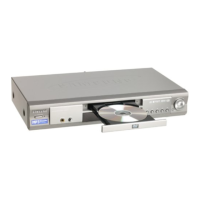
DVD-S221
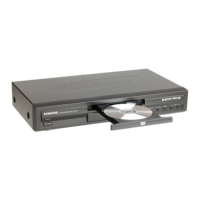
DVD-S222
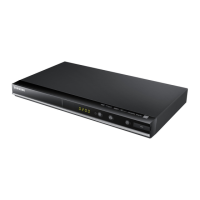
DVD-S320
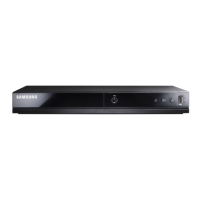
DVD-S321

Other manuals for Samsung DVD-S221

Questions and Answers

  • J
    Jason GibsonAug 14, 2025
    How to reset forgotten password on Samsung DVD Player?
    • A
      Amanda EvansAug 14, 2025
      If you've forgotten your password for the Samsung DVD Player, power on the unit from a cold start without any disc inside. Then, simultaneously press and hold the STOP and PLAY buttons on the front panel for three seconds. The Select Menu Language display will then appear, where you should select your preferred language. Next, press the SETUP button on the remote to access Parental Mode, which will now be unlocked. You can then set your desired rating level and establish a new password.
  • S
    Sarah DiazAug 17, 2025
    What to do if the remote control is not working for my Samsung DVD-S221 DVD Player?
    • A
      Amanda HardinAug 17, 2025
      If your Samsung DVD player's remote isn't working, try these steps: First, check and replace the batteries. Then, ensure you're within 20 feet of the player. If it still fails, remove the batteries and hold down one or more buttons for several minutes to drain the microprocessor inside the remote to reset it. Reinstall batteries and try the remote again.
  • I
    iatkinsonAug 20, 2025
    Why is there no 5.1 channel sound from my Samsung DVD-S221 DVD Player?
    • M
      Mark LeAug 21, 2025
      If your Samsung DVD player isn't producing 5.1 channel sound, first ensure that your DVD player is properly connected to a compatible amplifier and that the disc you are playing is recorded with 5.1 channel sound. Look for the “Dolby 5.1 ch” mark on the disc. Also, verify that your audio system is correctly connected and functioning. Finally, check the SETUP Menu to confirm that the Audio Output is set to Bitstream.
  • J
    jerome12Aug 25, 2025
    Why is my Samsung DVD-S221 DVD Player not playing the disc?
    • K
      Kimberly FoxAug 25, 2025
      If your Samsung DVD player isn't playing a disc, ensure the disc is inserted with the label side facing up. Also, check the region code of the DVD to confirm it's compatible with your player.
  • S
    Sara HamiltonAug 27, 2025
    Why is there no audio from my Samsung DVD Player?
    • J
      Jerry HernandezAug 28, 2025
      If you're not getting any audio from your Samsung DVD player, make sure you have selected the correct Digital Output in the Audio Options Menu.
  • A
    Anita BrownAug 31, 2025
    Why does play mode differ from the setup menu selection on my Samsung DVD Player?
    • J
      Justin MyersAug 31, 2025
      If the play mode on your Samsung DVD player differs from what you selected in the Setup Menu, it's likely because the disc isn't encoded with the corresponding function. Some functions in the Setup Menu won't work correctly if the disc doesn't support them.
  • R
    Roy PalmerSep 3, 2025
    What does the icon on the screen mean on my Samsung DVD Player?
    • D
      David Frost DDSSep 3, 2025
      If you see an icon on the screen of your Samsung DVD player, it means the current action is restricted. This could be due to the DVD's software limiting the feature, the software not supporting the specific function (like angles), the feature being temporarily unavailable, or the requested title, chapter number, or search time being out of range.
  • M
    Mark Brown PhDSep 7, 2025
    Why doesn't the disc menu appear on my Samsung DVD Player?
    • U
      uthompsonSep 7, 2025
      If the disc menu isn't appearing on your Samsung DVD player, check to make sure that the disc actually has a menu.
  • B
    Beth RileySep 10, 2025
    Why the screen ratio cannot be changed on my Samsung DVD-S221 DVD Player?
    • W
      williamacostaSep 10, 2025
      If you cannot change the screen ratio on your Samsung DVD player, it is because the screen ratio is fixed on your DVDs.

Summary

Precautions

Safety Warnings

Covers electrical shock, laser exposure, and general safety advice for the DVD player.

Safety Instructions

General Safety Guidelines

Covers reading instructions, warnings, cleaning, attachments, water, and accessory placement.

Installation and Protection Measures

Discusses ventilation, power sources, grounding, cord protection, and lightning protection.

Further Safety Instructions

Electrical and Usage Hazards

Covers overloading outlets, object/liquid entry, and precautions during servicing.

General Features

Playback Modes and Functions

Explains programmed play, parental control, repeat, MP3, and instant replay functions.

Disc Compatibility

Playable Disc Types and Characteristics

Details DVD, VIDEO-CD, and AUDIO-CD formats supported, including playback times.

Disc Markings and Region Codes

Explains logos, NTSC system, Dolby, DTS, and region coding for discs.

Rear Panel Connections

Video Output Jacks and Selection

Explains VIDEO OUT, S-VIDEO OUT, COMPONENT VIDEO OUT, and the VIDEO OUT SELECT switch.

Remote Control Functions

Basic Playback and Navigation Commands

Explains DVD POWER, NUMBER, STEP, VOLUME, ZOOM, S.FIT, SEARCH, STOP, RETURN, SETUP, SUBTITLE, ANGLE, MENU, CLEAR, SLOW buttons.

Advanced Playback and Repeat Operations

Describes TV POWER, 3D, OPEN/CLOSE, CHANNEL, DIGEST, PLAY/PAUSE, SKIP, BOOKMARK, DISPLAY, AUDIO, ENTER/DIRECTION, TOP MENU, REPEAT, MODE, REPEAT A-B, I.REPLAY.

Connection Guide

Audio System Connections

Illustrates connecting the player to an audio system via analog or digital outputs.

Connection Guide

TV Video Connections

Shows how to connect the player to a TV using AV, S-Video, and Component Video.

Basic Playback Operations

Disc Playback Controls

Steps for playing, stopping, removing, and pausing a disc.

Repeat Playback Modes

DVD Repeat Options

How to repeat chapters, titles, or specific sections (A-B) on DVDs.

Audio Language Selection

Using the AUDIO Button

How to select preferred audio languages for DVDs and stereo for VCD/CD.

Subtitle Language Selection

Using the SUBTITLE Button

How to select preferred subtitle languages and enable or disable them.

MP3 File Playback

Language Setup Features

Language Setup Features

Selecting Audio Language

How to choose the preferred audio language for disc playback.

Selecting Subtitle Language

How to choose the preferred subtitle language and its display.

Parental Control Setup

Enabling Parental Control

How to enable password protection and set rating levels for content restriction.

Audio Options Setup

Digital Output Configuration

How to configure PCM or Bitstream digital audio output.

Display Options Setup

TV Remote Control Setup

TV Code List for Remote Programming

List of codes to program the remote to control various TV brands.

Troubleshooting Guide

Remote Control Issues

Solutions for problems related to the remote control not functioning correctly.

Playback and Audio Problems

Solutions for discs not playing or issues with audio output.

Menu, Screen, and Password Issues

Solutions for disc menus not appearing, screen ratio problems, or forgotten passwords.

Samsung DVD-S221 Specifications

General IconGeneral
BrandSamsung
ModelDVD-S221
CategoryDVD Player
LanguageEnglish

Related product manuals