EasyManua.ls Logo

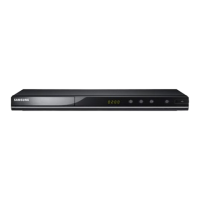
Samsung DVD-M301 - User Manual

Samsung DVD-M301
21 pages
Print Icon
To Next Page IconTo Next Page
Loading...
SAMSUNG ELECTRONICS AMERICA INC.
105 CHALLENGER ROAD, RIDGEFIELD PARK,
NJ 07660 U.S.A.
FOR YOUR NEAREST SAMSUNG
SERVICE CENTER
DIAL 1-800-SAMSUNG
AH68-00719B
US
US

Questions and Answers

  • M
    melissa27Aug 12, 2025
    How to fix Samsung DVD Player remote not working?
    • S
      Steven HernandezAug 13, 2025
      If your Samsung DVD Player remote isn't working, first check and replace the batteries if needed. Ensure you are within 20 feet of the unit. If that doesn't work, try resetting the remote by removing the batteries, holding down one or more buttons for a few minutes, and then reinstalling the batteries.
  • J
    John KellerAug 16, 2025
    Why is 5.1 channel sound not working on my Samsung DVD Player?
    • R
      raygarrettAug 16, 2025
      5.1 channel sound will only work if: 1) Your Samsung DVD player is connected to a compatible amplifier. 2) The disc you're playing is recorded with 5.1 channel sound. Also, verify the disc has the “Dolby 5.1 ch” mark, your audio system is properly connected and functioning, and the Audio Output in the SETUP Menu is set to Bitstream.
  • W
    William AvilaAug 20, 2025
    Why won't my Samsung DVD Player play the disc?
    • A
      andresbrownAug 20, 2025
      If your Samsung DVD Player won't play a disc, make sure the disc is inserted with the label side facing up. Also, verify that the DVD's region code is compatible with your player.
  • K
    Kari CampbellAug 23, 2025
    What to do if I forgot the password on my Samsung DVD-M301 DVD Player?
    • J
      James EdwardsAug 25, 2025
      To reset a forgotten password on your Samsung DVD player: Start the player without a disc inside. Simultaneously press the STOP and PLAY buttons on the front panel for three seconds. When the Select Menu Language display appears, select your language. Press the SETUP button on the remote to access Parental Mode, which will now be unlocked. Use the DOWN button to select Parental, then press ENTER. The Create Password display will appear, allowing you to set a new rating level and password.
  • D
    Daniel GonzalezAug 27, 2025
    What does it mean when an icon appears on the screen of my Samsung DVD-M301?
    • M
      Mr. William RiveraAug 27, 2025
      If an icon appears on the screen, it signifies that the feature or action you're trying to use can't be completed at this time. This could be due to restrictions in the DVD's software, lack of support for the feature, the feature not being currently available, or requesting a title, chapter, or search time that is out of range.
  • J
    Jacob HughesAug 31, 2025
    Why does the play mode differ from the Setup Menu selection on my Samsung DVD Player?
    • V
      vjohnsonAug 31, 2025
      If the play mode differs from the Setup Menu selection, it may be because the disc isn't encoded with the function you selected in the Setup Menu.
  • M
    Micheal ProctorSep 4, 2025
    Why doesn't the disc menu appear on my Samsung DVD-M301 DVD Player?
    • E
      Eric MartinSep 4, 2025
      If the disc menu doesn't appear, check to see if the disc actually has a menu.
  • N
    Nicole SmithSep 7, 2025
    Why can't I change the screen ratio on my Samsung DVD-M301?
    • W
      Whitney WatsonSep 7, 2025
      If you cannot change the screen ratio, it is because the screen ratio is fixed on the DVD that you are playing.

Summary

Precautions

Safety Warnings

Covers electrical shock, laser beam, and fire/moisture hazards.

Operational Guidelines

Important notes on power supply, region codes, and handling precautions.

Getting Started

Remote Control Setup

Instructions for installing batteries and troubleshooting the remote.

Product Features

Component Identification

Remote Control Operation

Connecting Components

Audio and Video Connections

Guides for connecting to audio systems and TVs via various methods.

Disc Playback Operations

Starting and Controlling Playback

Instructions for playing, pausing, stopping, and removing discs.

Playback Navigation

Playback Modes

Language Settings

Customization and Special Effects

Setup Menu Navigation

How to access and use the setup menu for various player settings.

Language Setup Features

Player and Disc Menu Languages

Setting default languages for player menus and DVD disc menus.

Default Audio and Subtitle Languages

Setting preferred audio and subtitle languages for automatic selection.

Control and Audio Settings

Parental Control Setup

Setting parental rating levels and passwords to restrict content.

Audio Options Configuration

Configuring digital output, DTS, and dynamic compression.

Display and Remote Control Setup

Troubleshooting and Specifications

Common Troubleshooting Issues

Solutions for remote, playback, audio, and menu problems.

Product Warranty Information

Samsung DVD-M301 Specifications

General IconGeneral
BrandSamsung
ModelDVD-M301
CategoryDVD Player
LanguageEnglish

Related product manuals