EasyManua.ls Logo

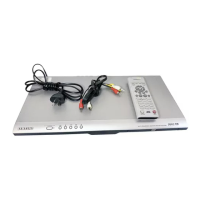
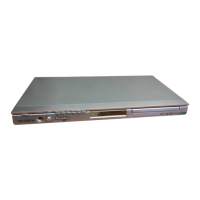
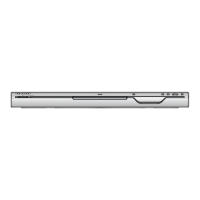
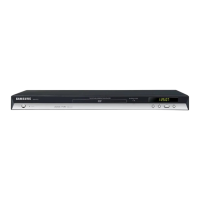
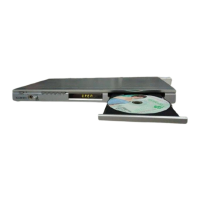
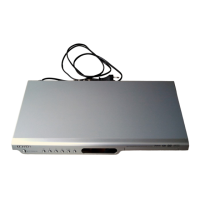
Samsung DVD-P355 - User Manual

Samsung DVD-P355
62 pages
Print Icon
To Next Page IconTo Next Page
Loading...
DVD Player
DVD-P355

Questions and Answers

  • L
    Laura ArmstrongAug 12, 2025
    What to do if my Samsung DVD Player disc does not play?
    • F
      fclarkAug 12, 2025
      If your Samsung DVD Player isn't playing discs, make sure the disc is inserted with the label side facing up. Also, verify the region code of the DVD to ensure it's compatible with your player.
  • E
    Eddie ThompsonAug 15, 2025
    Why is there no audio from my Samsung DVD-P355?
    • M
      matthew12Aug 15, 2025
      If you're not getting any sound from your Samsung DVD Player, ensure that you have selected the correct Digital Output in the Audio Options Menu.
  • M
    msteeleAug 20, 2025
    Why is my Samsung DVD-P355 remote control not working?
    • S
      Steven SandovalAug 20, 2025
      If the remote control for your Samsung DVD Player isn't working, try these steps: * Check and replace the batteries in the remote. * Make sure you are within 20 feet of the DVD player. * Reset the remote by removing the batteries, holding down one or more buttons for several minutes, then reinstalling the batteries.
  • M
    Michael BrownAug 23, 2025
    Why is my Samsung DVD-P355 5.1 channel sound not working?
    • E
      Eric AdamsAug 23, 2025
      5.1 channel sound on your Samsung DVD Player will only work if: 1. The DVD player is connected to a compatible amplifier. 2. The disc is recorded with 5.1 channel sound. Also, check the disc for the “5.1 ch” mark, verify your audio system is properly connected and working, and confirm that the Audio Output in the SETUP Menu is set to Bitstream.
  • F
    fordmonicaAug 27, 2025
    What to do if I forgot my Samsung DVD-P355 password?
    • U
      umillerAug 27, 2025
      If you've forgotten the password for your Samsung DVD Player, you can reset all settings, including the password, to the factory defaults. To do this, press and hold the button for more than 5 seconds when there is no disc inside the player. Note: Only use this method if absolutely necessary as it will erase all your settings.
  • W
    williamscynthiaAug 30, 2025
    Why is the picture noisy or distorted on my Samsung DVD-P355 DVD Player?
    • M
      Melissa WilsonAug 30, 2025
      If the picture on your Samsung DVD Player is noisy or distorted, check the disc for dirt or scratches. If necessary, clean the disc.
  • S
    Stephanie JonesSep 4, 2025
    Why can't I change the screen ratio on my Samsung DVD Player?
    • B
      bcareySep 4, 2025
      If you cannot change the screen ratio on your Samsung DVD Player, it may be because the screen ratio is fixed on the DVDs you are playing.
  • C
    Christopher NguyenSep 7, 2025
    What does it mean if the play mode differs from the setup menu selection on my Samsung DVD-P355 DVD Player?
    • S
      Samantha BautistaSep 7, 2025
      If the play mode differs from the Setup Menu selection on your Samsung DVD Player, it could be that the disc isn't encoded with the function you selected in the Setup Menu.

Summary

Precautions

Setting up Player

Instructions on player placement, ventilation, and connecting components.

Safety Warnings

Warnings about laser exposure, opening the unit, and self-repair.

Getting Started

Remote Control Troubleshooting

Tips to resolve issues if the remote control is not working properly.

Chapter 1: Setup

General Features Overview

Describes key capabilities like Dolby Digital sound, screen modes, and playback features.

Player Description

Front Panel Controls and Display

Identifies and explains the functions of buttons and the display on the player's front panel.

Rear Panel Connections

Rear Panel Jack Identification

Details the various audio and video output/input jacks on the rear of the player.

Remote Control Guide

Remote Control Button Functions

Explains the function of each button on the remote control.

Chapter 2: Connections

Video Connections

Audio System Connections

Chapter 3: Basic Functions

Playing a Disc

Steps for inserting a disc and starting playback, including resume function.

Basic Playback Operations

Chapter 4: Advanced Functions

Adjusting Aspect Ratio (EZ View)

How to adjust the picture aspect ratio to match your TV screen.

Advanced Video Settings

Advanced Audio Settings

Advanced Subtitle Settings

DVD AUDIO Playback

Playing DVD AUDIO Discs

Steps and guidance for playing DVD AUDIO format discs.

DVD AUDIO Specific Features

MPEG4 and AVI Playback

Chapter 5: Changing Setup Menu

Using the Setup Menu

An overview of the setup menu and its main configuration categories.

Setup Menu: Language Options

Setting Up Language Features

How to set player, disc, audio, and subtitle languages.

Setup Menu: Disc Language

Setup Menu: Audio Language

Using the Audio Language Setting

How to select the preferred audio language for playback.

Setup Menu: Subtitle Language

Using the Subtitle Language Setting

How to select the preferred subtitle language for playback.

Setup Menu: DivX Subtitle Language

Setup Menu: Audio Options

Setting Up Audio Options

How to configure audio output settings like Dolby Digital, DTS, and dynamic compression.

Audio Output Settings Explained

Detailed explanations of audio output modes and their functionalities.

Setup Menu: Display Options

Setting Up Display Options

How to adjust video settings such as TV aspect ratio, screen messages, and video output.

Display Option Settings Explained

Detailed explanations of display options like TV aspect, still mode, and video output types.

Setup Menu: Parental Controls

Setting Up Parental Control

How to enable parental controls and set a password to restrict content.

Setting Up the Rating Level

How to set the parental control rating level to restrict disc playback.

Changing the Parental Control Password

How to change the existing parental control password.

Troubleshooting Guide

Common Problems and Solutions

Lists common issues and provides actions to resolve them.

Samsung DVD-P355 Specifications

General IconGeneral
TypeDVD Player
Progressive ScanYes
Remote ControlYes
Power Consumption15 W
Disc Formats SupportedDVD, CD
Video OutputComposite, S-Video
Audio OutputStereo
Dimensions360 x 37 x 200 mm
Video Output SystemNTSC
ConnectorsComposite, S-Video
Playback FormatsDVD-Video, CD-DA

Related product manuals