EasyManua.ls Logo

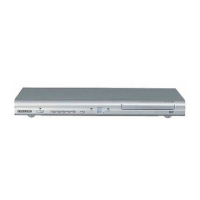
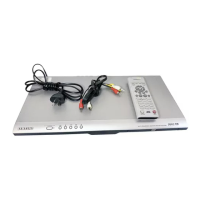
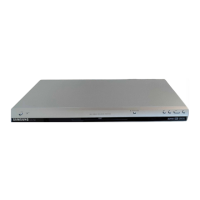
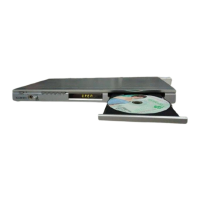
Samsung DVD-P250K - User Manual

Samsung DVD-P250K
120 pages
Go to English
Print Icon
To Next Page IconTo Next Page
Loading...
Para prevenir cualquier mal funcionamiento y evitar daños, lea detalladamente
este manual de instrucciones antes de conectar y operar el aparato.
Conserve el manual para futuras referencias. Gracias.
Reproductor de DVD
DVD-P250K
DVD-P255K
SPA ENG
AK68-00668A_00_cover_Spa 2/2/05 3:02 PM Page 3

Table of Contents

Questions and Answers

  • M
    Meghan ZavalaAug 14, 2025
    How to fix Samsung DVD Player remote control not working?
    • M
      Michael RomanAug 15, 2025
      If your Samsung DVD Player remote control isn't working, first check and replace the batteries if needed. Then, ensure you're within 20 feet of the DVD player. If it still fails, try resetting the remote by removing the batteries, holding down one or more buttons for several minutes, and then reinstalling the batteries.
  • B
    Benjamin SmallAug 17, 2025
    Why Samsung DVD Player not playing disc?
    • L
      Laurie MartinezAug 18, 2025
      If your Samsung DVD Player isn't playing discs, make sure that the disc is inserted with the label side facing up. Also, verify that the region code of the DVD is compatible with your player.
  • T
    Timothy BrownAug 21, 2025
    Why is 5.1 channel sound not working on my Samsung DVD Player?
    • L
      Lauren KellyAug 21, 2025
      If you're not getting 5.1 channel sound from your Samsung DVD Player, first ensure that the DVD player is properly connected to a compatible amplifier. Confirm that the disc is recorded with 5.1 channel sound and has the “5.1 ch” mark. Also, check that your audio system is correctly connected and functioning. Finally, verify in the Setup Menu that the Audio Output is set to Bitstream.
  • M
    Mr. Kevin CochranAug 25, 2025
    How to reset password on Samsung DVD-P250K DVD Player?
    • R
      Rebekah BurkeAug 26, 2025
      If you've forgotten the password for your Samsung DVD Player, you can reset all settings, including the password, to the factory defaults by pressing the button for more than 5 seconds when there is no disc inside. Note: use this as a last resort.
  • T
    Tyler YoungAug 28, 2025
    What to do if Samsung DVD-P250K picture is noisy?
    • K
      Kathleen HallAug 28, 2025
      If the picture on your Samsung DVD Player is noisy or distorted, check the disc for dirt or scratches. If necessary, clean the disc to resolve the issue.
  • C
    Christopher Wright MDAug 31, 2025
    What to do if the screen is blocked on Samsung DVD-P250K?
    • P
      perezheatherAug 31, 2025
      If the screen is blocked on your Samsung DVD Player, press the button for more than 5 seconds with no disc inside the player. This will revert all settings to the factory defaults.
  • J
    John DodsonSep 3, 2025
    Why is there no audio from my Samsung DVD Player?
    • D
      daniel03Sep 3, 2025
      If you are experiencing no audio from your Samsung DVD Player, ensure you have selected the correct Digital Output in the Audio Options Menu.
  • M
    Marvin MartinSep 6, 2025
    Why does play mode differ from the Setup Menu selection on my Samsung DVD-P250K DVD Player?
    • N
      Nancy JacksonSep 6, 2025
      If the play mode on your Samsung DVD Player differs from the Setup Menu selection, it may be because the disc is not encoded with the corresponding function. Some functions selected in the Setup Menu may not work properly if the disc doesn't support them.
  • E
    Elizabeth MyersSep 12, 2025
    Why the screen ratio cannot be changed on Samsung DVD-P250K DVD Player?
    • C
      cynthiasnyderSep 12, 2025
      The screen ratio on your Samsung DVD Player cannot be changed if the Screen Ratio is fixed on your DVDs.

Samsung DVD-P250K Specifications

General IconGeneral
TypeDVD Player
Audio FormatsDolby Digital, DTS
Progressive ScanYes
Remote ControlYes
Power Consumption15W
Disc FormatsCD-R, CD-RW, DVD-R, DVD-RW
Video FormatsMPEG-2
ConnectivityComposite Video
Region CodeRegion 1

Related product manuals