EasyManua.ls Logo

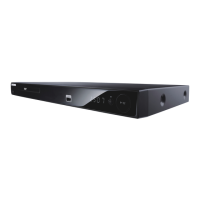
Samsung dvd-p390k - User Manual

Samsung dvd-p390k
68 pages
Print Icon
To Next Page IconTo Next Page
Loading...
ﺕﺎﻳﻧﺎﻜﻣﻹﺍ ﻞّﯿﺨﺗ


www.samsung.com/global/register
ﻱﺩﻲﻓﻱﺩ ﻞﯿﻐﺸﺗ ﺯﺎﻬﺟ
ﻡﺪﺧﺘﺴﳌﺍ ﻞﻴﻟﺩ
DVD-P390
AK68-01770J
Downloaded From Disc-Player.com Samsung Manuals

Questions and Answers

  • J
    jose53Aug 10, 2025
    Why is 5.1 channel sound not working on my Samsung dvd-p390k?
    • T
      Tracie MooreAug 11, 2025
      5.1 channel sound is only reproduced when the DVD player is connected to the proper Amplifier and the disc is recorded with 5.1 channel sound. Ensure the disc has the “5.1 ch” mark. Also, check if your audio system is correctly connected and working. Finally, verify that the Audio Output in the SETUP Menu is set to Bitstream.
  • J
    Jonathan WilsonAug 27, 2025
    What to do if I forgot the password on my Samsung dvd-p390k DVD Player?
    • D
      dwestAug 27, 2025
      To reset a forgotten password on your Samsung DVD Player, press and hold the button on the front panel for more than 5 seconds with no disc inside. This will revert all settings, including the password, to factory defaults. Use this method only when absolutely necessary.

Samsung dvd-p390k Specifications

General IconGeneral
TypeDVD player
Progressive ScanYes
Remote ControlYes
Playable Disk TypesCD, DVD
Playback FormatsMP3, JPEG
Video OutputComposite, Component, S-Video

Related product manuals